---
title: "MCP overview"
description: "Connect Claude, Cursor, ChatGPT or any MCP client to your Lookio workspace so an AI agent can import resources, build assistants and ask questions."
canonical: "https://lookio.app/docs/developers/mcp/overview"
updated: "2026-11-08"
---
# MCP overview
Lookio runs a Model Context Protocol (MCP) server. An AI client can do through it what the REST API does: import resources, create assistants and ask them questions. An admin can also manage tags and members. If the app refuses an action, the agent gets the same refusal.
```text
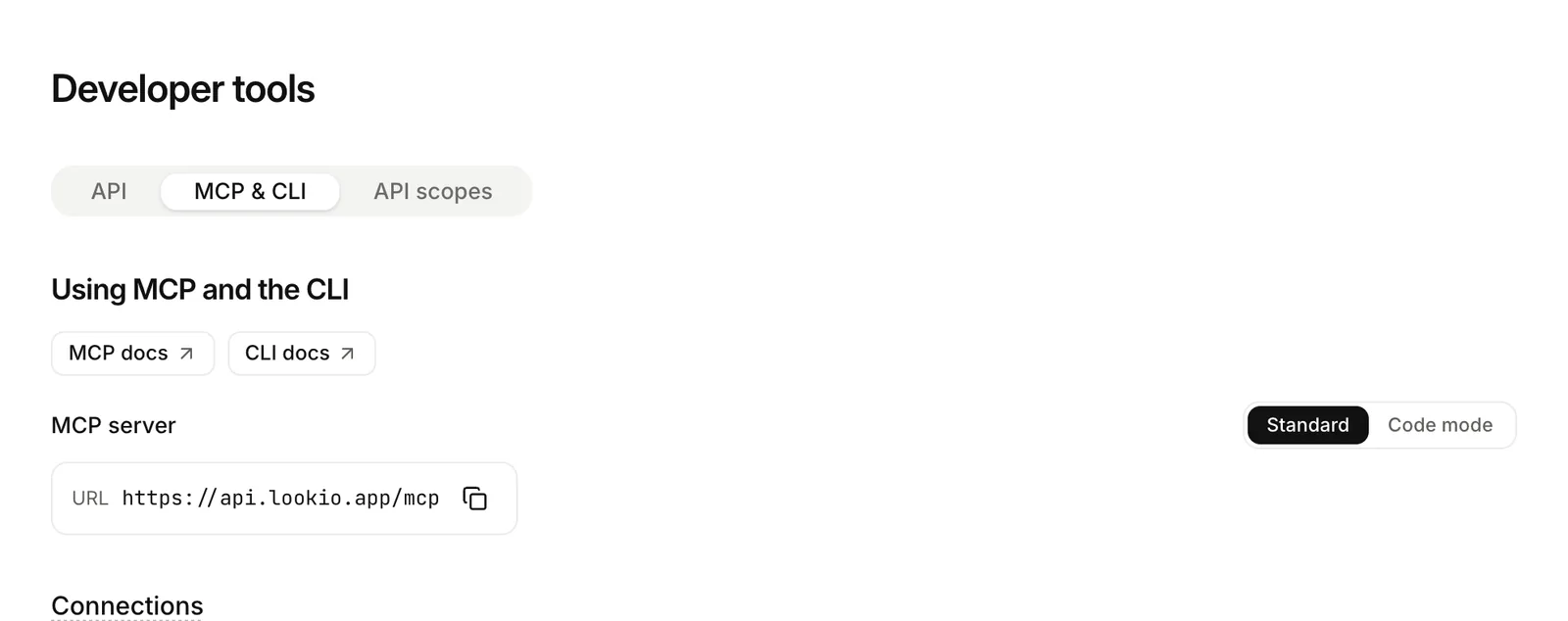
https://mcp.lookio.app/mcp
```
## Two servers
```mermaid title="Standard or Code Mode"
flowchart LR
A["AI client"] --> S["Standard
/mcp
one tool per task"]
A --> CM["Code Mode
/mcp/code
search + execute"]
S --> L["Same scopes, same limits"]
CM --> L
```
| Server | URL | Tools |
| ------------- | --------------------------------- | ------------------------------------------------------------------------------------------------------------------------------------------------- |
| **Standard** | `https://mcp.lookio.app/mcp` | One tool per task: `list_resources`, `add_site`, `ask_assistant`. The default for most clients. See [Tools](/docs/developers/mcp/standard-tools). |
| **Code Mode** | `https://mcp.lookio.app/mcp/code` | Two tools, `search` and `execute`, for agents that write a small script. See [Code Mode](/docs/developers/mcp/code-mode). |
Both have the same authentication, scopes and rate limit.
## What an agent can do
- Add a text, a web page or a whole site, check that it was read, and read back what was indexed.
- Create an assistant, choose what it reads and change its context.
- Ask an assistant a question and get an answer with citations. Continue with its `conversation_id`. Read, rename, delete or rate your conversations.
- Put an assistant on a website with a [widget](/docs/guides/widget/overview), and read in the [logs](/docs/guides/logs) what visitors and your product's users asked.
- Read the account, the credit balance and the usage.
Only `ask_assistant` and `search_assistant` spend credits. Each tool gives its cost in its description, so an agent knows before it calls.
## How you connect
1. **Add the server**
Add the server URL to your client. See [Connect an AI client](/docs/developers/mcp/connect).
2. **Approve in your browser**
The client opens Lookio in your browser. You choose the workspace and approve the permissions.
3. **Review the connection**
Lookio creates a personal connection. Review or revoke it in **Developer tools**, **MCP & CLI** tab.
For an agent that runs alone, you can also give the client a workspace [API key](/docs/guides/api-keys) in an `Authorization: Bearer` header.
## Permissions
An agent never gets more than the person who connected it, or than the scopes you approved. Lookio does not list the tools it may not use. See [Safety and permissions](/docs/developers/mcp/safety-and-permissions).
## Transport
The server uses MCP over Streamable HTTP, without sessions. It works with clients of the 2026-07-28 revision and with older clients of stateless Streamable HTTP. It does not support the old HTTP with server-sent events transport. For a client that can only start a local process, use the CLI bridge: `lookio mcp`.