---
title: "Public assistants"
description: "Make an assistant public so any Lookio workspace can ask it with its own credits, earn 20% of what they spend, and ask the public assistants of others."
canonical: "https://lookio.app/docs/guides/public-assistants"
updated: "2026-11-08"
---
# Public assistants
A public assistant is in the **Public assistants** directory. Any Lookio workspace can find it and ask it from its Chat, the API, the MCP server or the CLI, with **its own credits**.
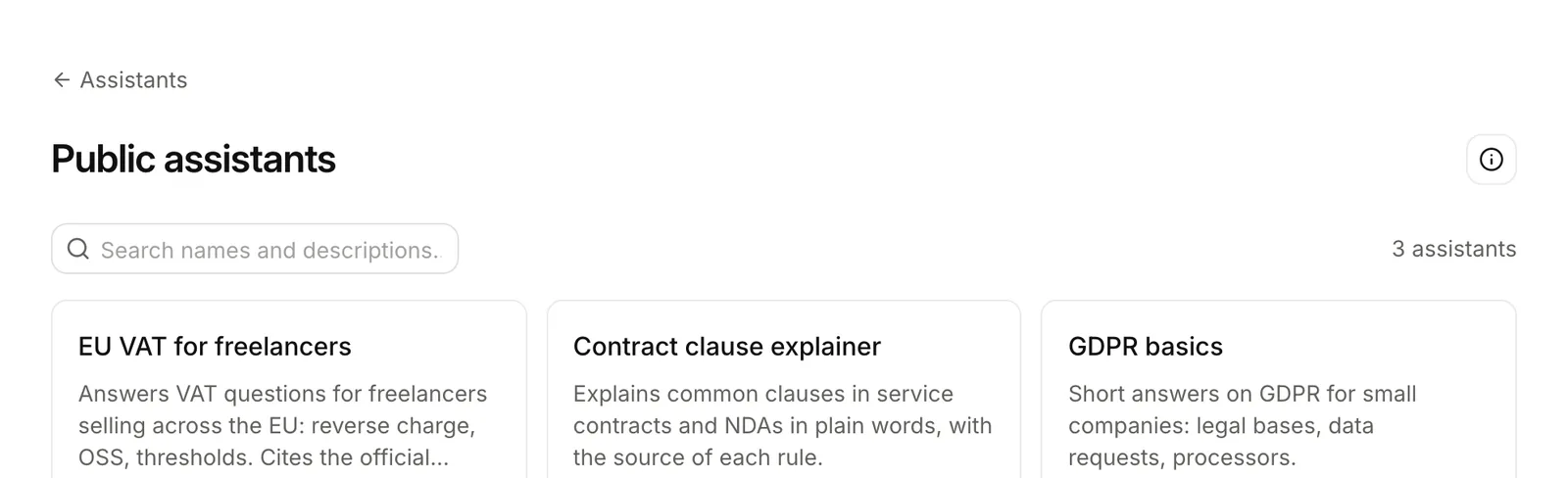
_The directory: each public assistant with its description and its publisher._
```mermaid title="Who pays, who earns"
flowchart LR
O["Another workspace
asks your assistant"] -- "pays the mode's price" --> L["Lookio"]
L -- "20% of those credits,
early next month" --> Y["Your workspace"]
```
## Making one of yours public
Open the assistant, then the **Public** tab, or **Make it public** in its **⋯** menu. Write the description for the directory, 40 to 1,000 characters: what it answers, from which sources, for whom. Lookio reviews every request before it lists the assistant.
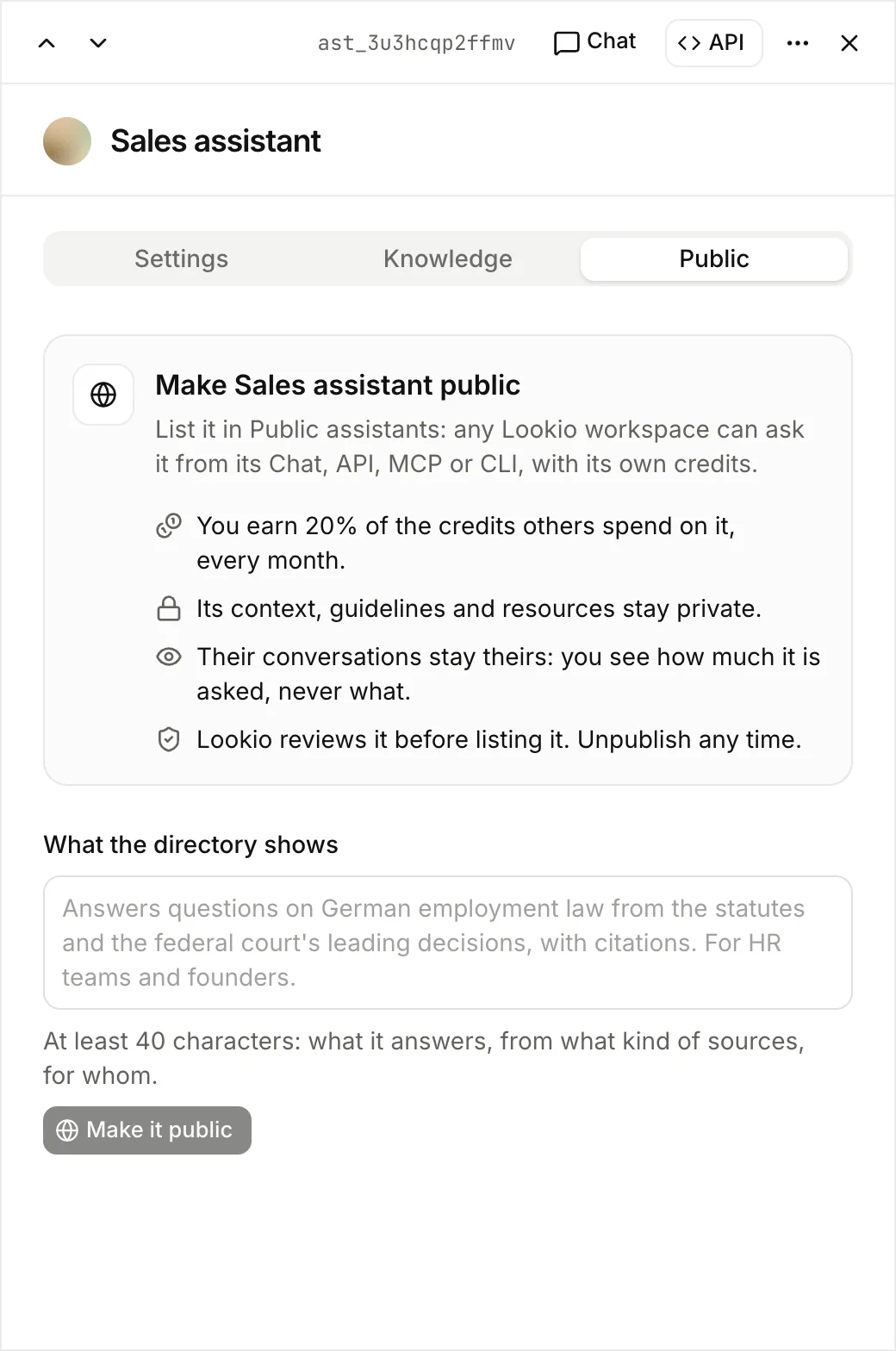
- **You earn 20%** of the credits that other workspaces spend on it. Lookio adds them to your balance early the next month. Billing shows them as _Public assistant earnings_.
- **Its setup stays yours.** Others see its name and description, never its context, guidelines or resources. Its answers cite passages but do not link your files.
- **Their questions stay theirs.** Conversations stay in the workspace that asks. The Public tab shows numbers only: questions, workspaces, credits and your share. It never shows what they ask.
- **Its description stays as approved.** To change it, unpublish the assistant, edit the description and send it again for review.
- **Unpublish** removes it from the directory at once. Lookio refuses the next question from another workspace.
Only workspace admins make an assistant public.
## Asking the assistants of others
Open **Assistants**, then **Public assistants**. Search the directory, open an assistant and choose **Add to Chat**. It joins the Chat's assistant list, with a globe.
From the API, MCP or CLI, ask it by its id, like your own assistants: `POST /v1/assistants/{id}/query`, `ask_assistant` or `lookio ask`. Your conversations with it stay in your workspace, in your Logs and Usage. To browse the directory or publish, use [`lookio public` and `lookio assistants publish`](/docs/developers/cli/commands#public-assistants) or the [MCP tools](/docs/developers/mcp/standard-tools#public-assistants).