Credits and plans
How credits pay for answers, what each plan includes, how credit packs work, and where to see your balance and your usage.
Credits
Credits pay for answers and passage searches. Importing, editing and reading are free, on every channel.
| Action | Credits |
|---|---|
| Answer in Eco | 10 |
| Answer in Flash (default) | 30 |
| Answer in Deep | 80 |
| Passage search: the best passages, without an answer | 1 |
The length of the answer and what it finds do not change the price. Lookio holds the price before the answer starts and charges it when the answer is written. If the balance is too low, Lookio refuses the question with insufficient_credits. See Core concepts.
Credits belong to the workspace. Every member, widget, access and API key spends from the same balance.
Plans
| Plan | Words stored | Team |
|---|---|---|
| Free | 125,000 | One seat. All knowledge permissions are on. |
| Starter | 1,000,000 | Unlimited seats. All knowledge permissions are on. |
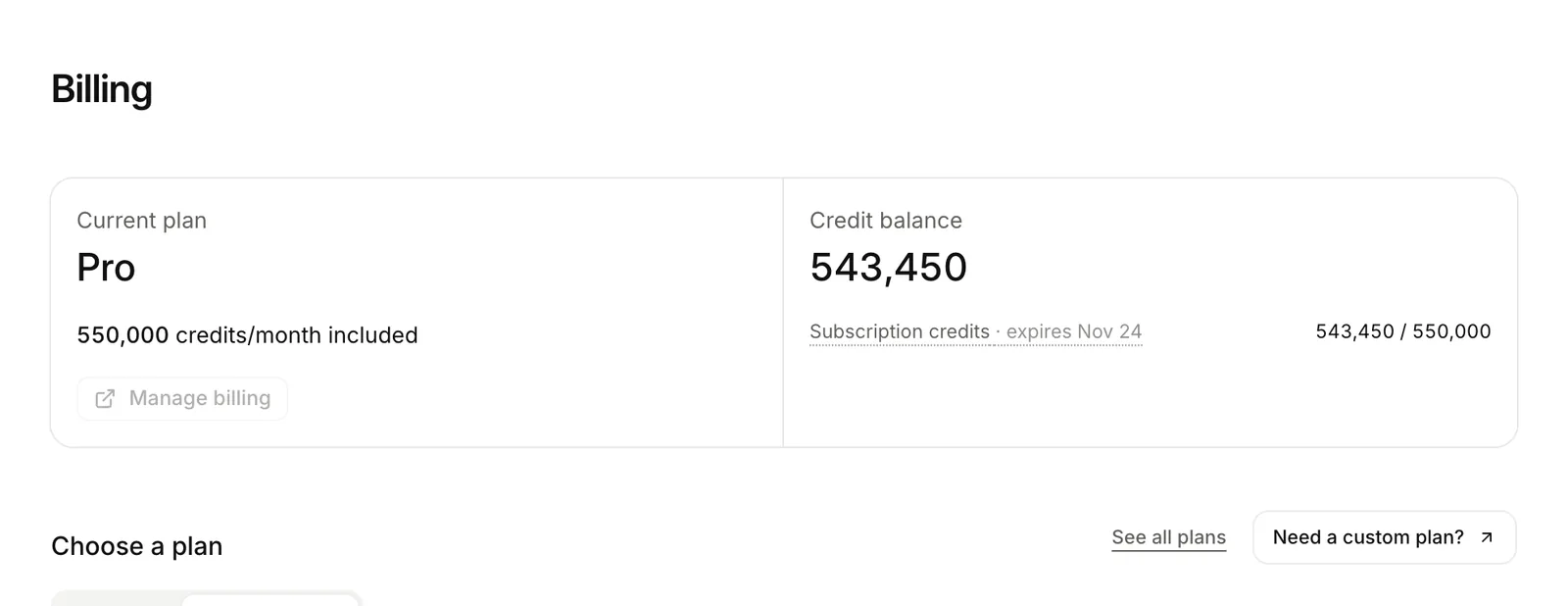
| Pro | 10,000,000 | Unlimited seats. An admin sets each member’s permissions and assistants. |
| Custom | No fixed limit | For larger volumes. Talk to us. |
A new workspace gets 1,000 welcome credits, without a card. The API, the CLI and the MCP server work on every plan. Prices and the credits included each month are on lookio.app/pricing.
Each plan also limits the words stored and the pages read each month (PDF pages, slides, images and web pages). A 200-page scanned PDF counts against both. See Word allowance and Pages read each month.
Credit packs
To get more credits without a bigger plan, an admin buys a pack on Billing. You pay a pack once. It is valid for 12 months and adds to any plan.
Referral credits expire 90 days after Lookio grants them.
See your balance and your usage
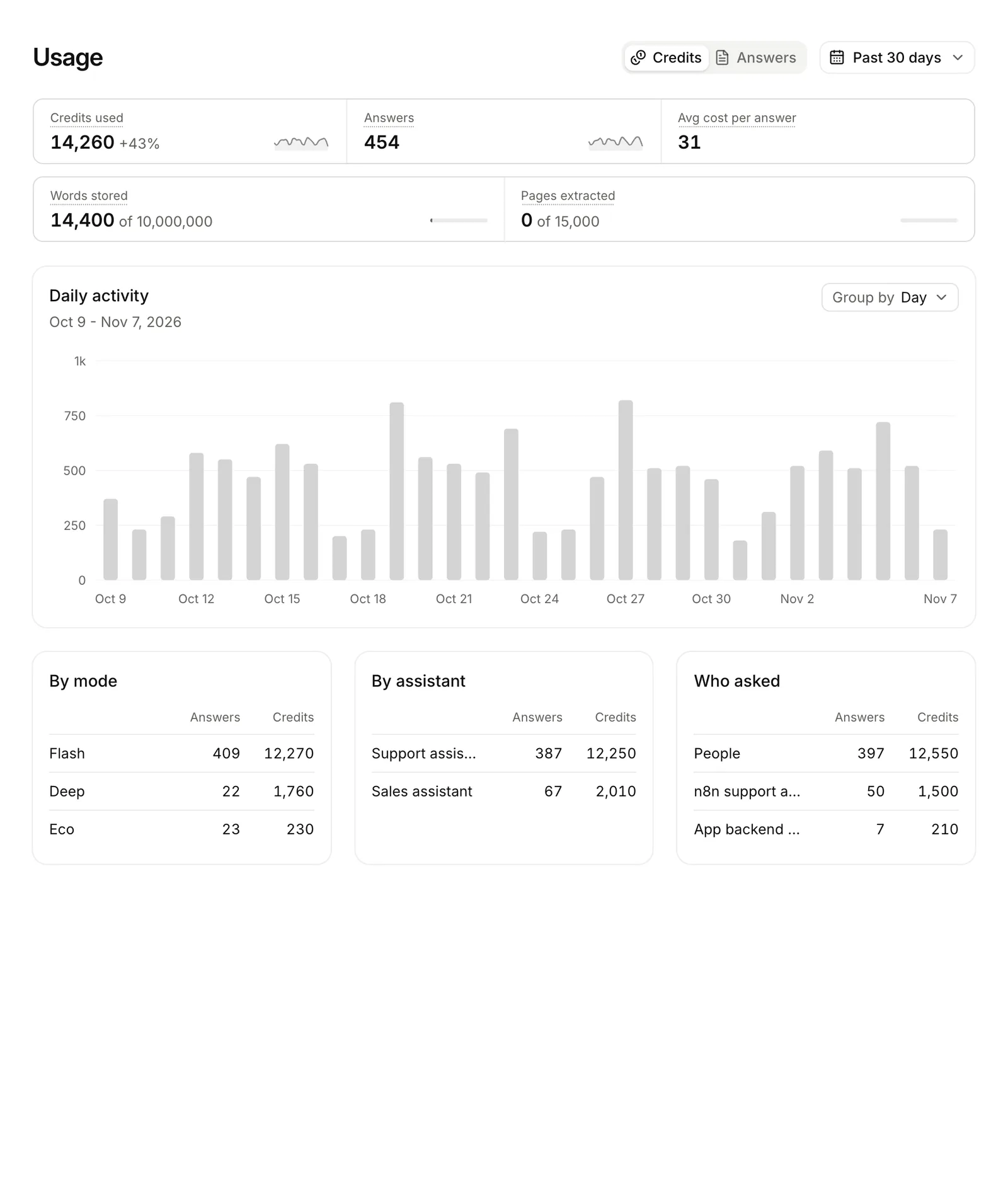
Billing shows the plan and the balance. Usage charts credits and answers over a period, by mode, by assistant and by who asked.
GET /v1/credits returns the balance and each grant with its expiry. GET /v1/usage returns credits over a period. Every answer also returns credit_cost and credits_remaining.
lookio credits
lookio usage --from 2026-01-01
Call get_credit_balance or get_usage.
Who can buy
Only workspace admins buy credits, change the plan and manage billing. The Team page shows each member’s role. An admin changes roles there. See Members and permissions.