Accesses
Share some of your assistants with people outside your workspace, through an MCP server and an HTTP API, open or protected by keys, with credit ceilings.
An access lets people outside your workspace ask some of your assistants: your customers, a partner, the agents of another team. They get an address, not an account. Your workspace pays for every question.
Callers see each assistant’s name and the description that you write. They never see its context, its guidelines or its resources. Only admins manage accesses.
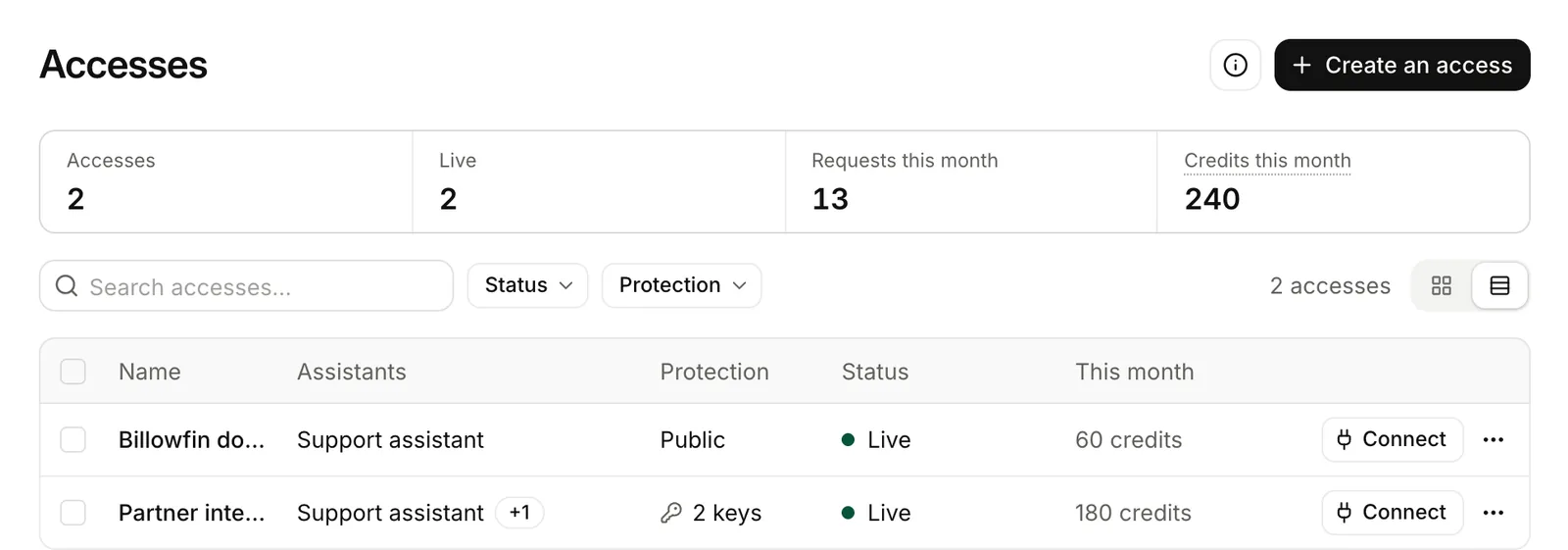
Create an access
Name it and pick the assistants
Open Accesses, then Create an access. Give it a name and choose up to 20 assistants.
Describe each assistant
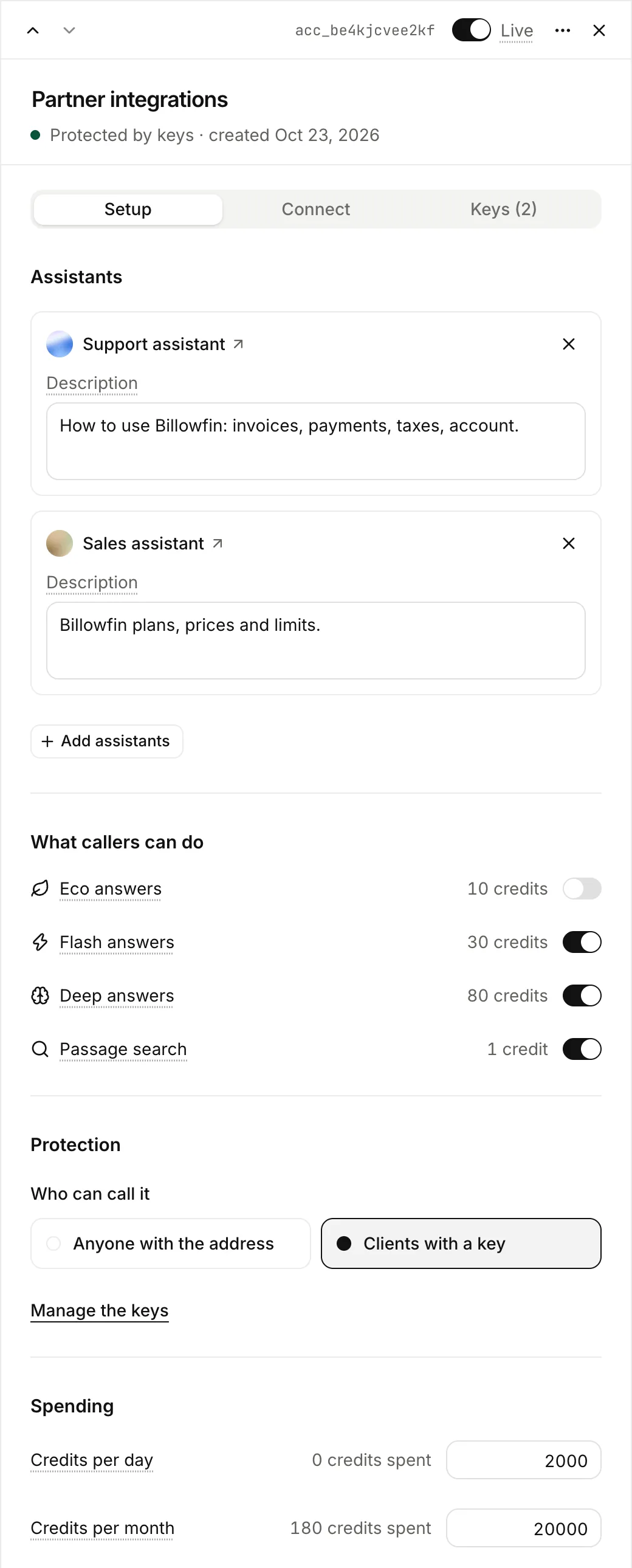
In the Setup tab, write what each assistant answers, and from what. Callers and their AI tools use this description to pick an assistant.
Choose what callers can do and spend
Turn on the query modes that you accept: Eco, Flash and Deep, at their usual prices. You can also turn on passage search, at 1 credit. Set a ceiling in credits per day and per month. Past a ceiling, Lookio refuses calls until the next day or month.
Choose the protection
Anyone with the address, or Clients with a key (Pro plan). With keys, each client gets its own key and its own ceilings. You can revoke one key and keep the others.
Give the address to your callers
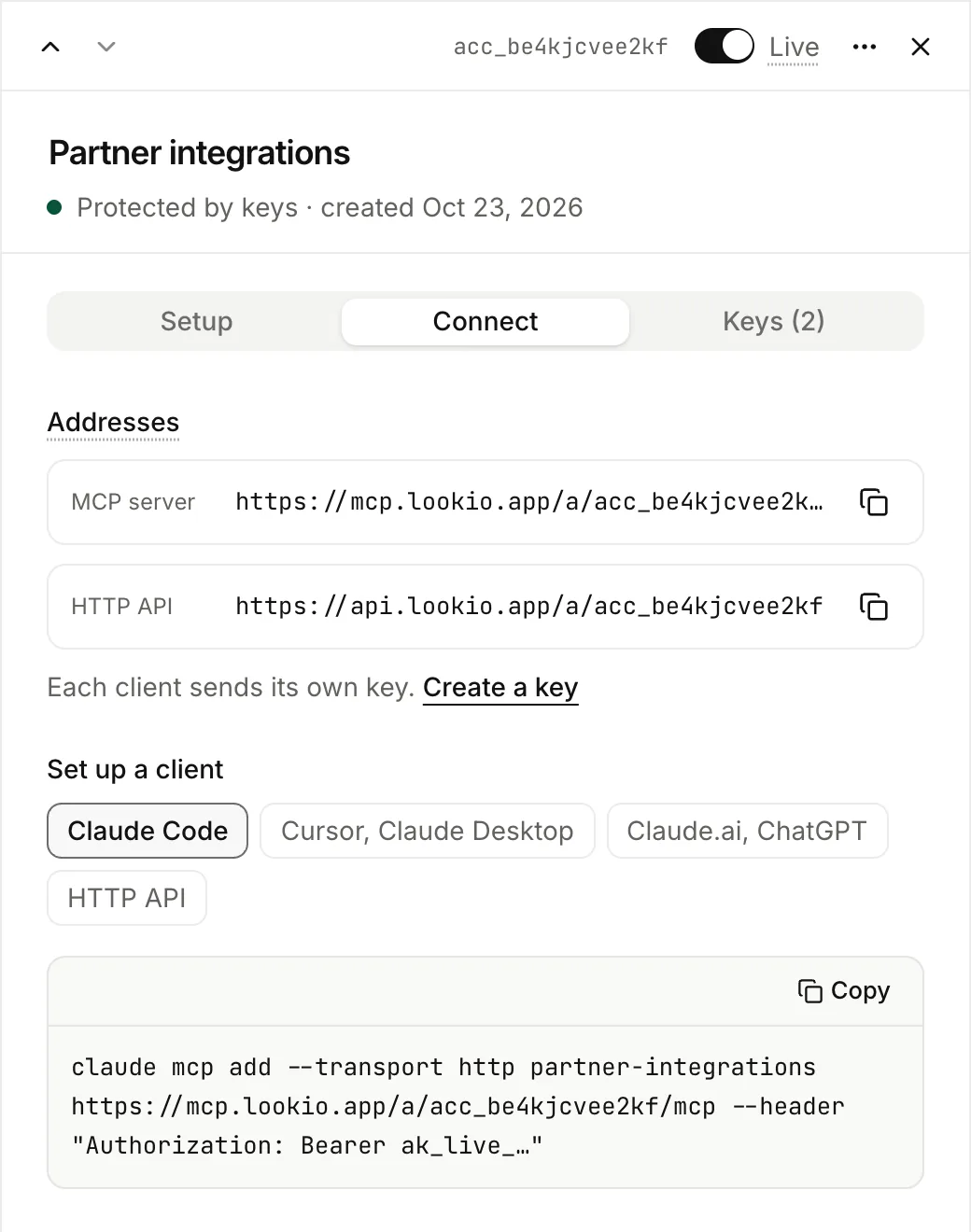
Open the access, then Connect. You get two addresses and the setup for each kind of client.
| Address | Give it to |
|---|---|
MCP server, https://mcp.lookio.app/a/ACCESS_ID/mcp | People who use Claude Code, Cursor, Claude Desktop, Claude.ai or ChatGPT. |
HTTP API, https://api.lookio.app/a/ACCESS_ID | Developers who call it from their code or an automation tool. |
Claude.ai and ChatGPT cannot send a header, so they reach public accesses only. The person adds a custom connector and pastes the MCP server address. The Claude.ai, ChatGPT choice in Connect gives the steps to send them.
The HTTP API address describes itself. An agent that opens it gets the assistants, what it may do, the prices and the endpoints. See Call an access.
Keys
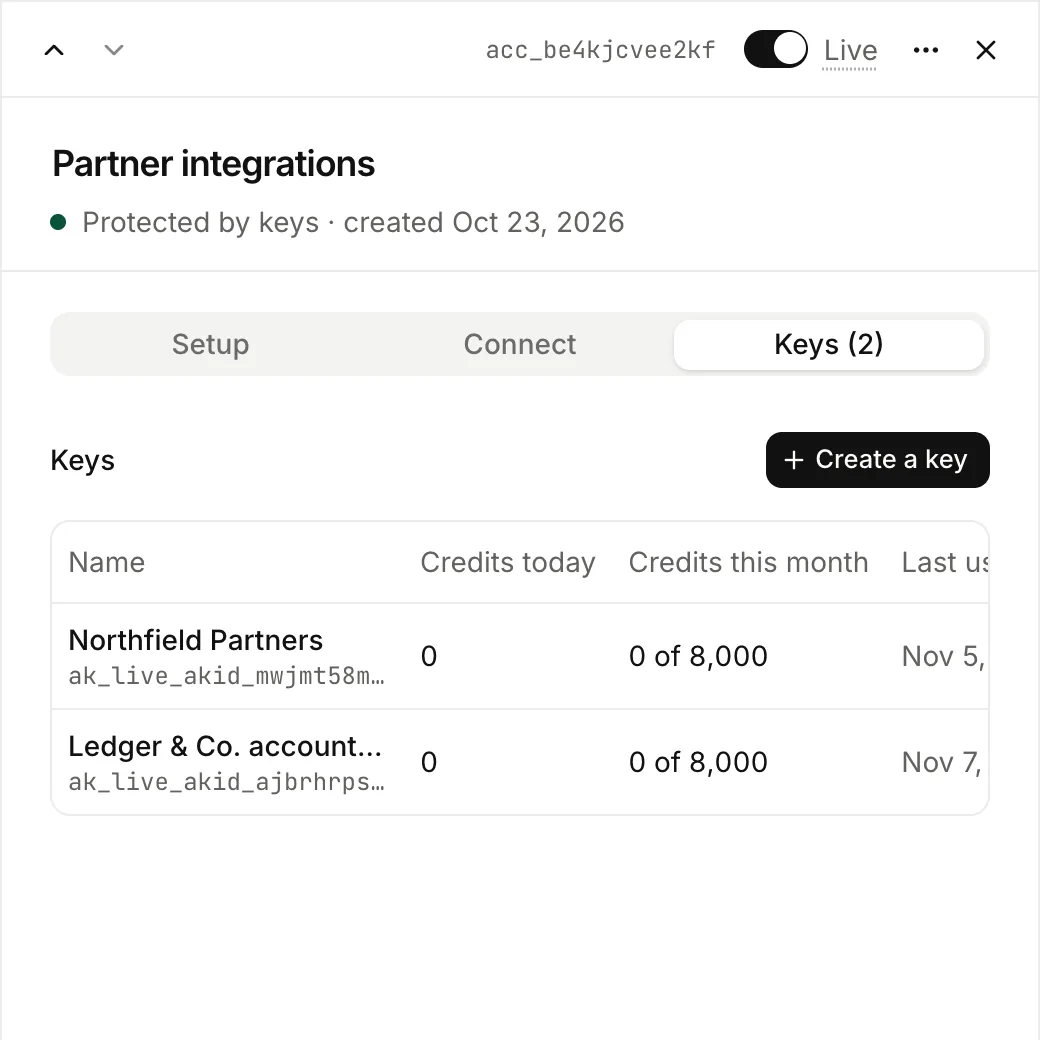
With Clients with a key, open the Keys tab and create one key per client. Lookio shows a key once. The client sends it as Authorization: Bearer ak_live_….
From the API, the CLI and MCP: lookio accesses and the access tools.
Follow what it spends
Questions through an access show in Logs and Usage, with the name of the access. In Logs, filter on the channel MCP or API.
Turn it off
The Live switch, at the top of the sheet, stops every call at once and keeps the settings. Delete access, in the ⋯ menu, removes it and revokes its keys permanently. What it spent stays in Usage.