Logs
The four logs of a workspace, conversations, answers, indexing and activity, what each shows, who can read it, how long it is kept and how to filter it in the app, the API, the CLI, the SDK and MCP.
The workspace has four logs. Each one answers one question. Reading them is free. They are on the Logs page of the app, in the API under /v1/logs, in lookio logs, in the SDK as lookio.logs, and in MCP tools.
| Log | Answers the question | Needs | Kept |
|---|---|---|---|
| Conversations | What did people ask, yourself included, and where did the assistant fail? | Your own chats: nothing. Widget, API key and MCP conversations: the right to edit assistants (API key: assistants:write) | Your chats: until you delete them. The others: readable 7 days on Free, 90 on Starter, 1 year on Pro, from the last message |
| Answers | Which answers did Lookio give, through what, and what did they cost? | usage:read | With the usage history |
| Indexing | Was my file, page or site read, and why did it fail? | resources:read | With the resources |
| Activity | Who changed what, and through which door? | Admins (in the app, or a personal connection with admin) | A year |
In the app
The Logs page has four tabs, each with filters. The page address keeps the filters, so you can send the link of a filtered view. Each assistant, widget, resource and API key has a See all logs link that opens the logs filtered on it.
Conversations
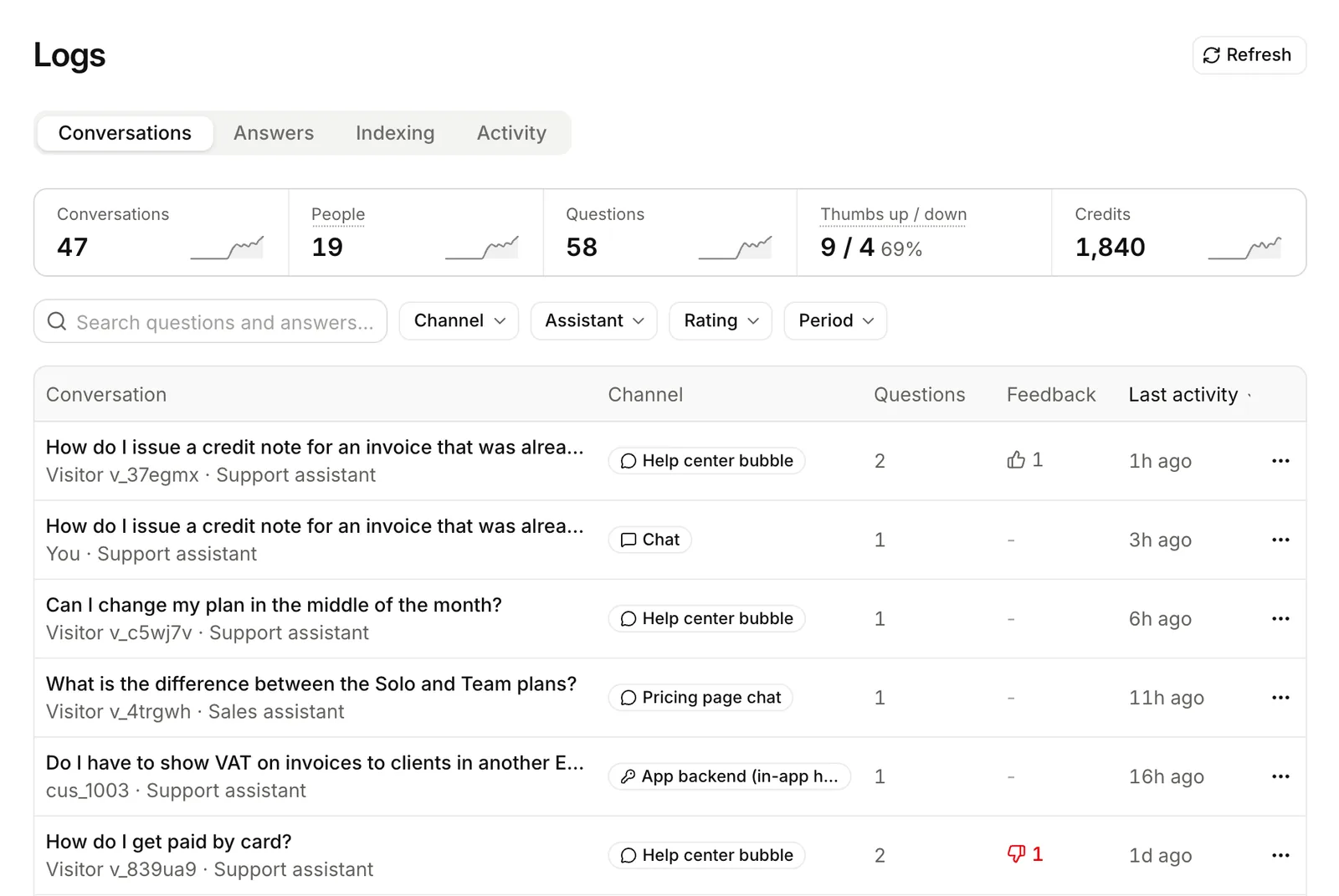
The conversation log shows what people asked: your chats in the app, the visitors of your widgets, and the users of your product through an API key or the MCP server. Use it to see where the assistant falls short.
Your own chats (channel chat) are for you only. Other members, admins and API keys never see them. The API and the MCP server never list them. The other conversations are for the people who can edit assistants.
| In the log | Not in the log |
|---|---|
Your own chats from the app (chat), for you only. | Another member’s chats, also for admins. |
A visitor’s conversation through a widget (widget). | A question sent with store: false. |
A conversation started with an API key through REST, the CLI or the SDK (api). | A deleted conversation. The messages of a conversation past your plan’s period: it stays in the list, locked. |
A conversation started with an API key through the MCP server (mcp). | The app’s own widget previews. |
For how long a conversation stays readable, see Conversations and end users.
Each entry shows the channel, the widget or api_key, the end_user (a widget visitor’s random id, or the id your product sent), the assistant, the number of messages, the credits and the thumbs. Open a conversation to read each question and answer, with its sources, mode, cost, duration, thumb and comment.
| Filter | Keeps |
|---|---|
channel | Only these channels, comma-separated: widget, api, mcp (and chat in the app, your own chats). |
widget_id | One widget’s visitors. |
api_key_id | Conversations asked with one API key. |
assistant_id | Conversations with one assistant. |
rating | down (at least one thumbs down), up, rated (any thumb) or unrated. |
end_user | One person. |
q | Conversations with these words in the title or in any question or answer. |
from, to | from: activity since this date. to: started before this date. |
The figures show conversations, questions, distinct people, credits, thumbs up and thumbs down, and conversations per channel. A conversation without an end_user counts as one person.
Answers
One line for each answer, from every channel. This log explains your credits.
| Channel | Where the question came from |
|---|---|
chat | A member, in the app’s chat. |
lookio_ai | The in-app agent. |
api | An API key through REST, the CLI or the SDK. An answer sent with store: false shows here too. |
mcp | The MCP server. |
widget | A visitor of a widget. |
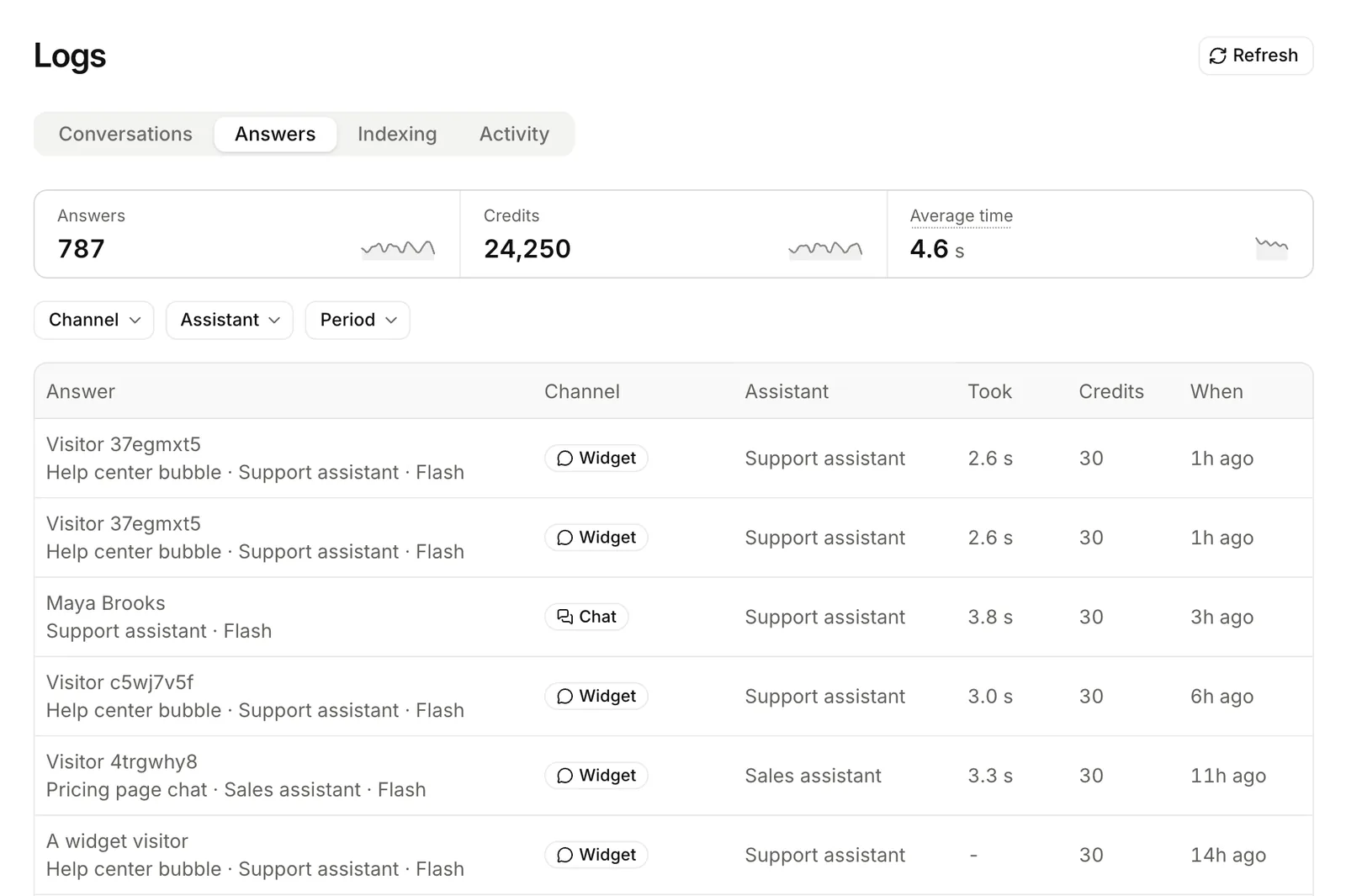
Each line holds metadata only: the assistant, who asked, the mode, the credits, the duration, and if the resources held an answer. It never holds the question or the answer. When the conversation was kept, the line has its conversation_id.
| Filter | Keeps |
|---|---|
channel | Only these channels, comma-separated. |
assistant_id, widget_id, api_key_id | One assistant, one widget or one API key. |
member_id | One member’s answers (admins). |
result | answered, or no_answer to find the questions the resources could not answer. |
mode | One query mode. |
from, to | A period. |
The figures are answers (answered and not), credits, the average time, and answers per channel.
Who reads what:
- An admin reads every line.
- A member reads their own answers, and the widget and API key answers of the assistants they edit.
- An API key reads the widget and API lines of its assistants.
- A member’s own chats show to others as lines only, and never to API keys.
Indexing
One line for each indexing task: a file read, a page fetched, a text added, an update. Use it to find why a document is not searchable yet, or why it failed.
| Status | Meaning |
|---|---|
queued, processing | Not finished. |
indexed | Searchable now. |
replaced | Indexed, then replaced by a newer indexing of the same document. |
unchanged | A sync read it again. The text did not change. |
skipped | A newer indexing of the same document finished first. |
failed | Lookio could not read it. The line says why. |
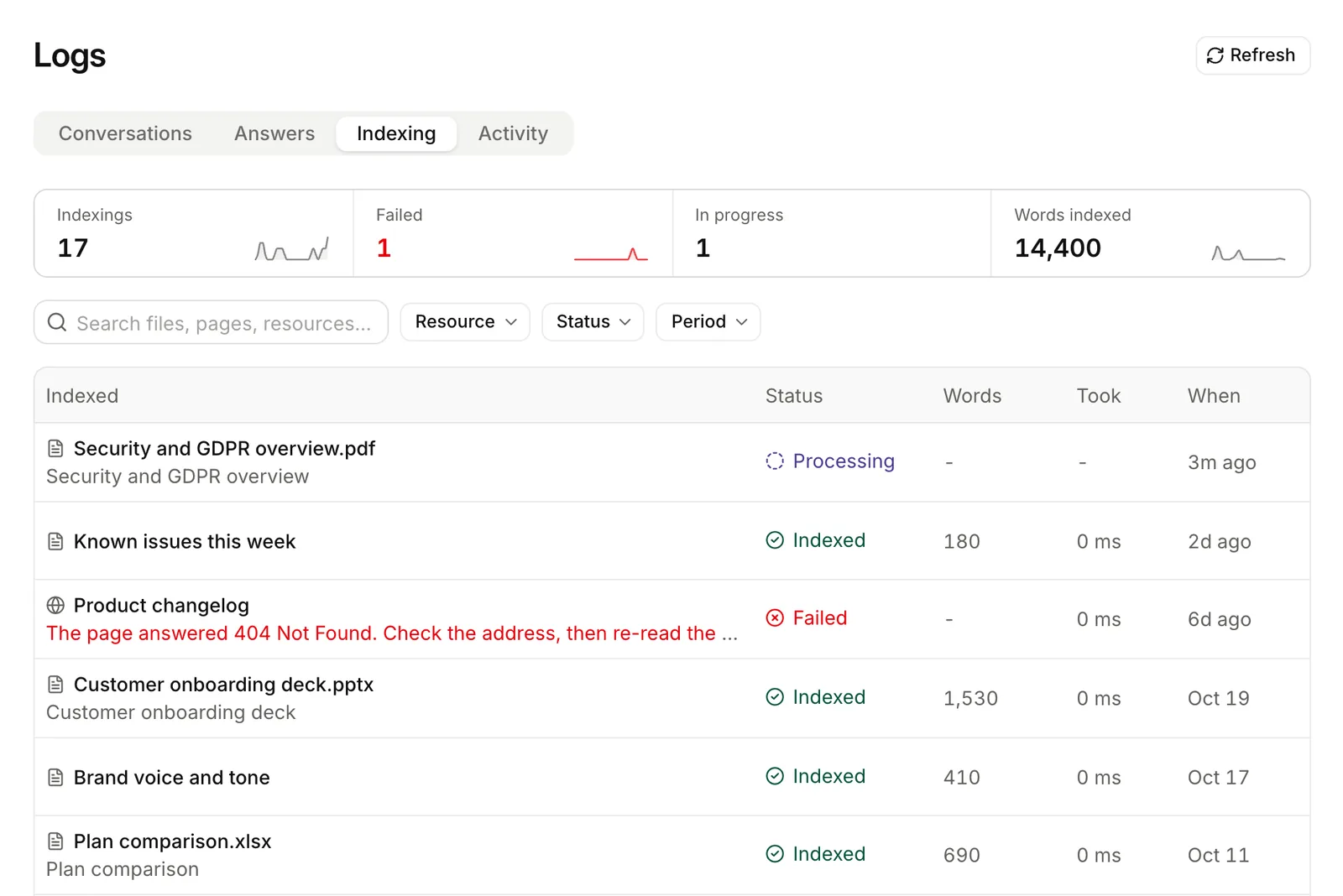
Each line shows the resource, what Lookio read, the reader, the pages, words and passages, the warnings (such as pages without text), the error, and the duration. By default, the list leaves out unchanged and skipped lines.
| Filter | Keeps |
|---|---|
resource_id | One resource’s indexings. For a site, all its pages. |
status | These statuses, comma-separated. failed finds what to retry. |
source_type | file, url, site or text. |
q | Words in the resource’s title, the file’s name, or the page’s address or title. |
include_unchanged | Also the pages a sync re-read and found unchanged. |
from, to | Indexings started in a period. |
The figures show the tasks (total, indexed, failed, in progress, unchanged) and the words indexed.
Activity
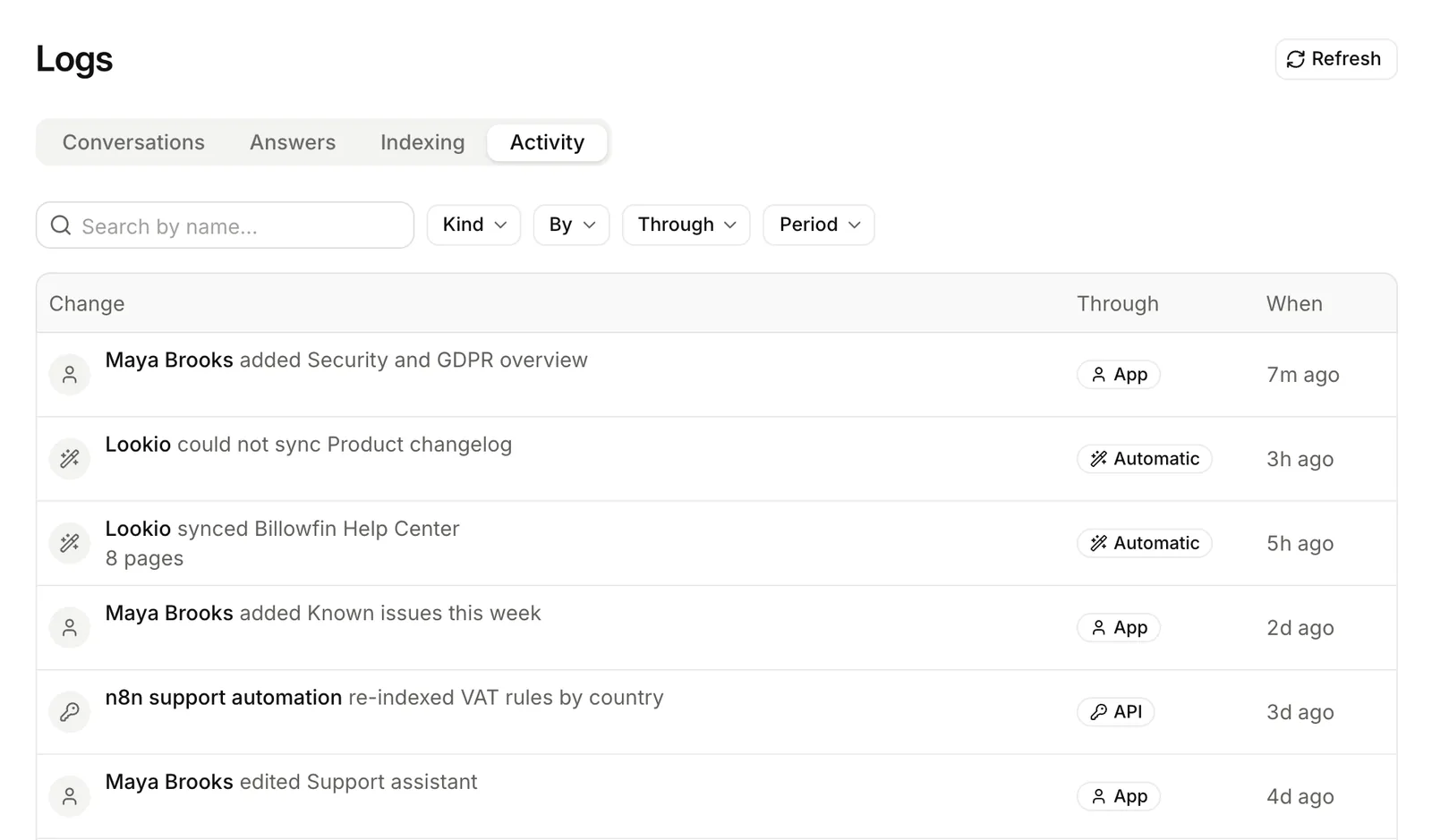
Who changed what in the workspace: resources, site rules and syncs, assistants, widgets, tags, and members’ access.
Each line shows the actor (a member, an API key, or Lookio for a scheduled sync), the door, the item and its name at the time, and the fields that changed. It never holds content. You see that someone edited an assistant’s context, not the new text.
Door (origin) | Meaning |
|---|---|
app | Someone in the web app. |
api | An API key or a connection through the REST API or the SDK. |
cli | The lookio command. |
mcp | An MCP client. |
agent | Lookio AI, the in-app agent. |
system | Lookio itself, such as a scheduled sync. |
| Filter | Keeps |
|---|---|
actor_id | What one member or API key did. |
origin | Only these doors, comma-separated. |
target_type, target_id | One kind of thing (resource, assistant, widget, tag, member), or one thing of it. |
action | An exact action such as assistant.updated, or every action on a kind such as assistant. |
q | Words in the name of what changed. |
from, to | A period. |
Only admins read the activity: in the app, or through a personal connection with the admin scope (the CLI or an MCP client). An API key never can.
Read the logs
# Where did the assistant fail this month?
curl "https://api.lookio.app/v1/logs/conversations?rating=down&from=2026-10-01" \
  -H "Authorization: Bearer $LOOKIO_API_KEY"

# One conversation in full
curl https://api.lookio.app/v1/logs/conversations/CONVERSATION_ID \
  -H "Authorization: Bearer $LOOKIO_API_KEY"

# The figures of the conversations
curl "https://api.lookio.app/v1/logs/conversations/stats?channel=widget,api" \
  -H "Authorization: Bearer $LOOKIO_API_KEY"

# Questions the resources could not answer
curl "https://api.lookio.app/v1/logs/answers?result=no_answer" \
  -H "Authorization: Bearer $LOOKIO_API_KEY"

# Indexings that failed
curl "https://api.lookio.app/v1/logs/indexing?status=failed" \
  -H "Authorization: Bearer $LOOKIO_API_KEY"

# Who changed assistants through the CLI or MCP
curl "https://api.lookio.app/v1/logs/activity?target_type=assistant&origin=cli,mcp" \
-H "Authorization: Bearer $LOOKIO_API_KEY"for await (const chat of lookio.logs.conversations.iterate({ rating: "down" })) {
console.log(chat.channel, chat.end_user, chat.title);
}
const full = await lookio.logs.conversations.get("CONVERSATION_ID");
const stats = await lookio.logs.conversations.stats({ from: "2026-10-01" });
const unanswered = await lookio.logs.answers.list({ result: "no_answer" });
const failed = await lookio.logs.indexing.list({ status: "failed" });
const changes = await lookio.logs.activity.list({ target_type: "assistant", origin: "cli,mcp" });lookio logs conversations --rating down --from 2026-10-01
lookio logs conversations --stats --channel widget,api
lookio logs get CONVERSATION_ID
lookio logs answers --result no_answer
lookio logs indexing --status failed
lookio logs activity --target-type assistant --origin cli,mcpThe lists of answers, indexing and activity use an opaque cursor. Send the next_cursor of a page back as it is. The SDK iterators do it for you.
MCP tools: list_conversation_logs, get_conversation_log, get_conversation_log_stats, list_answer_logs, get_answer_log_stats, list_indexing_logs, get_indexing_log_stats and list_activity_log. For a person’s own chats, an agent uses list_conversations. See Standard tools and the Logs API reference.
Who can read the logs
- Conversations. A person needs the right to edit assistants. They see only the assistants they may use. An API key needs
assistants:write, and sees the conversations of its assistants, also those of other keys. The Ask questions preset does not have this scope. - Answers. The
usage:readscope. See Answers for what each one sees. - Indexing. The
resources:readscope. - Activity. Admins only. Never an API key.
Privacy
- What people type can be personal. Treat the conversations like a support inbox. Give access only to the people who need it.
- The answer, indexing and activity logs hold no question, answer or content.
- Send an opaque
end_user, not an email address. - Send
store: falsewhen Lookio must keep nothing. - Delete a conversation to remove it from the log at once. Deleting a widget deletes its visitors’ conversations.