Websites
Import a web page or a whole website, choose its pages with rules, preview before you import, and set how often a site syncs.
A single web page
Choose Add a resource, then the Web page tab, and paste one or more addresses. Each address becomes a resource. Lookio reads it as a visitor sees it.
Lookio tries the simplest way to read a page first. It tries the next way only if the result has little text:
- It fetches the HTML. It removes menus, headers, footers and scripts. It converts the rest to Markdown.
- If the page is an empty shell built with JavaScript, it renders the page in a browser and reads that.
- If the page is still empty or refuses robots, it uses an external fetch service. This service works outside the EU. Lookio sends it only the public address of the page.
Lookio remembers which way worked for a domain. The next read starts there.
Which addresses work
Only public web pages. Lookio refuses localhost, private IP ranges, internal names and anything that is not http or https.
Before it stores an address, Lookio cleans it:
- A missing scheme becomes
https. - The host goes to lowercase.
- The fragment (
#section) goes. - Tracking parameters (
utm_*,gclid,fbclidand a few others) go.
So two spellings of one page become one resource. If an address returns a supported file, such as a PDF, Lookio reads it as that file.
A whole website
A website is one resource. Its pages are not separate resources, so they do not fill your lists. An assistant that reads the site reads all its pages, now and after each sync.
Paste the address
Open the Sitemap tab and paste the site, one section of it (https://help.billowfin.com/invoices) or its sitemap.
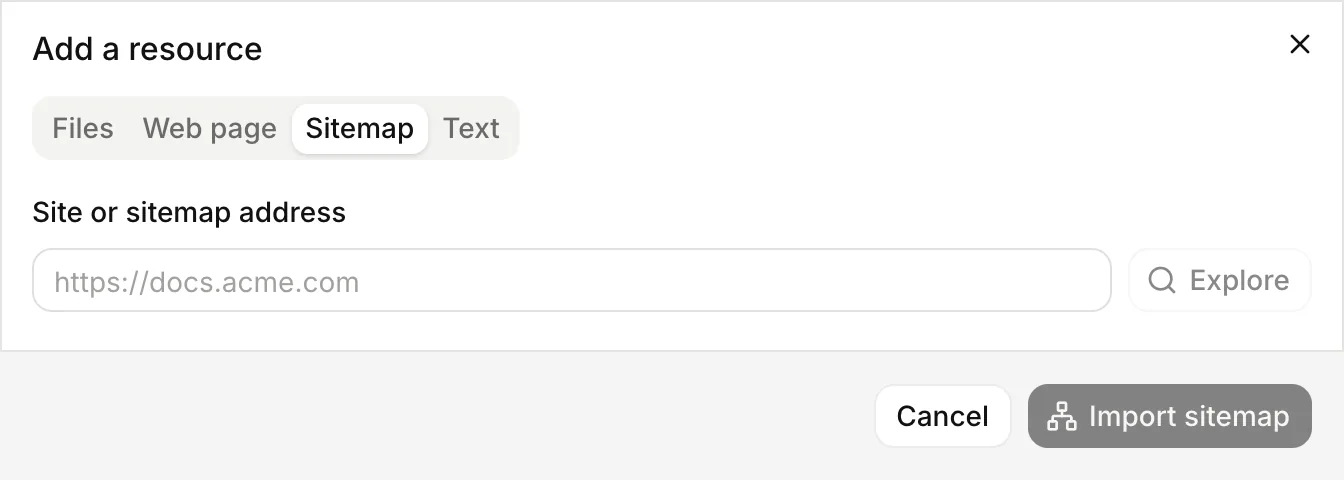
Preview the pages
Lookio looks for the sitemaps of the site: in robots.txt, then at /sitemap.xml and /sitemap_index.xml, nested ones too. Without a sitemap, it follows the links from your address. It shows the number of pages found, by section.
Set the rules
Include or exclude parts of the site. The preview recounts as you type.
Import
Lookio creates the resource as queued and reads its pages in the background.
Lookio obeys robots.txt. It leaves out the pages that robots.txt forbids to all robots. The preview gives their number.
A site has at most 10,000 pages. When a site has more, the preview says so and the resource shows “Limit of 10,000 pages reached. Refine the rules to choose which pages to import.” Narrow the rules.
Rules
Rules apply to the path of a page, with its query string. They never apply to the full address. For https://acme.com/blog/post-1, the path is /blog/post-1.
| Rule | What it does |
|---|---|
| Include | Path patterns to keep. Empty means the whole site. |
| Exclude | Path patterns to leave out. They always win over include. |
| Regex | Advanced. A regular expression on the path. Matching pages are left out. |
| Excluded pages | Single pages left out, by full address. Up to 5,000. |
In a pattern, * matches within one level and ** matches across levels. Patterns are not case sensitive.
| Pattern | Matches |
|---|---|
/docs/** | /docs and everything below it |
/fr/* | /fr/pricing, but not /fr/blog/post |
/blog/** in Exclude | Leaves the whole blog out, whatever Include says |
You can set up to 50 include patterns and 50 exclude patterns. Lookio refuses a regex that is not valid.
Keep it in sync
A website has a schedule.
| Schedule | Value | Behaviour |
|---|---|---|
| Manual | manual | Only when you choose Sync now in Manage sitemap, or call re-index. |
| Recurring | daily, weekly, monthly, or every_3_days, every_2_weeks, every_1_month | At each interval, Lookio adds new pages, reads changed pages again and removes pages that are gone. |
Free workspaces sync by hand. Paid plans can also sync every 1 to 90 days, 1 to 52 weeks or 1 to 12 months. A month counts as 30 days. The default is manual on Free and weekly on paid plans. When you change the rules through the API, the CLI or MCP, leave out the schedule to keep it.
Lookio removes a page only when two syncs in a row do not find it. A page that is down for a day stays.
A change to the rules or the schedule starts a sync at once. Lookio removes the pages that the new rules leave out and imports the new ones.
Check the pages
Open a website resource and choose Manage sitemap.
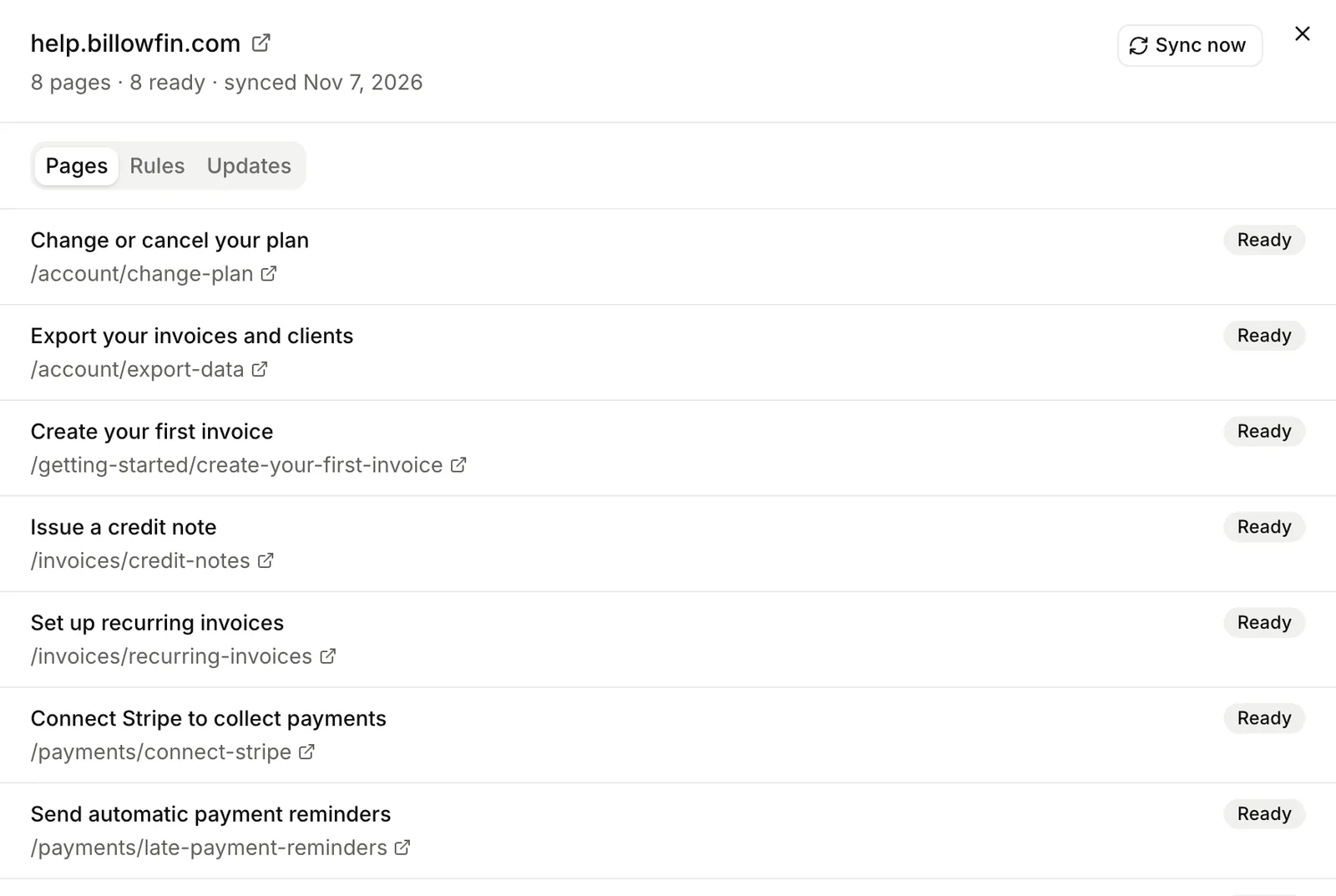
The Pages tab lists up to 5,000 pages with their state. Failed pages come first, with the reason. Retry failed pages reads them again without a full sync. Sync now refreshes the whole site. The Rules tab holds the rules, the pages they select, and the schedule.
Importing a website is free of credits. Its words count against your word allowance. Each new or changed page counts against your pages read each month.
From the API, the CLI and MCP
Preview a site, Create a resource, List a site’s pages, Change a site’s rules, Retry failed pages.
lookio sites preview https://help.billowfin.com
lookio sites add https://help.billowfin.com --exclude "/changelog/**" --schedule weekly
lookio sites pages RESOURCE_ID
lookio sites retry RESOURCE_IDpreview_site, add_site, list_site_pages, update_site_rules, retry_failed_pages.