Public assistants
Make an assistant public so any Lookio workspace can ask it with its own credits, earn 20% of what they spend, and ask the public assistants of others.
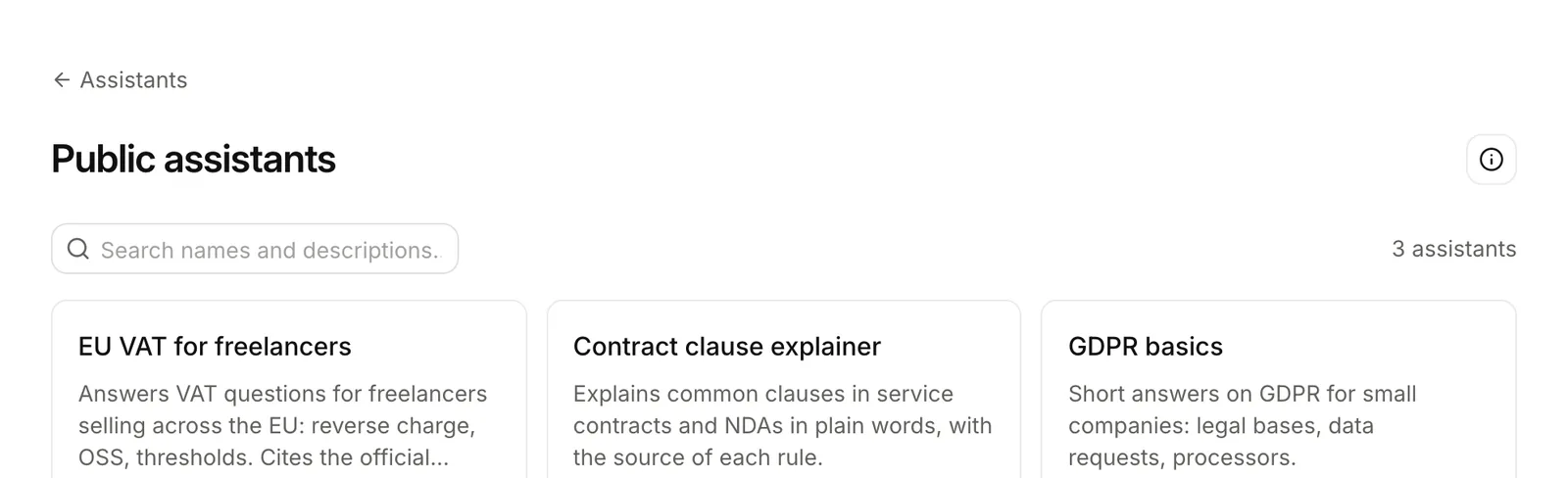
A public assistant is in the Public assistants directory. Any Lookio workspace can find it and ask it from its Chat, the API, the MCP server or the CLI, with its own credits.
Making one of yours public
Open the assistant, then the Public tab, or Make it public in its ⋯ menu. Write the description for the directory, 40 to 1,000 characters: what it answers, from which sources, for whom. Lookio reviews every request before it lists the assistant.
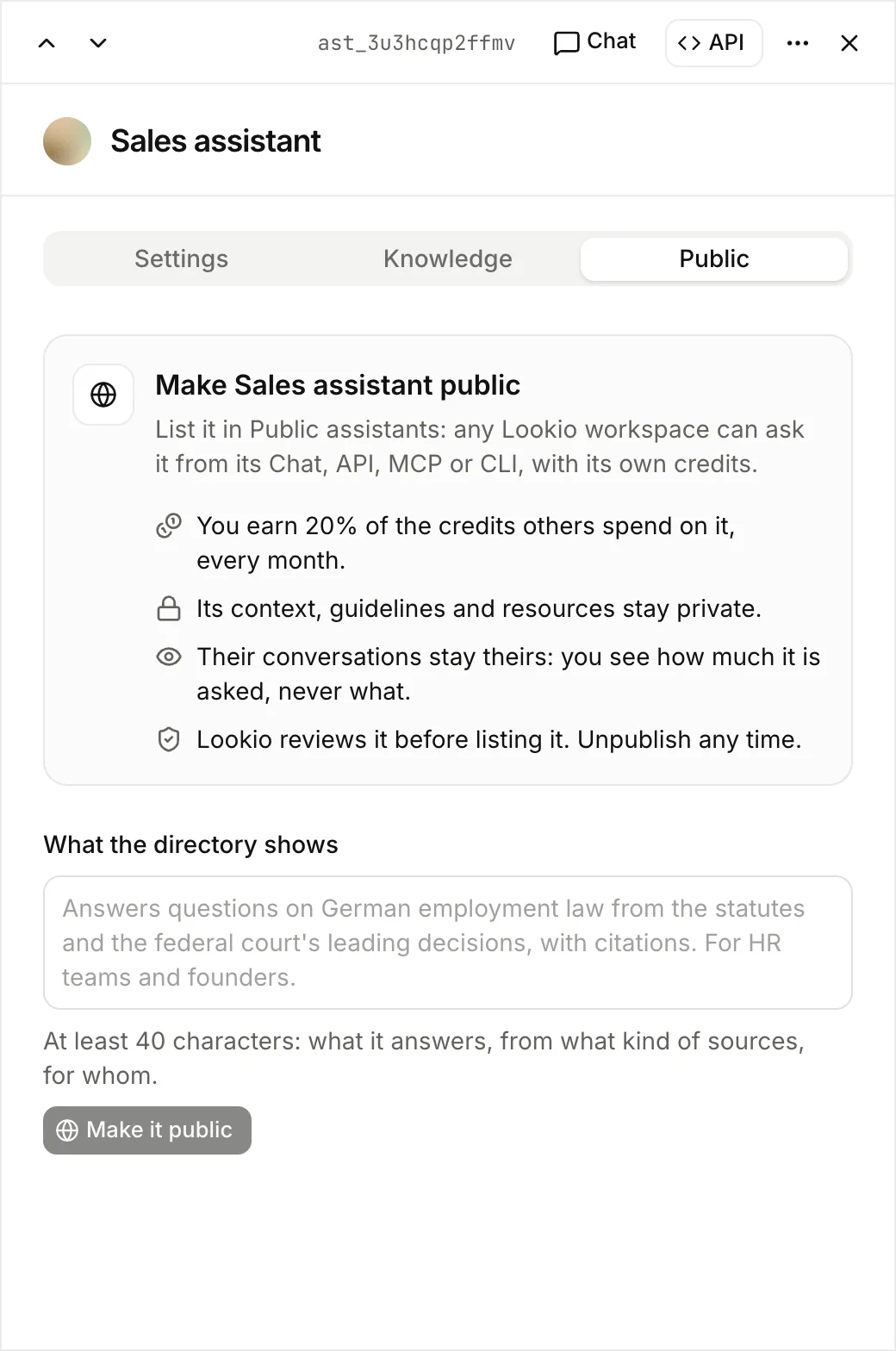
- You earn 20% of the credits that other workspaces spend on it. Lookio adds them to your balance early the next month. Billing shows them as Public assistant earnings.
- Its setup stays yours. Others see its name and description, never its context, guidelines or resources. Its answers cite passages but do not link your files.
- Their questions stay theirs. Conversations stay in the workspace that asks. The Public tab shows numbers only: questions, workspaces, credits and your share. It never shows what they ask.
- Its description stays as approved. To change it, unpublish the assistant, edit the description and send it again for review.
- Unpublish removes it from the directory at once. Lookio refuses the next question from another workspace.
Only workspace admins make an assistant public.
Asking the assistants of others
Open Assistants, then Public assistants. Search the directory, open an assistant and choose Add to Chat. It joins the Chat’s assistant list, with a globe.
From the API, MCP or CLI, ask it by its id, like your own assistants: POST /v1/assistants/{id}/query, ask_assistant or lookio ask. Your conversations with it stay in your workspace, in your Logs and Usage. To browse the directory or publish, use lookio public and lookio assistants publish or the MCP tools.