Troubleshooting
Fix a resource that failed, an assistant that finds no answer, a refused question and the most common API errors, with the exact messages Lookio shows.
A resource shows Failed
Open the resource and read its status detail. Over the API it is status_detail.
| Detail or cause | What to do |
|---|---|
| A format message such as “Old Word files (.doc) are not supported” | Convert the file as the message says. See File formats. |
| “This file is 60 MB. The limit for a PDF file is 50 MB.” | Split the file, or reduce it. Limits are per format. |
| “Your plan’s limit of 125,000 words stored is reached” | Delete resources you do not need, or change plan. See Word allowance. |
| “This page does not exist (404 error).” | Check the address. |
| “This address is not public” | Lookio reads only public pages on the internet. |
| “Indexing could not start. Use Re-index to try again.” | Choose Re-index. |
| “Indexing failed. Try again in a few minutes” | Choose Re-index. If it fails again, contact support with the resource id. |
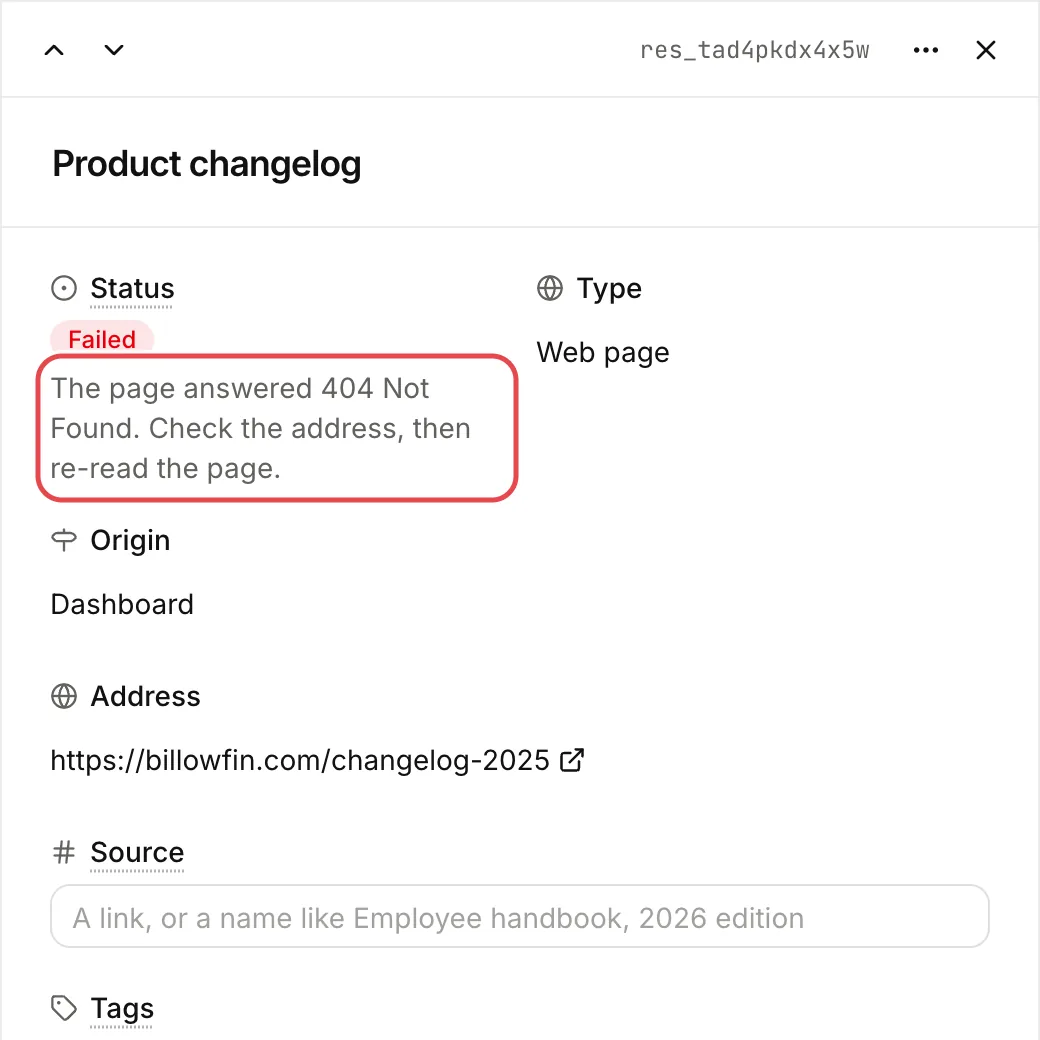
After you fix the cause, choose Re-index, or call POST /v1/resources/{resource_id}/reindex.
Some pages stay unreadable: empty pages, or pages that block robots. Add their content as a text or as a saved file.
A website imported fewer pages than expected
- Open the resource, choose Manage sitemap and check each page’s state. Choose Retry failed pages for the failed ones.
- Check your rules. Exclude always wins over Include. Rules apply to the path, not the full address. See Websites.
- Lookio leaves out the pages that
robots.txtforbids. - A site has at most 10,000 pages. At the limit, narrow the rules.
No answer found
An assistant that cannot find an answer says so. The question is charged like any other: the model still read your resources and wrote the reply. If you expected an answer:
- Is the resource
ready? The assistant skips a resource that is still indexing. - Does the assistant read it? Check its knowledge mode. In Chosen resources, the resource must be on the list. In Resources with tags, the assistant must follow one of the resource’s tags.
- Is the passage there? Open the resource and read the text. A scanned page or an image can give no text. The resource lists what Lookio could not read.
- Is the question specific? Ask with the words your documents use.
- Try Deep mode for a question with several parts.
A question is refused
| Message or code | Cause and fix |
|---|---|
insufficient_credits | The balance is lower than the price of the answer. Add credits in Billing. In the CLI, exit code 7. |
assistant_has_no_resources | The assistant reads no resource, or none is ready yet. Nothing was charged. Give it resources, wait until they are ready, then ask again. In the CLI, exit code 6. |
permission_denied | Your account does not have a permission, for example to use the API or MCP. Ask a workspace admin. |
resource_not_found “This assistant is not accessible.” | The assistant does not exist, or you cannot use it. |
resource_not_found “Conversation not found for this API key (and end user).” | The conversation was deleted or expired, or belongs to another key, assistant or end_user. Continue it with the key, assistant and end_user that started it. |
invalid_request “Provide either a conversation or a history, not both.” | Send one or the other. |
invalid_request “A conversation cannot be continued with store set to false.” | store: false keeps nothing to continue. Remove one of the two. |
invalid_parameter on end_user or store | end_user is 1 to 200 characters of letters, digits and . _ @ : + -. Only API keys can send these two fields. |
feature_not_available “Thumbs on a personal chat” | Thumbs work on an API key’s conversations, not yet on a person’s own chats. |
An API call fails
Read error.code and error.message in the response. All errors use one format. See Errors. The most common causes:
authentication_requiredorinvalid_api_key: theAuthorization: Bearerheader is missing, or the key is wrong.insufficient_scope: the key does not have the scope that the call needs. Checkcredential.scopeswithGET /v1/account. See Authentication.rate_limited: wait for theRetry-Afterheader. See Rate limits.conflict: an assistant still uses the resource, a widget still uses the assistant, or anIdempotency-Keywas used again for a different request.method_not_allowed: the endpoint does not accept that HTTP method. TheAllowheader lists the methods it accepts.
When you contact support, include the request_id from the response.
The CLI cannot sign in
Run lookio doctor. It checks the connection, your credential, the CLI version and the clock, one by one. See Authentication.