Visitors' conversations
Read what visitors asked a widget, with the answers, their sources and the visitors' thumbs up or down, for as long as your plan keeps them.
The widget’s Logs tab shows this month’s figures and the latest conversations, with their thumbs. Its links open the Logs page filtered on the widget: Conversations, Answers and Changes (the Activity tab).
Open a conversation to read the visitor’s page, each question, each answer with its sources, the credits and the thumbs. A thumbs down can have a comment.
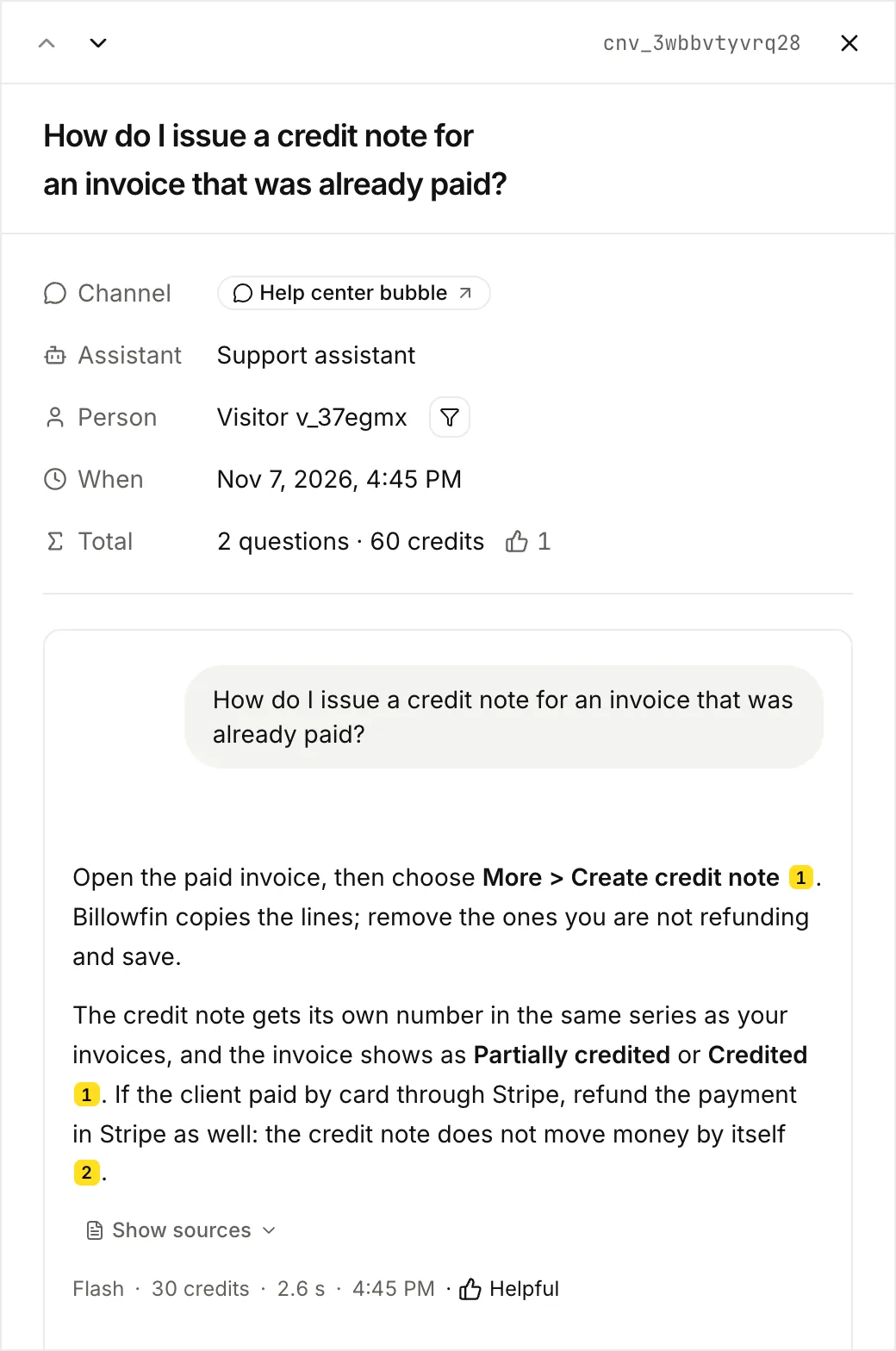
- Visitors are anonymous. Each one has a short random id (
end_userin the API), the same for all conversations from one browser. - Conversations are readable for 7 days on Free, 90 days on Starter and 1 year on Pro, from their last message. Then Lookio locks them, and later deletes them. See How long it is kept.
- Questions asked in the designer’s preview are not listed.
- Visitors can leave thumbs only when Thumbs up and down is on, in the Config tab (
settings.feedback). - Deleting the widget deletes its conversations. What they cost stays in your usage.
What visitors see and what you see
| Visitors | You, in Logs | |
|---|---|---|
| History on (default) | A Past chats list with their conversations from this browser. They can reopen them. | Every conversation, for your plan’s period, with answers, sources, costs and thumbs. |
| History off | Each visit starts a new conversation. | The same list. The setting changes only what visitors can reopen. |
The setting is Visitors’ chat history in the Config tab (settings.visitor_history in the API). When you turn it on again, visitors find their kept conversations again in the same browser. Expired or deleted conversations do not come back.
How the history stays private:
- The browser keeps a signed proof for its random visitor id in the chat frame’s own storage, separate for each site. Your page cannot read it.
- A visitor needs that proof to reopen their conversations. They cannot reach another visitor’s.
- The visitor id identifies a browser, not a person.
The same conversations are in the API (GET /v1/widgets/{widget_id}/conversations), the CLI and MCP. They are the workspace logs, filtered on the widget. To find unhappy visitors, call GET /v1/logs/conversations?widget_id=...&rating=down.