Resources
Add texts, files, web pages and websites, follow their import status, re-index them and stay within your plan's word allowance.
A resource is a piece of knowledge, stored once. Any assistant can read it. Resources lists them all. Filter by tag, type or status, and open a resource to edit it.
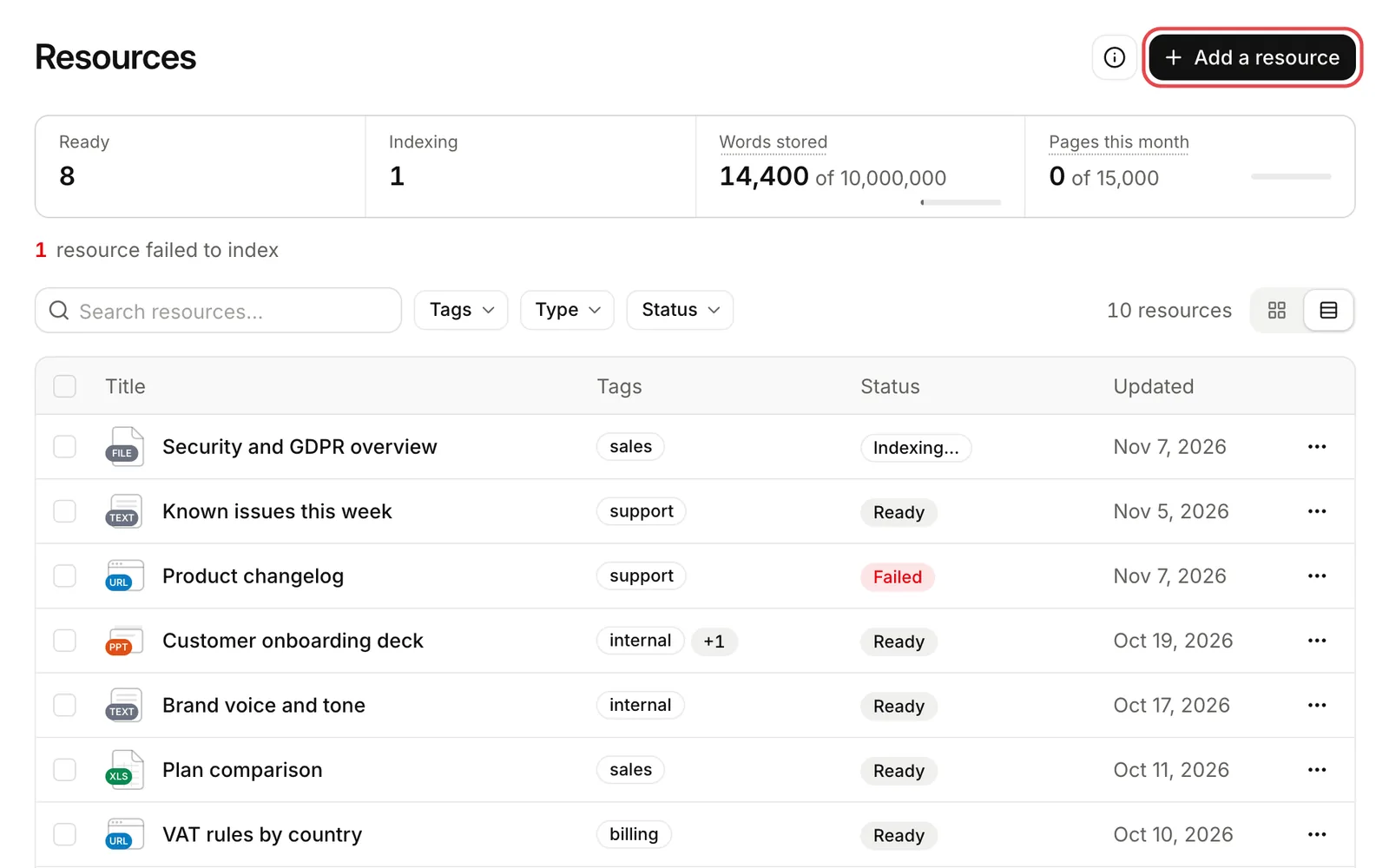
Add a resource
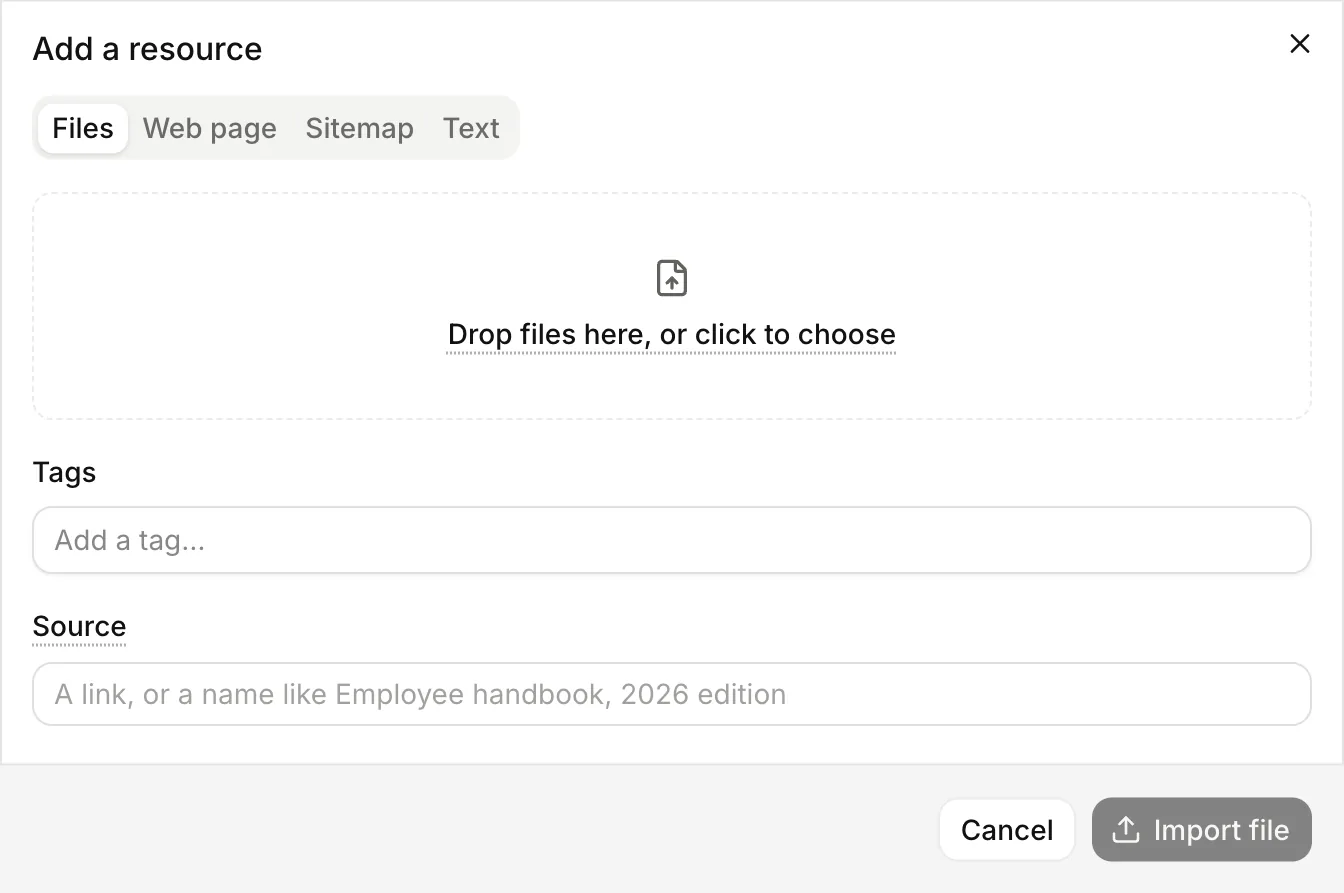
Choose Add a resource, then pick a tab: Files, Web page, Sitemap (a whole website) or Text.
| You add | What happens | Guide |
|---|---|---|
| Text tab | Lookio indexes what you paste. | Below |
| Files tab | Each file becomes a resource. Lookio reads it with a reader for its format. | File formats |
| Web page tab | Each address becomes a resource. Lookio reads it as a visitor sees it. | Websites |
| Sitemap tab | One resource. Lookio reads its pages and keeps them in sync. | Websites |
Text
Paste text or Markdown, up to 100,000 characters. Lines that start with # become the sections that answers cite. Give a long text real headings.
The title is part of every passage that Lookio indexes. Write a clear title: “Refund policy 2026” is found more easily than “Notes”.
Fields on every resource
- Title. Up to 200 characters.
- Tags. Up to 30, each up to 60 characters. See Tags.
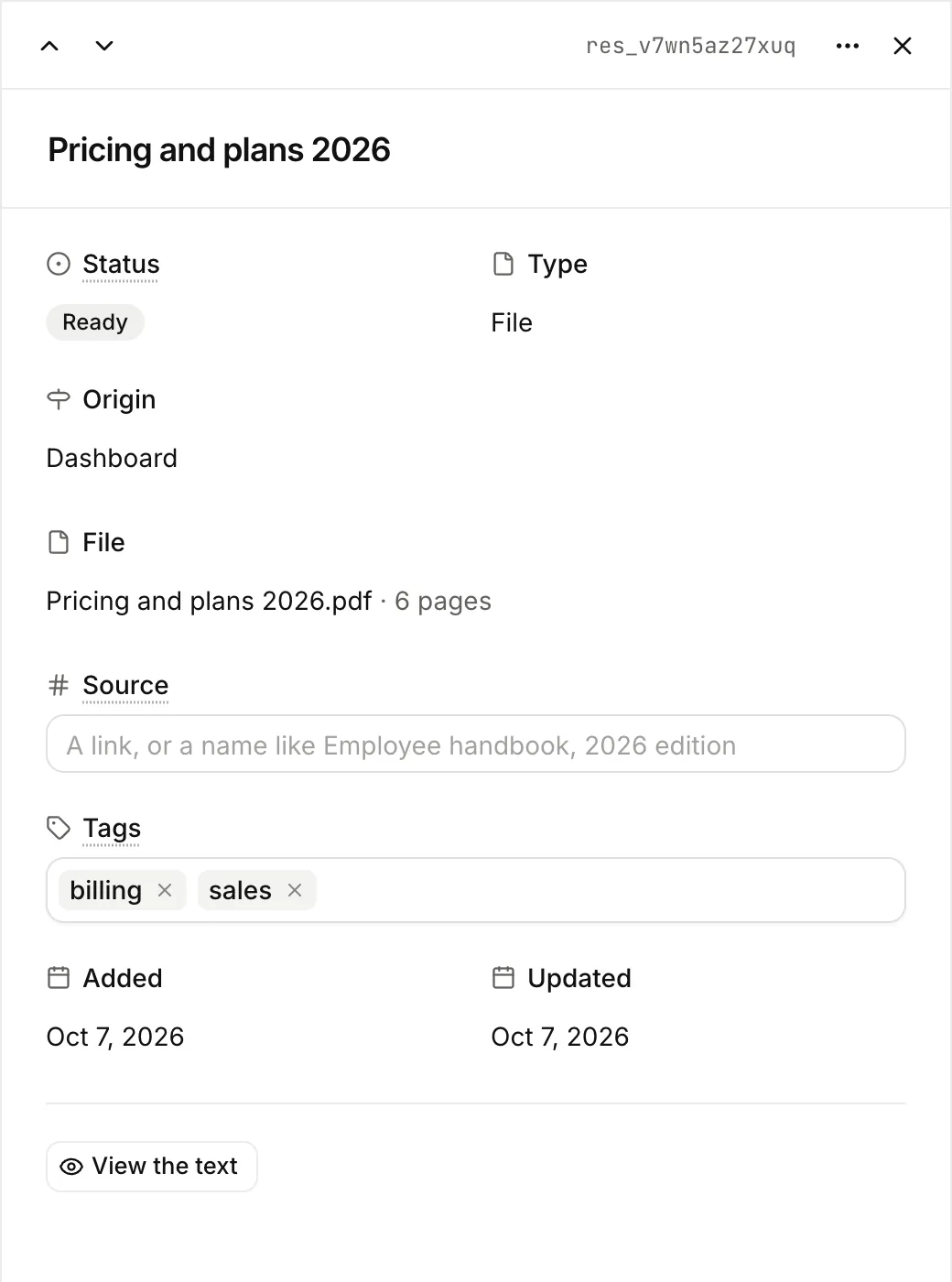
- Source. Optional, up to 500 characters. A URL or a mention such as “Employee handbook, 2026 edition”. Lookio shows it with every citation of the resource. An empty value clears it. See Citations.
Statuses
Lookio creates the resource at once, then reads and indexes it in the background. A page or a short file takes seconds. A site takes minutes.
| Status in the API | Shown in the app | Meaning |
|---|---|---|
queued | Indexing | Waiting to be read. |
processing | Indexing | Being read and indexed. |
ready | Ready | Searchable. Assistants can answer from it. |
failed | Failed | Could not be read. status_detail says why. |
stale | Needs re-indexing | Out of date. Re-index it. |
ready and failed are final. Poll until one of them appears, then stop.
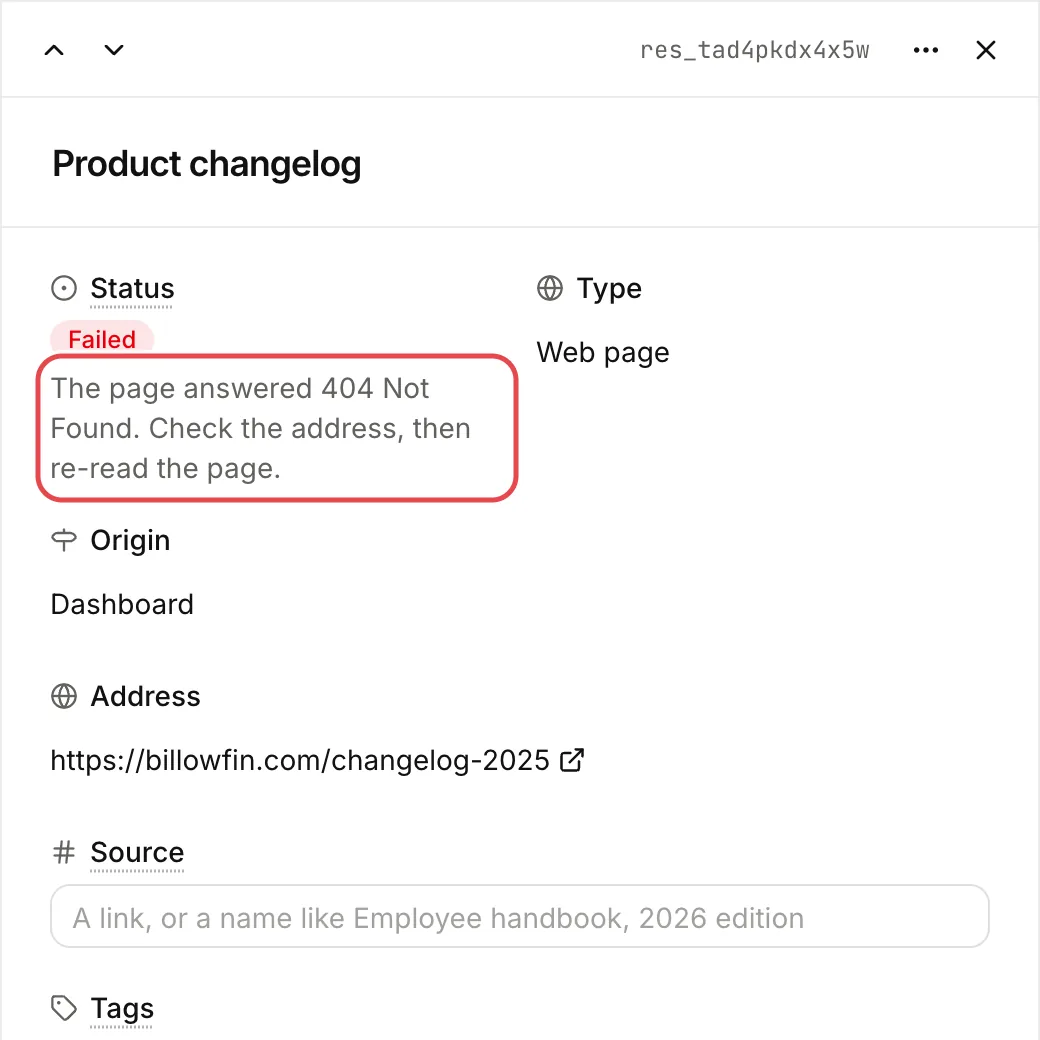
An assistant answers only from ready resources. It skips a resource that is not ready, without an error. A question asked too early can get no answer.
Re-index
Open a resource, then its ⋯ menu. The re-index action is named after the type of the resource.
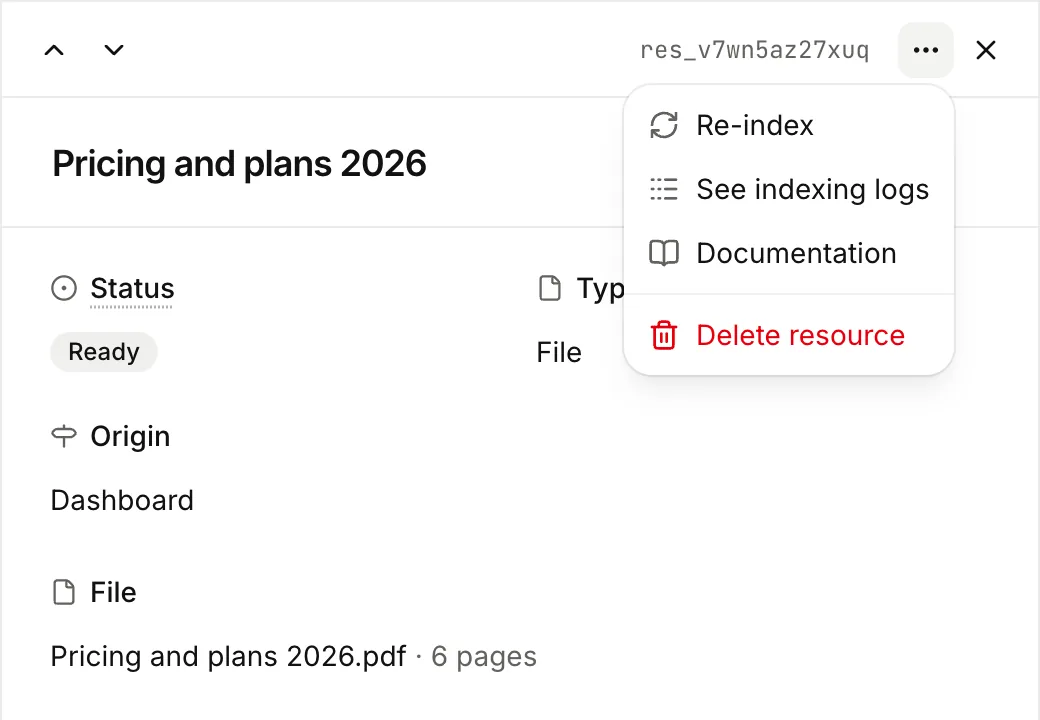
| Type | Re-index |
|---|---|
| Text | Indexes the current text again. |
| File | Reads the stored original again. Nothing is uploaded twice. |
| Web page | Fetches the page again. The action is called Re-read page. |
| Website | Syncs the site. Lookio adds new pages, reads changed pages again and removes pages that are gone. The action is called Sync now. |
Re-indexing is free. During a re-index, assistants keep searching the current version. The new version replaces it only when it is complete.
Lookio also re-indexes a text when you edit it, and a file when you rename it, because the title is part of every passage.
Re-index after a failure, or when the source changed. A website that syncs each week rarely needs it.
Read what was indexed
Open a resource, then View the text. You see the text in Markdown, as assistants search it, up to 200,000 characters. You also see what Lookio could not read, such as pages without readable text. Check an import this way before you rely on it.
Word allowance
Your plan caps the number of words Lookio stores for the workspace.
| Plan | Words stored |
|---|---|
| Free | 125,000 |
| Starter | 1,000,000 |
| Pro | 10,000,000 |
| Custom | No fixed limit |
Lookio counts the words of every ready resource. A word is a run of letters or digits. In a CSV over 2 MB, a row that holds only figures and codes counts as one word, because it is computed but not stored for search. At the limit, Lookio refuses to add or re-index, with this message: “Your plan’s limit of 125,000 words stored is reached. Delete resources or upgrade your plan to add more.” The API error code is request_too_large_for_plan.
If a resource passes the limit during indexing, it fails with the same message in status_detail. Delete resources you do not need, or change plan. See Credits and plans.
Pages read each month
Each plan also includes a number of pages read per calendar month (UTC).
| Plan | Pages per month |
|---|---|
| Free | 200 |
| Starter | 1,500 |
| Pro | 15,000 |
| Custom | No fixed limit |
A page is one PDF page, one image or slide that OCR reads, or one web page, at import or during a site sync. Text, Markdown, CSV, spreadsheets and Word files never count. Only new or changed content counts. A page that did not change since the last sync is not read again.
Past the limit, an admin buys extra pages on Billing, by 1,000. They never expire. Lookio uses the plan’s pages first. The Pages this month counter on the Resources page shows your use.
From the API, the CLI and MCP
List resources, Create a resource, Add a file, Get a resource’s content, Re-index.
lookio resources list --tag billing
lookio resources add-file ./handbook.pdf --tags hr
lookio resources reindex RESOURCE_ID
See CLI commands.
add_text_resource, add_web_page, get_resource and more. See MCP tools.