Access and limits
Where a widget works, which assistant and answer mode it uses, and the visitor and monthly limits that keep its spending under control.
Open the widget’s Config tab.
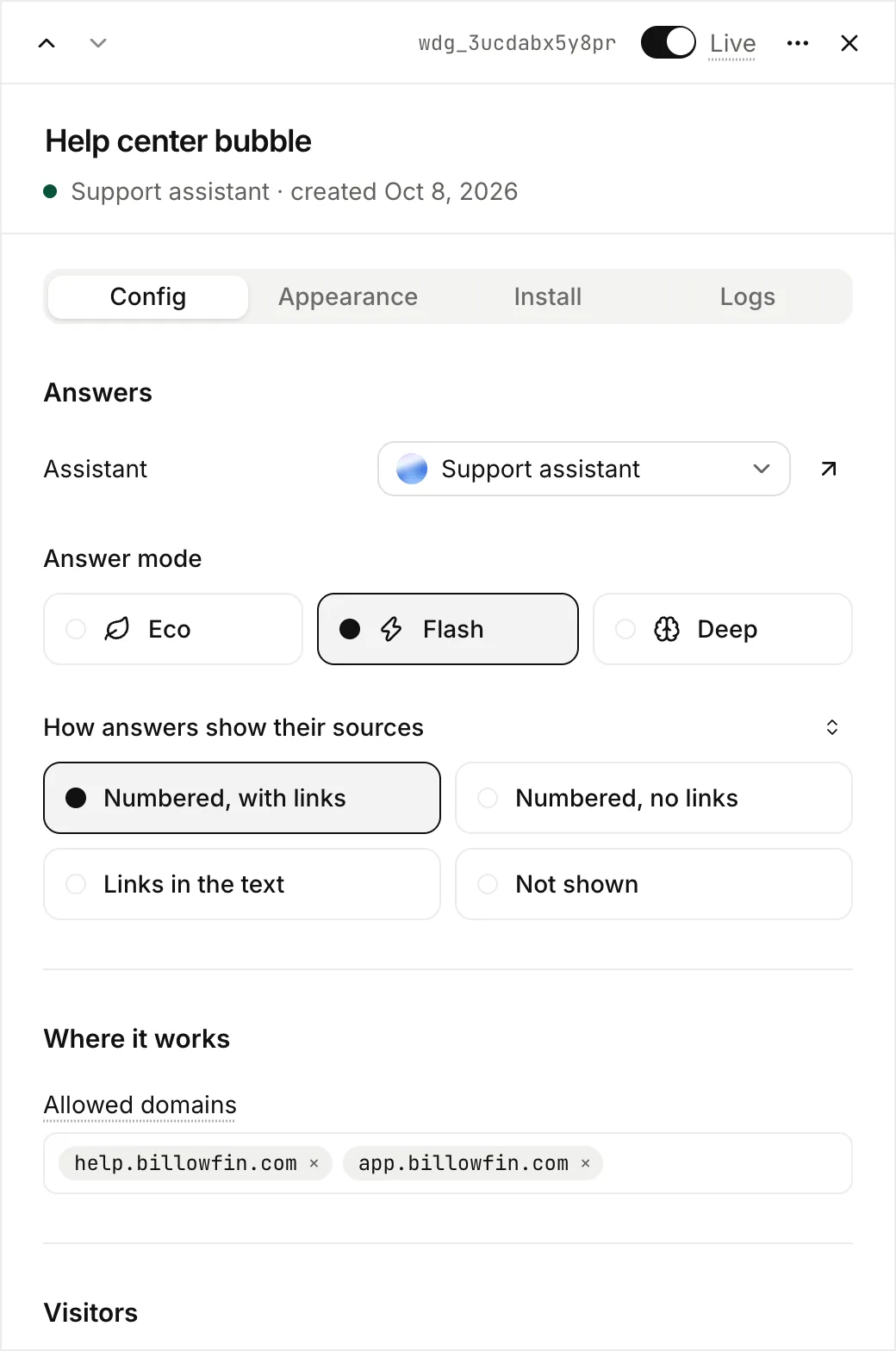
Answers
- Assistant: the assistant that answers. A change applies from the next question.
- Answer mode: Flash (30 credits per answer), Eco (10, can start more slowly) or Deep (80, works through the resources like an analyst and answers with a stronger model). One price per answer, found or not. See Query modes.
Where it works
Allowed domains set where the bubble and the in-page chat can show. Type a host such as docs.acme.com. acme.com also covers www.acme.com. *.acme.com covers every subdomain. You can paste several at once.
The browser applies the rule. The chat frame tells browsers which sites may show it, and browsers refuse all other sites. So nobody can copy your snippet to their site and spend your credits.
The hosted page has no domain rule: anyone with the link can open it. You turn each format on or off in the Install tab. See Install a widget.
Visitors
The Config tab also sets what visitors can do: Remember the conversation, Visitors’ chat history and Thumbs up and down. See Customize a widget.
Limits
Your workspace pays for every answer. The limits stop one visitor, or a bot, from spending too much:
| Limit | Default for a new widget | When it is reached |
|---|---|---|
| Questions per visitor, per hour | 40 (1 to 500) | The visitor must wait. The widget says how long. |
| Questions per visitor, per day | 150 (1 to 2,000) | The same. |
| Answers per minute, all visitors | 60 (10 to 1,000) | Visitors must wait a few seconds. Raise it for a busy site. |
| Monthly credit ceiling | Off. When you turn it on, the app offers 3,000 credits (100 Flash answers). | The widget stops answering until the 1st of next month (UTC). |
A widget created before 24 October 2026 keeps the limits it was saved with.
Select Save preferences to apply the visitor settings and the limits together. When you turn the monthly ceiling off, Lookio keeps its amount. When you turn it on again, it counts all credits spent this calendar month. In the API, limits.monthly_credits_enabled turns it on or off and keeps the amount. limits.monthly_credits: null also turns it off.
Lookio also allows at most 20 questions per minute from one network address. You cannot change this limit. See Rate limits. When the workspace has no credits left, the widget stops answering.
A visitor never learns which limit stopped them, or anything about your credits. They read that the assistant cannot answer now, or that they must slow down.
Who can change a widget
Members who can see an assistant see its widgets. To change a widget, a member needs the right to edit assistants. To delete one, the right to delete assistants. You cannot delete an assistant that a widget uses. First move the widget to another assistant, or delete it.