Feedback on answers
Forward your users' thumbs up and down, with a comment, to the answers of your API key's conversations, so the workspace sees where the assistant falls short.
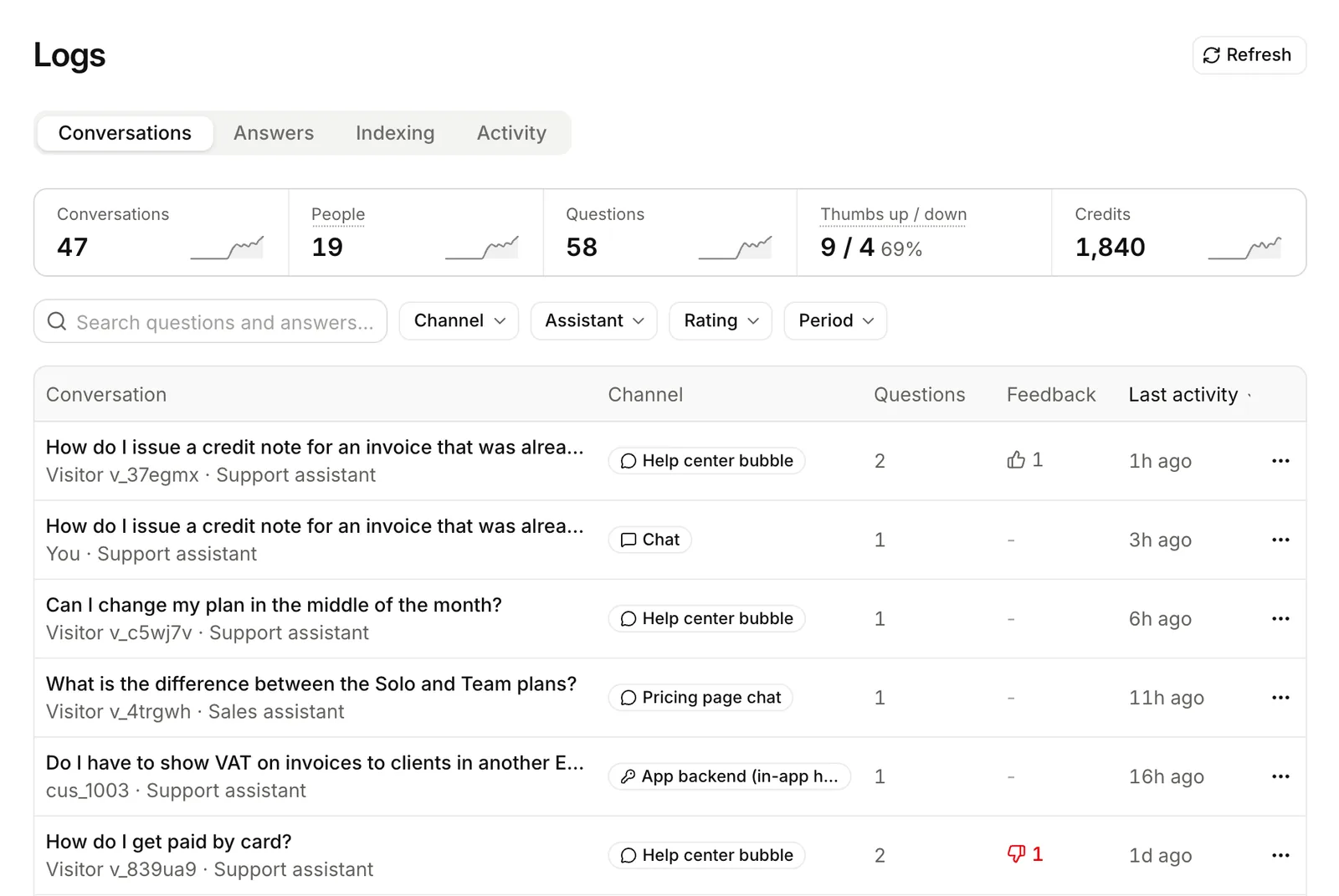
When your product shows an answer, your users can say if it helped. Send that thumb to Lookio. It appears next to the answer in the workspace logs, with the thumbs from your widgets.
Send a thumb
You need two ids from the answer: conversation_id and message_id. Every stored answer returns both. See Conversations and end users.
curl https://api.lookio.app/v1/conversations/CONVERSATION_ID/messages/MESSAGE_ID/feedback \
  -H "Authorization: Bearer $LOOKIO_API_KEY" \
  -H "Content-Type: application/json" \
-d '{"rating": "down", "comment": "The price is out of date.", "end_user": "user_42"}'await lookio.conversations.feedback(conversationId, messageId, {
rating: "down", // "up", "down", or null to take it back
comment: "The price is out of date.",
end_user: "user_42",
});lookio conversations feedback CONVERSATION_ID MESSAGE_ID down --comment "The price is out of date." --end-user user_42The MCP tool is send_answer_feedback. Do not use send_feedback: it reports a problem with Lookio itself.
The rules
- One thumb per answer. A new thumb replaces the old one. It never counts twice.
- Take it back with
rating: null. Lookio also removes the comment. - The comment is optional, up to 1,000 characters, with
upordownonly. A comment withrating: nullfails withinvalid_parameter. end_useris optional. If you send it, the conversation must belong to that end user. If not, the call fails withresource_not_found.- Only answers take a thumb. The id of a question, or of an answer in another conversation, fails with
resource_not_found. - It is free. It needs the
queryscope. - API keys only. On a person’s own chat, the call fails with
feature_not_available. The widget collects its visitors’ thumbs itself: see thefeedbacksetting in Appearance.
Read them
The thumb shows on the answer in Get a conversation (rating and rating_comment) and in the logs. To list the conversations with a thumbs down, filter the logs on Rating. See Logs.