
Your website is probably your company’s biggest knowledge asset and you don’t even think of it that way.
Think about it: every blog post, product page, help article, changelog entry, and documentation page you’ve ever published represents hours of research, writing, and editing. It’s all public, it’s all structured, and it’s already organized by topic.
Yet most companies treat their website as a one-way broadcast channel. Visitors land, scroll, maybe find what they’re looking for, maybe don’t—and leave.
The problem is that traditional website navigation was designed for humans who know what they’re looking for. Search bars find pages, not answers. They rely on exact keyword matches, return a list of links, and leave the visitor to dig through each one to find the specific paragraph that answers their question.
That’s no longer good enough. AI-powered search is becoming the expected standard. Users now expect to ask a question in natural language and get a direct, conversational answer—not a list of 15 pages to sift through. Companies that offer this experience look modern, responsive, and trustworthy. Companies that don’t? They feel behind.
The good news: you don’t need to recreate your content or build a complex system from scratch. You can turn your existing website into an AI knowledge base in minutes, using sitemap syncing.
Your website already contains everything an AI assistant needs
Most companies invest heavily in their website content. Over the months and years, you’ve built a library of:
- Blog articles full of insights, industry perspectives, and use-case breakdowns
- Product documentation explaining every feature in detail
- Help center pages answering common customer questions
- Landing pages describing your value proposition and differentiators
- Changelog entries documenting updates, new features, and improvements
All of this content is already structured, already public, and already indexed by search engines. The only thing missing is a way to let AI understand and retrieve it intelligently—so it can be queried conversationally instead of browsed manually.
That’s exactly what a sitemap sync enables.
What is a sitemap and why it’s the key
A sitemap is a simple XML file (usually at yoursite.com/sitemap.xml) that lists every page on your website. Search engines like Google use it to discover and index your content. Most CMS platforms—WordPress, Webflow, Mintlify, GitBook, Framer, Notion-based sites—generate sitemaps automatically.
The insight is simple: if a sitemap already tells search engines where all your content lives, it can tell an AI system the same thing.
By syncing your sitemap with an AI knowledge retrieval platform like Lookio, you instantly turn every page on your website into a searchable piece of knowledge that an AI assistant can retrieve, reason about, and synthesize into precise answers.
How sitemap syncing works in Lookio
Step 1: Input your website URL
Head to Lookio and create a free account (you get 100 free credits to start, no credit card required).
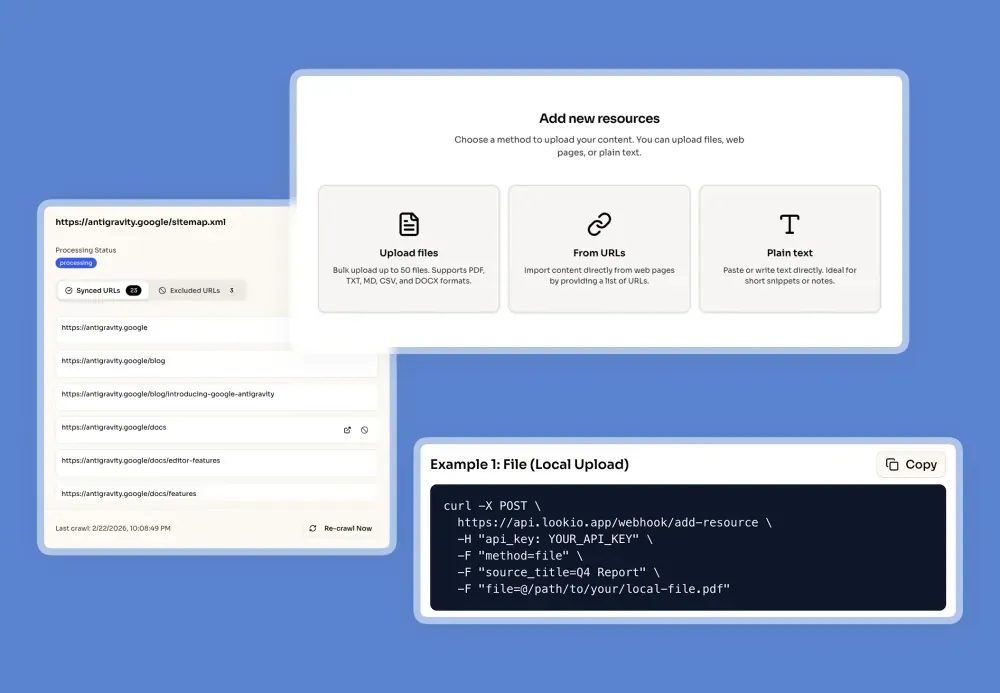
Go to Resources and select the sitemap option. You don’t even need to find your sitemap URL yourself—just enter your website domain and Lookio’s smart engine will automatically discover your sitemap, including nested sitemaps (sitemap index files that reference multiple sub-sitemaps). It handles the complexity for you.
Step 2: Review and exclude pages
Once your sitemap is discovered, Lookio will show you a list of all the URLs it found. Before syncing, you can:
- Exclude specific URLs that you don’t want included (e.g., privacy policy, terms of service, login pages)
- Exclusion RegEx for advanced control: Use regular expressions to exclude entire sections of your site or follow specific patterns. This allows you to scale and anticipate patterns—for example, to only include your
/blog/pages or to exclude any page that doesn’t contain/en/, avoiding processing all language versions of your documentation. - AI RegEx Helper: Don’t know regular expressions? We’ve built an AI assistant directly into the interface that writes these expressions for you based on your simple instructions. You don’t have to be a developer to get fine-grained control over your knowledge base.
This gives you fine-grained control over exactly which content becomes part of your AI knowledge base.
Step 3: Sync, and stay up to date
Once confirmed, Lookio will crawl all selected pages, extract the text content, and index it for retrieval. From that point forward:
- Daily checks detect new pages added to your sitemap and automatically include them
- Removed pages are detected and cleaned up from your knowledge base
- Modified content is regularly updated so your AI always has access to the latest version of your pages
- You can also trigger a manual sync at any time if you want immediate updates after a major content change
This means your AI knowledge base is always in sync with your website, without any manual work. Publish a new blog post? It’s automatically available to your AI assistant. Update a product page? The assistant knows about the changes.
What you can build once your content is synced
A website AI chatbot widget
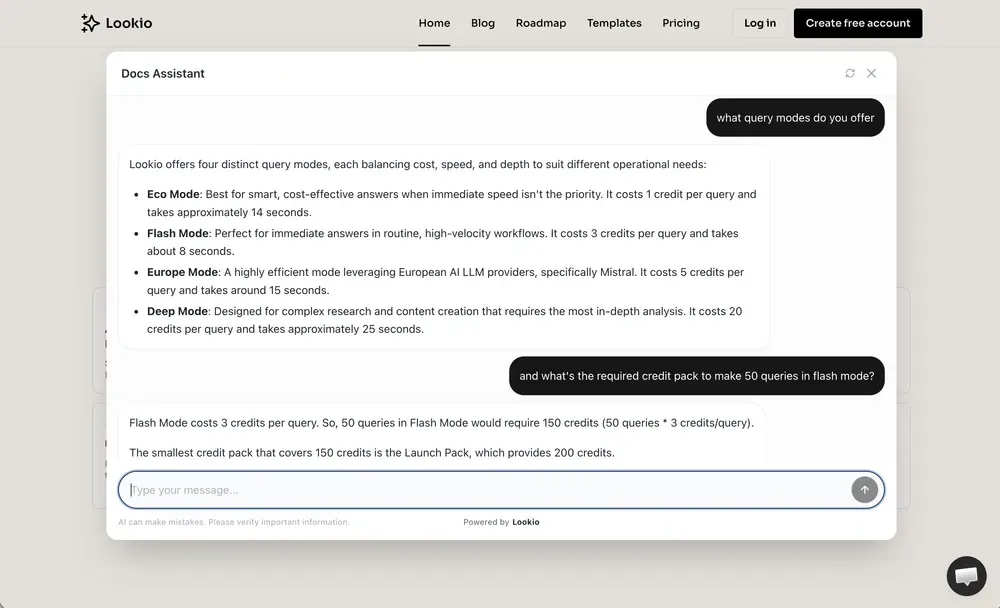
The most immediate use case: deploy a chat widget directly on your website that answers visitor questions based on your entire content library.
Instead of visitors navigating through menus, clicking through blog categories, or wrestling with a keyword search bar—they simply ask a question and get a direct answer with relevant context. It’s like giving every visitor a personal guide to your entire website.
Lookio provides a customizable, embeddable widget with two polished layouts, brand-matched styling, and real-time conversational responses. Learn how to set up a Lookio widget →
An internal knowledge tool for your team
Your website content isn’t just useful for visitors—it’s valuable for your own team too. Sales teams can instantly pull product details, marketing teams can reference past articles, and support teams can find answers without digging through dozens of pages.
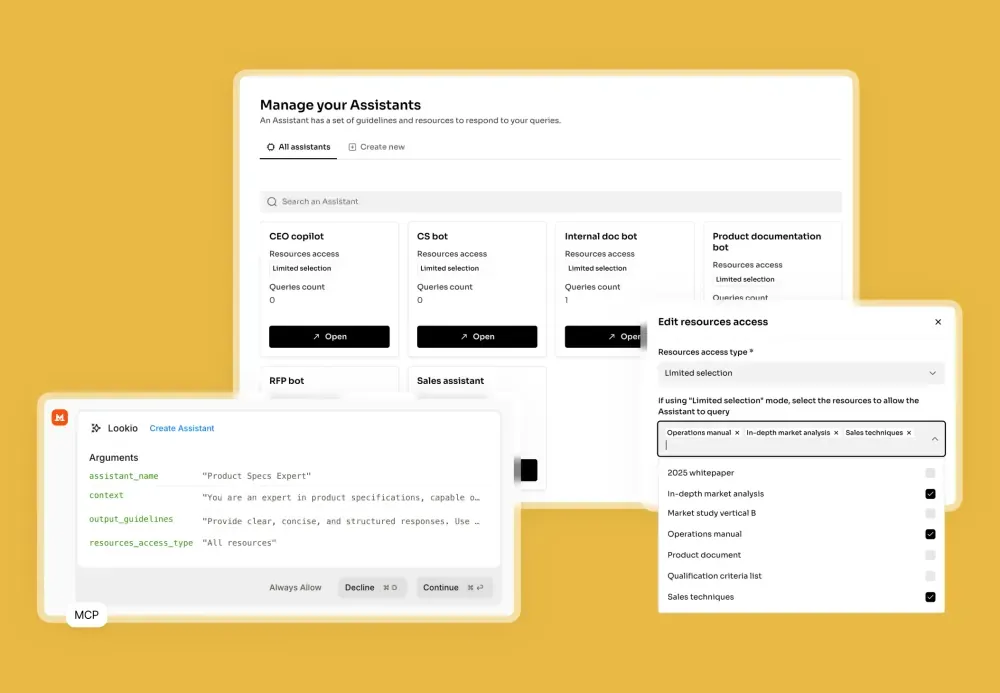
Create an internal assistant in Lookio, add your synced website content plus any additional internal documents (PDFs, guides, playbooks), and give your team a single search interface for everything.
AI-powered content creation workflows
Here’s a use case most companies don’t think about: if your blog already contains well-researched articles full of insights, you can use your synced knowledge base to power your own content pipeline.
Build an automation workflow (using tools like n8n or Make) where, whenever you draft a new article, the workflow queries your Lookio assistant to:
- Surface insights from previous articles that are relevant to your new topic
- Suggest internal links to related blog posts for better SEO
- Pull supporting statistics or quotes from your own published content
- Ensure consistency in messaging and terminology across your content library
This turns your existing content into a compounding asset that makes every new piece of content stronger and better connected.
Why not just use ChatGPT or NotebookLM?
You might be thinking: “Can’t I just paste my website content into ChatGPT or upload it to NotebookLM?”
Technically, yes—but here’s why that doesn’t scale:
| Manual uploads (ChatGPT, NotebookLM) | Lookio (Sitemap sync) | |
|---|---|---|
| Getting content in | Copy-paste or manual file uploads, page by page | Automatic—just enter your domain |
| Keeping it current | You re-upload manually every time something changes | Daily auto-sync, no manual work |
| Adding new pages | You have to remember to add them | Detected and included automatically |
| Deploying to users | Not possible (it’s in your personal chat) | Widget, API, or MCP connector |
| Team access | Limited or none | Shared workspace, multiple assistants |
| API integration | NotebookLM has no API; ChatGPT is not designed for it | Full API for automations |
The core issue is maintenance. Manually copy-pasting content works once. But websites are living things—pages change, new content is published, old pages get removed. Within weeks, your manual knowledge base is outdated.
Sitemap syncing solves this permanently. Set it up once, and it stays current forever.
Enrich your knowledge base beyond your website
While your website content is a powerful foundation, you’re not limited to it. After syncing your sitemap, you can layer additional knowledge sources on top:
- PDFs — product specifications, onboarding guides, compliance documents, internal playbooks
- Individual URLs — competitor pages, industry reports, case studies hosted elsewhere
- Plain text — sales scripts, Q&A pairs, company policies, custom instructions
This creates a hybrid knowledge base that’s richer and more comprehensive than any single source. Your AI assistant can answer questions that span your blog, your docs, your internal guides, and anything else you choose to include.
Pro tip: This is a key advantage over native documentation AI assistants like Mintlify’s, which can only access your docs pages. With Lookio, your chatbot knows about everything—not just what’s on one platform.
How to get started
The full setup takes about 5 minutes:
- Create a free Lookio account — 100 free credits, no credit card
- Add your website as a sitemap resource — just enter your domain, Lookio discovers the rest
- Create an assistant — define its role, tone, and which resources it can access
- Deploy a widget (optional) — get a six-line script to embed on your website
- Connect via API (optional) — integrate into your automations and workflows
Your website content is already there. It’s already public. It’s already valuable. The only thing missing is a way to make it queryable by AI—and that takes five minutes.