Turn webpages into AI assistants
Add critical public documentation, specific product guides, and company policies to your knowledge base to power instant, hallucination-free answers.
Get started free
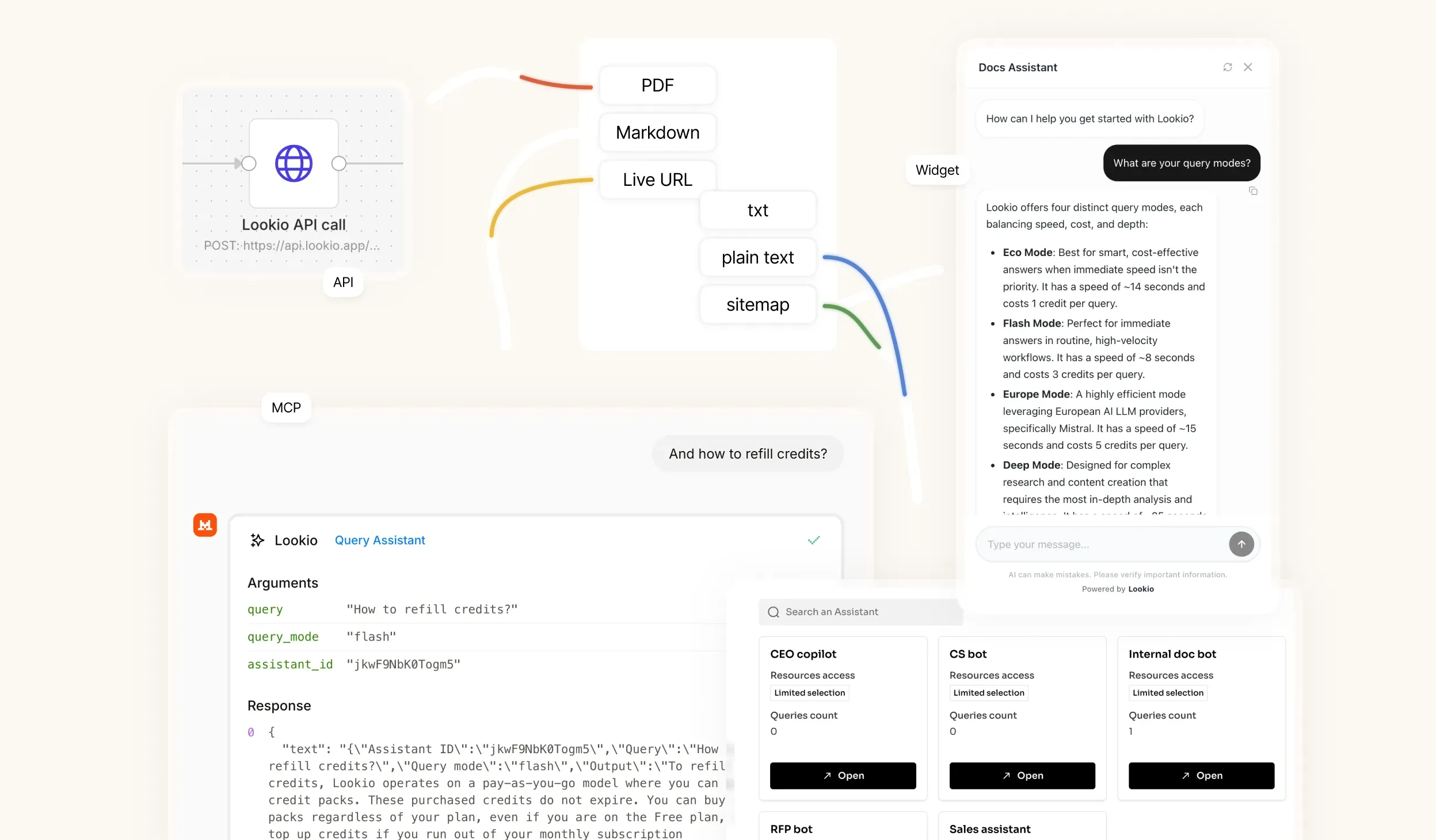
Built for practical knowledge retrieval
Add useful URLs
Turn selected webpages into Assistant knowledge.
Great for docs
Use help-center pages, product docs, and guides.
Query web content
Ask questions without forcing users to browse pages.
Embed the answer layer
Use webpage-backed Assistants in widgets and workflows.
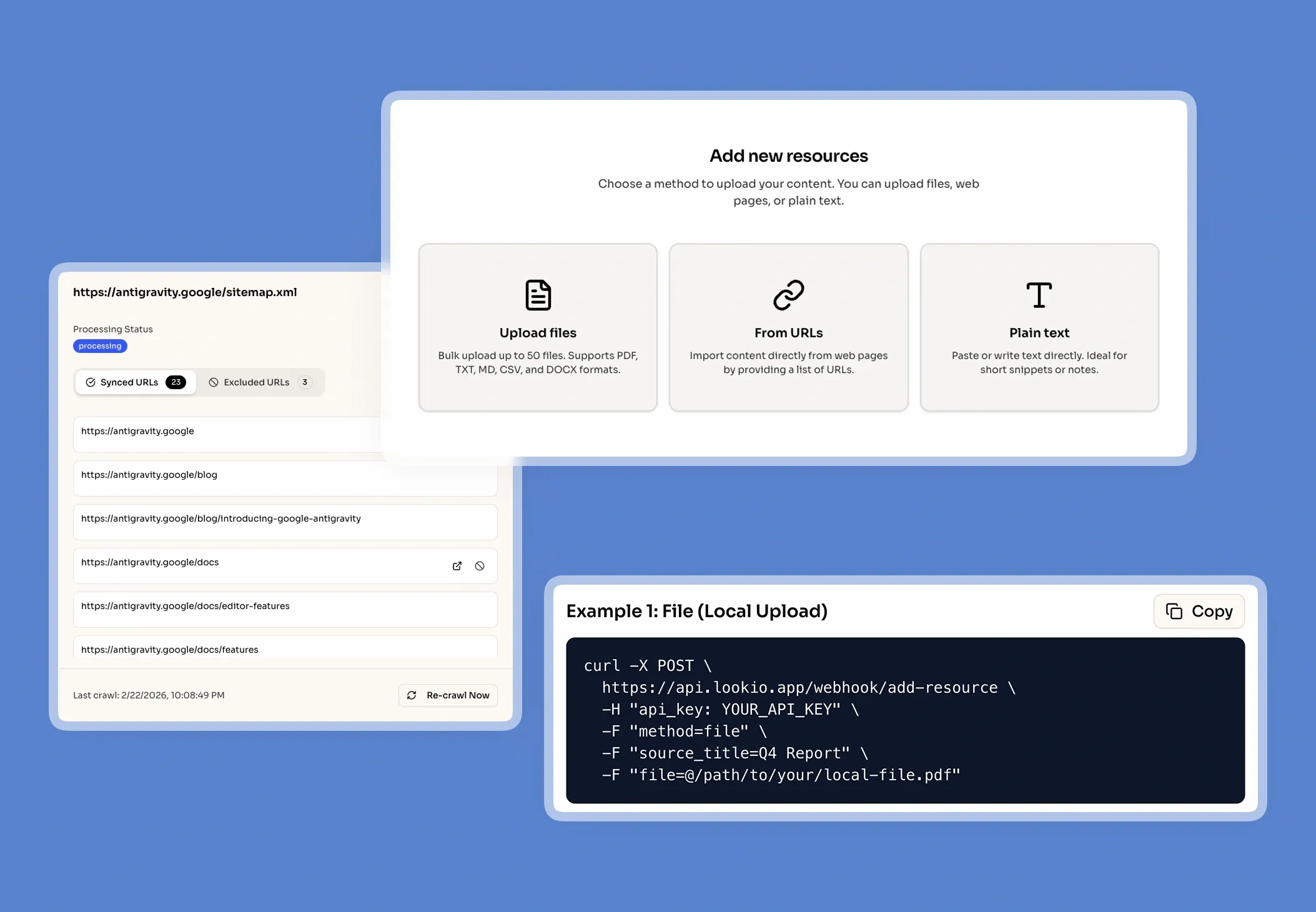
Add your most valuable web content
Start building a focused AI Assistant by hand-picking the high-value URLs that directly answer your users' most common questions.
Add specific API references and technical documentation.
Include highly detailed help-center tutorials and FAQs.
Integrate public product guides and policy pages.
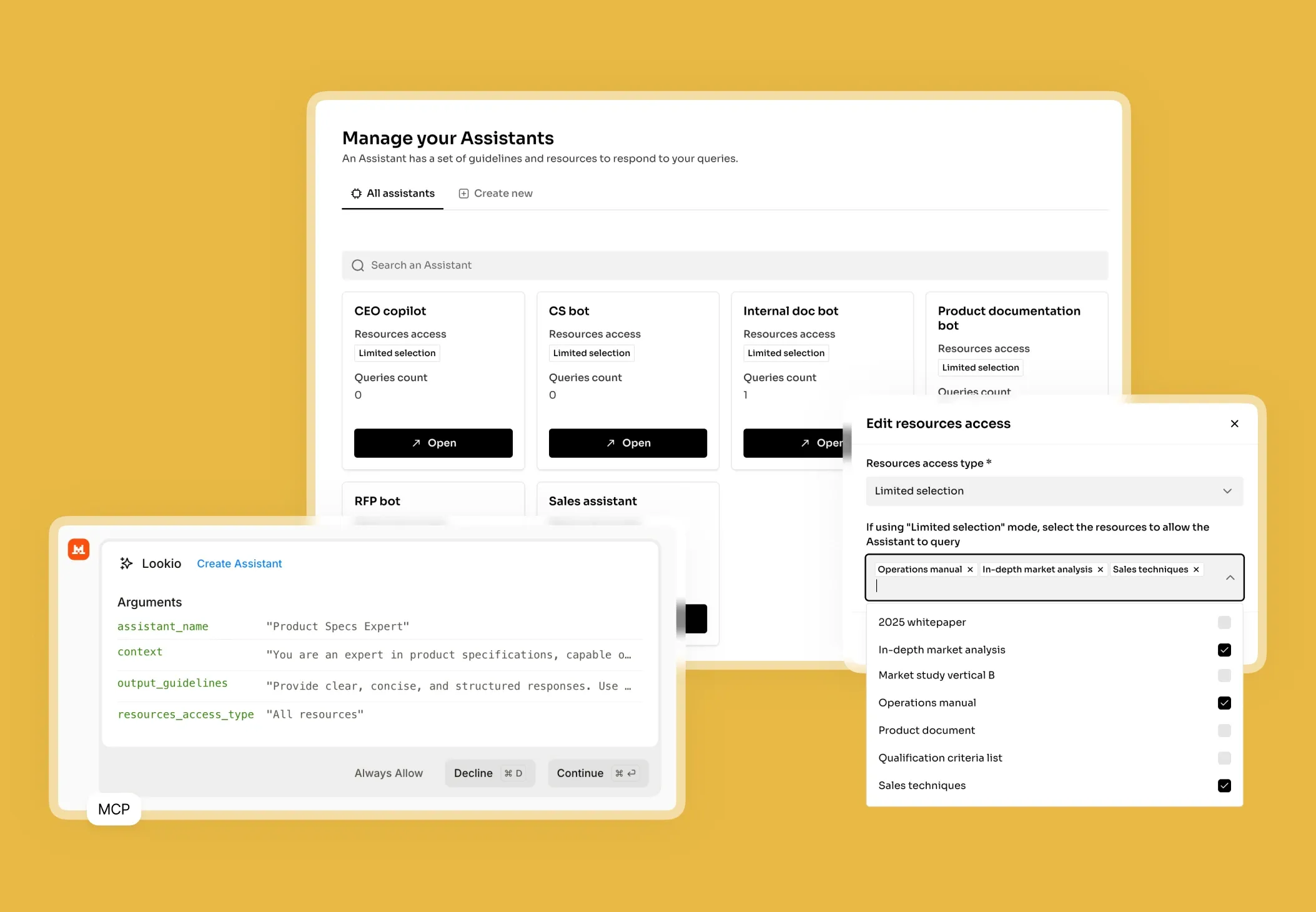
Make webpages effortlessly navigable
Stop making users click through endless links. Let them ask natural language questions and get the exact answer from the page instantly.
Search web content by user intent, not just keywords.
Ensure answers are drawn strictly from approved URLs.
Drastically reduce customer support friction and ticket volume.
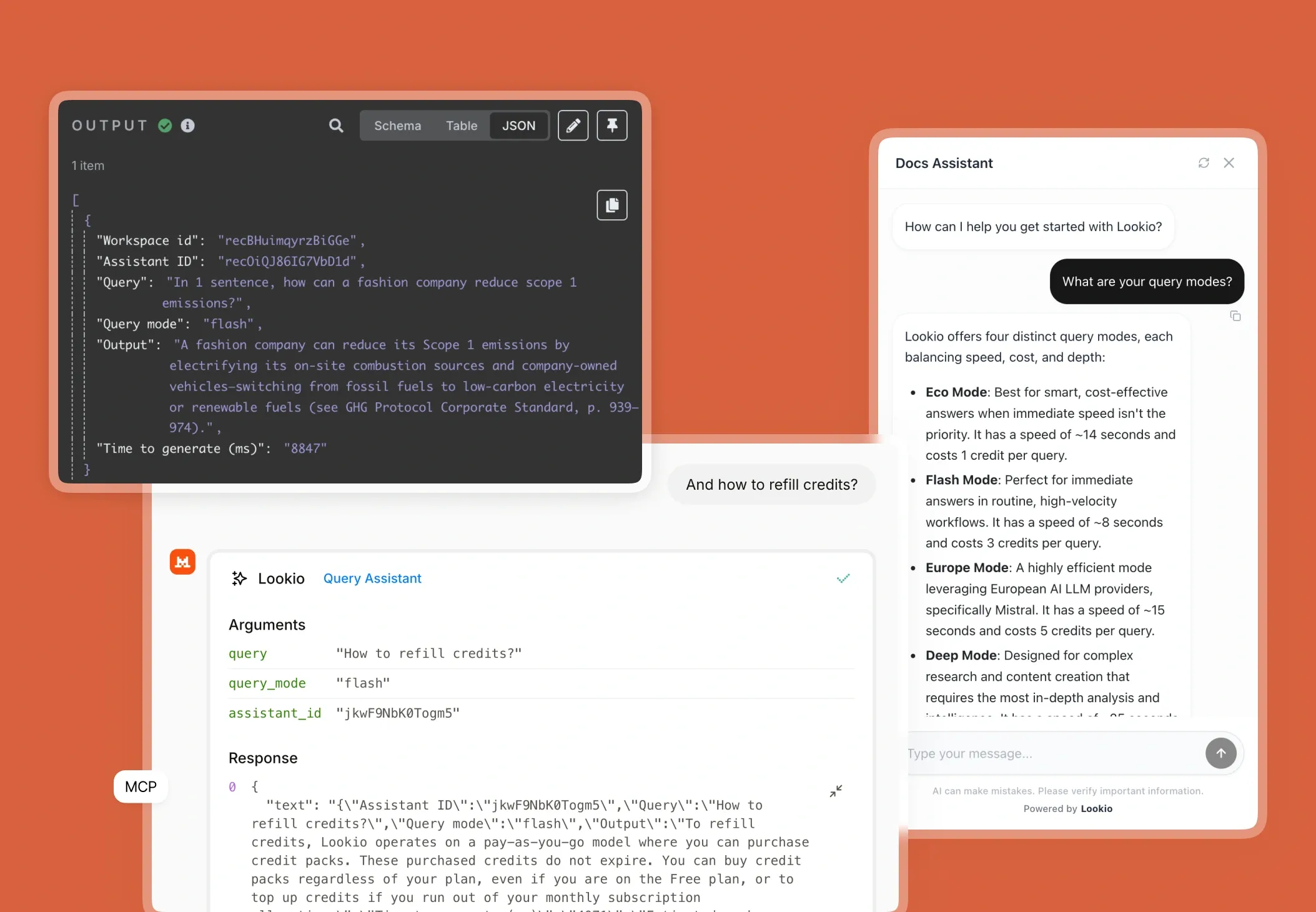
Deploy targeted web knowledge anywhere
Turn your public website content into a highly practical self-service layer that works exactly where your customers need it.
Power an intelligent floating widget on your marketing site.
Support authenticated users inside your SaaS portal.
Automate content retrieval for your internal teams via API.
Frequently Asked Questions about Webpage AI Assistants
Can I use specific webpages to build an AI Assistant?
What types of webpages make the best AI resources?
Should I add individual webpages or use a sitemap?
Can I embed an AI widget that only answers questions from specific webpages?
How does Lookio extract data from webpages?
100 welcome credits - no credit card required