FREE
100 credits offered · No subscription needed

Build knowledge-based AI Assistants. Call them via API.

Streamline compliance monitoring and risk assessment by providing instant, sourced answers from your internal regulatory documentation.

Get started free
Lookio AI painterly background
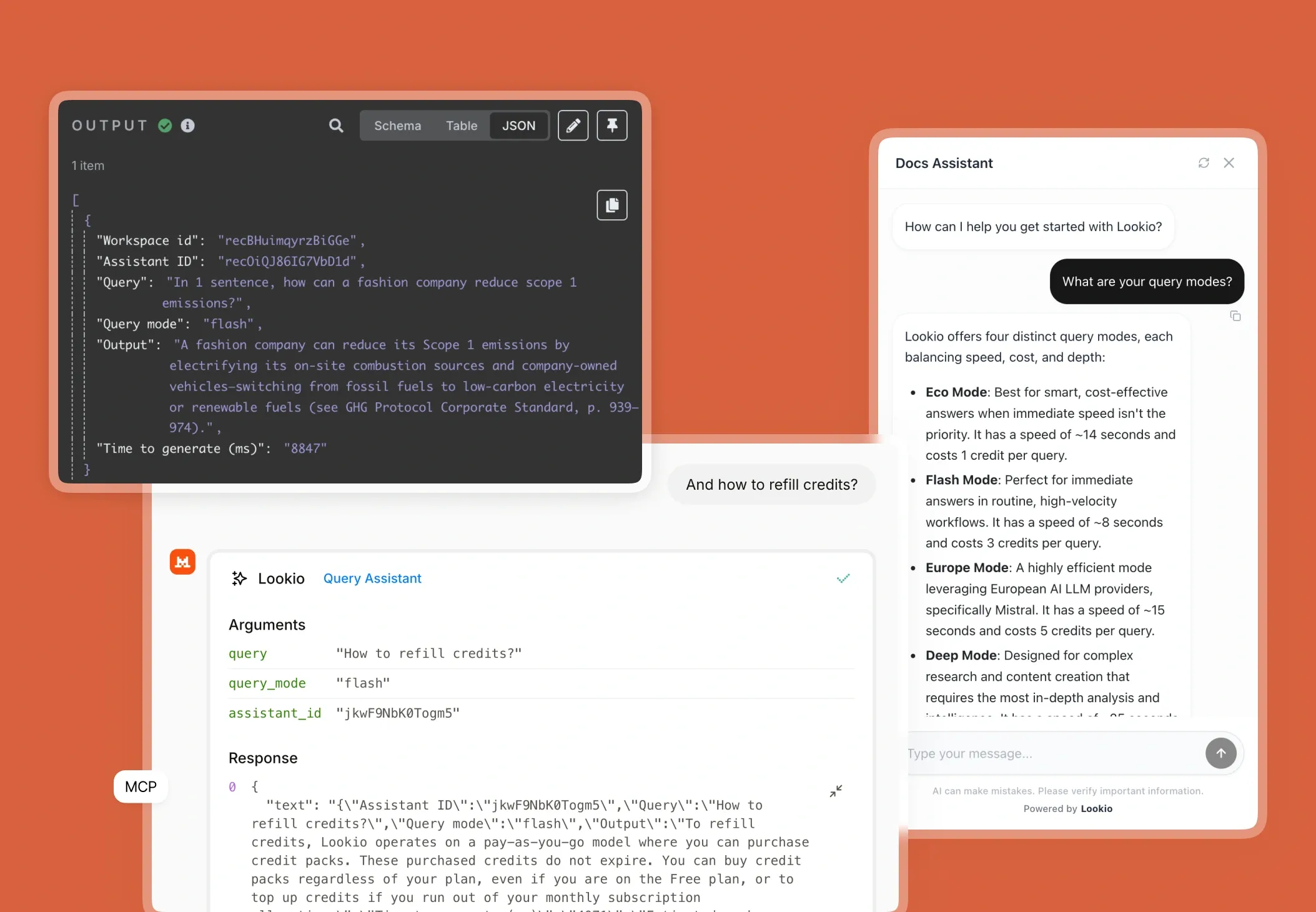
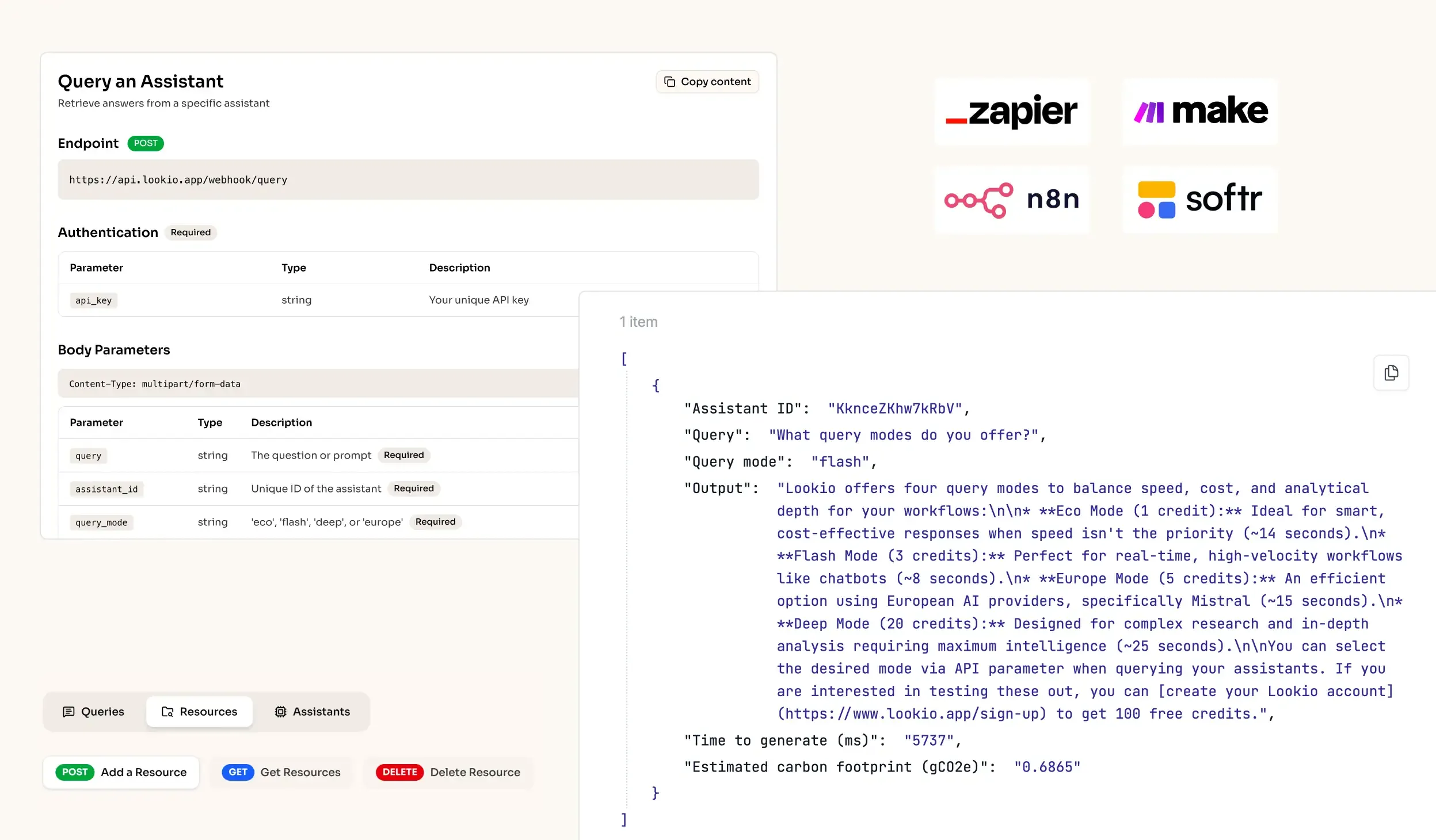
API Integration for RAG AI knowledge retrieval in workflows
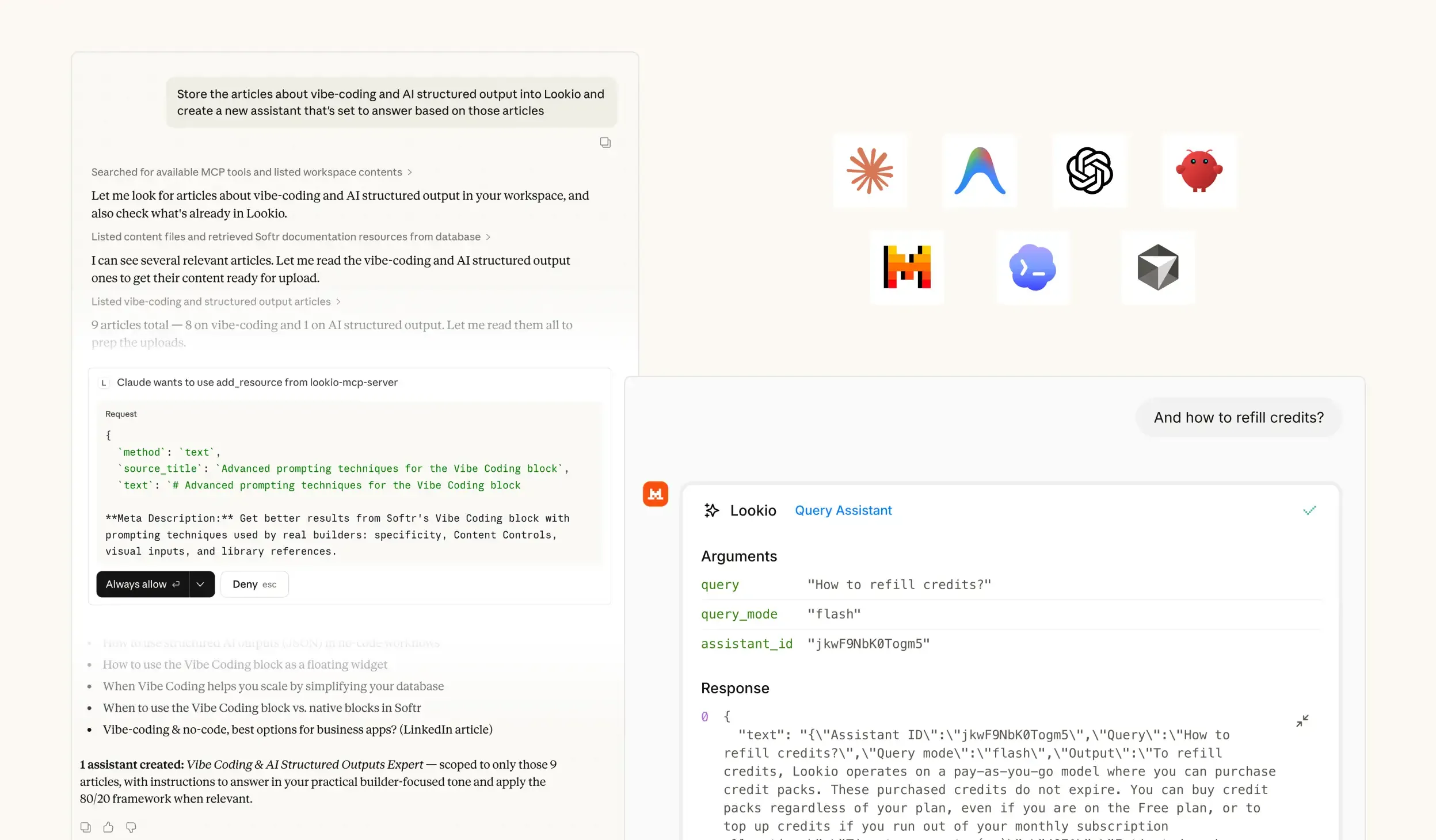
MCP Support for Agents - RAG platform
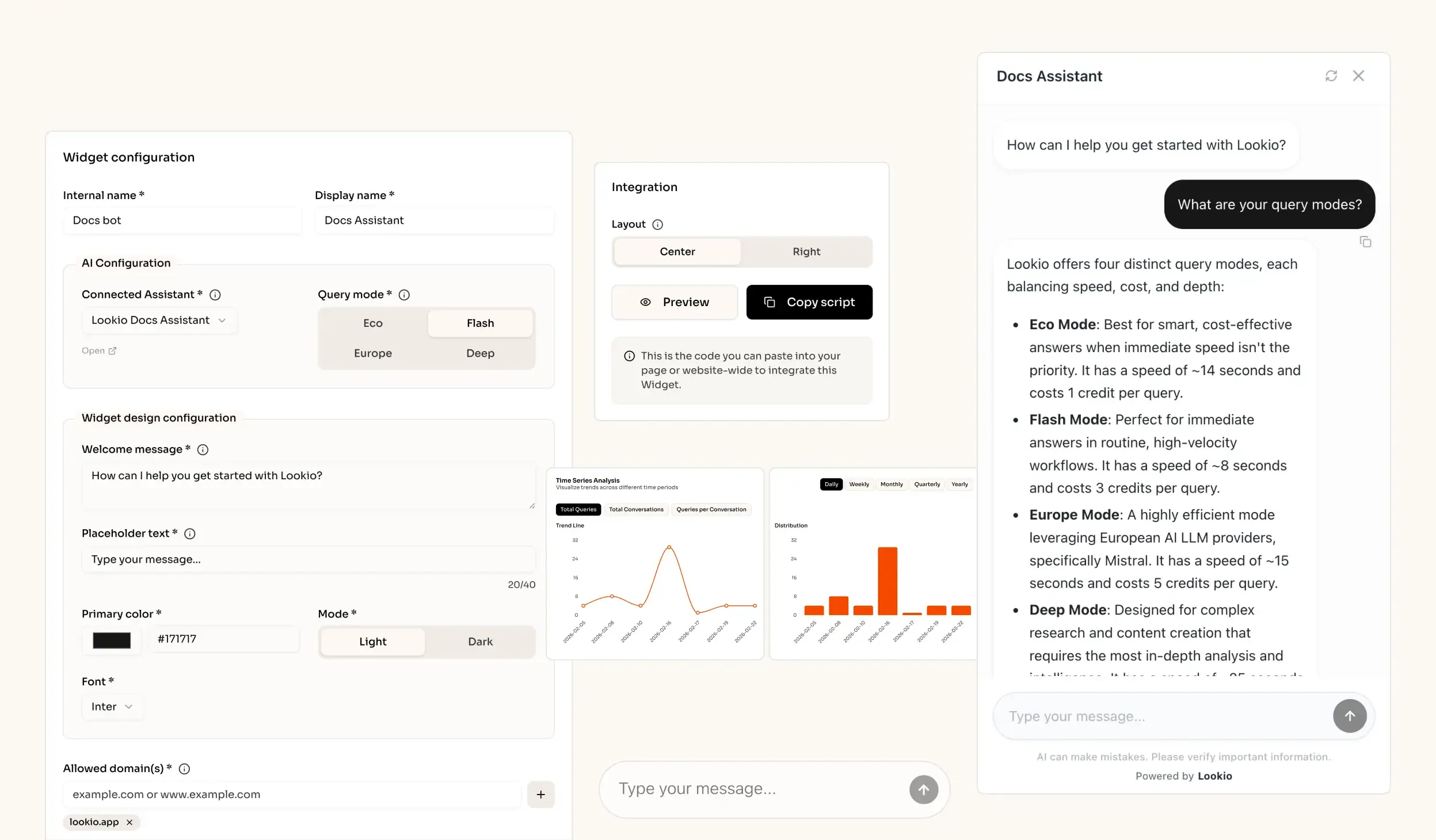
AI knowledge retrieval website widget - RAG solution

The challenge of maintaining compliance in a shifting landscape

When a compliance officer tries to evaluate a new transaction or assess a regulatory update, they hit a wall of fragmented documentation. In most departments, the critical answers are buried in hundreds of 50-page PDFs, complex internal policies, and historic audit trails. This manual search isn't just slow; it's a significant operational risk that limits your department's ability to scale without linear headcount growth.

The daily cost of document fragmentation

Every hour spent manually searching for a specific clause in an AML directive or a KYC policy is an hour lost to strategic risk mitigation. When documentation is locked away in folders, your team relies on memory or outdated summaries. This leads to inconsistent guidance across the business and increases the risk of non-compliance, which can result in severe fines or reputational damage. Furthermore, subject matter experts are constantly interrupted to answer the same foundational questions, creating a bottleneck that delays key business approvals.

Why standard tools fall short for compliance

You may have already tried building basic solutions, but they often fail specifically in high-stakes environments:

  • Internal wikis and keyword search: These tools rely on literal matching. If a staff member searches for "customer onboarding" but the policy uses the term "client due diligence," the search fails. Experts shouldn't have to play a recursive game of keyword Bingo while under pressure.
  • Generic AI (ChatGPT, etc.): Standard LLMs are prone to hallucinations. In compliance, a "confident but wrong" answer is a liability. Generic models also lack the data privacy requirements needed for sensitive corporate documentation and have token limits that collapse when you need to cross-reference multiple large directives.
  • No-API tools like NotebookLM: While excellent for individual research, these tools lack an API. You cannot automate compliance checks or integrate the knowledge retrieval into your existing GRC (Governance, Risk, and Compliance) software or ticketing systems.

What's missing is a way to bridge the gap between your static documentation and your daily workflows...
The best knowledge retrieval quality for Compliance Departments out of the box

Excellent quality RAG

Our engine provides extremely accurate answers (scored 37/40 on the n8n Arena Eval) with no complex setup needed.

Ease of implementation

Drop your files into Lookio, create an Assistant, get your API key and start automating (compatible with n8n, Make, Zapier).

Get sourced answers

Lookio integrates a smart metadata system that ensures that the output of your queries are sourced.

Adapts to your data

When you upload PDFs into Lookio, our technology automatically cleans your data to make it retrieval-ready.

How knowledge retrieval powers compliance workflows

What smart knowledge retrieval actually does

Knowledge retrieval, specifically RAG (Retrieval-Augmented Generation), grounded in your specific data, acts as a digital first-responder for your compliance team. Instead of the AI guessing based on its public training, Lookio processes your documents into smart, searchable chunks. When you ask a query, it finds only the relevant segments and feeds them to the AI to generate a sourced response.

Imagine a senior compliance analyst who has memorized every circular and policy you've ever uploaded. When you ask a question, they don't speculate—they pull the exact three paragraphs that apply. This ensuring AI knowledge retrieval remains accurate and fully auditable.

A real scenario for compliance teams

When a manager asks if a specific partnership violates a recent sanctions update, the system calls the Lookio API. It searches through the latest regulatory bulletins, retrieves the specific clauses regarding geographic exposure, and returns an answer to your internal Slack or portal in seconds. Lookio provides a source-cited truth that allows the compliance officer to verify the answer instantly with a direct link to the original document.

Connect it to how you already work

Lookio is designed to fit into your existing technical ecosystem through four primary integration paths:

  • Via API: Trigger automated policy checks inside of n8n workflows or Make to verify contract clauses against internal standards.
  • Via Embeddable Widget: Drop an internal compliance chat widget onto your company portal so employees can get instant policy answers without emailing the compliance team.
  • Via MCP Server: Connect your Lookio knowledge base to AI agents like Claude. This allows agents to natively "research" your internal regulations as they help you draft reports.
  • Via CLI: Use the terminal to bulk-query documentation for audits, using the --json flag for clean, machine-readable data audits.

The Lookio advantage lies in this API-first architecture. While other tools keep your knowledge trapped in a browser tab, Lookio turns your documentation into a programmatic asset that powers the entire organization.

Go from document to automated expertise in 3 simple steps

1. Upload your
knowledge documents

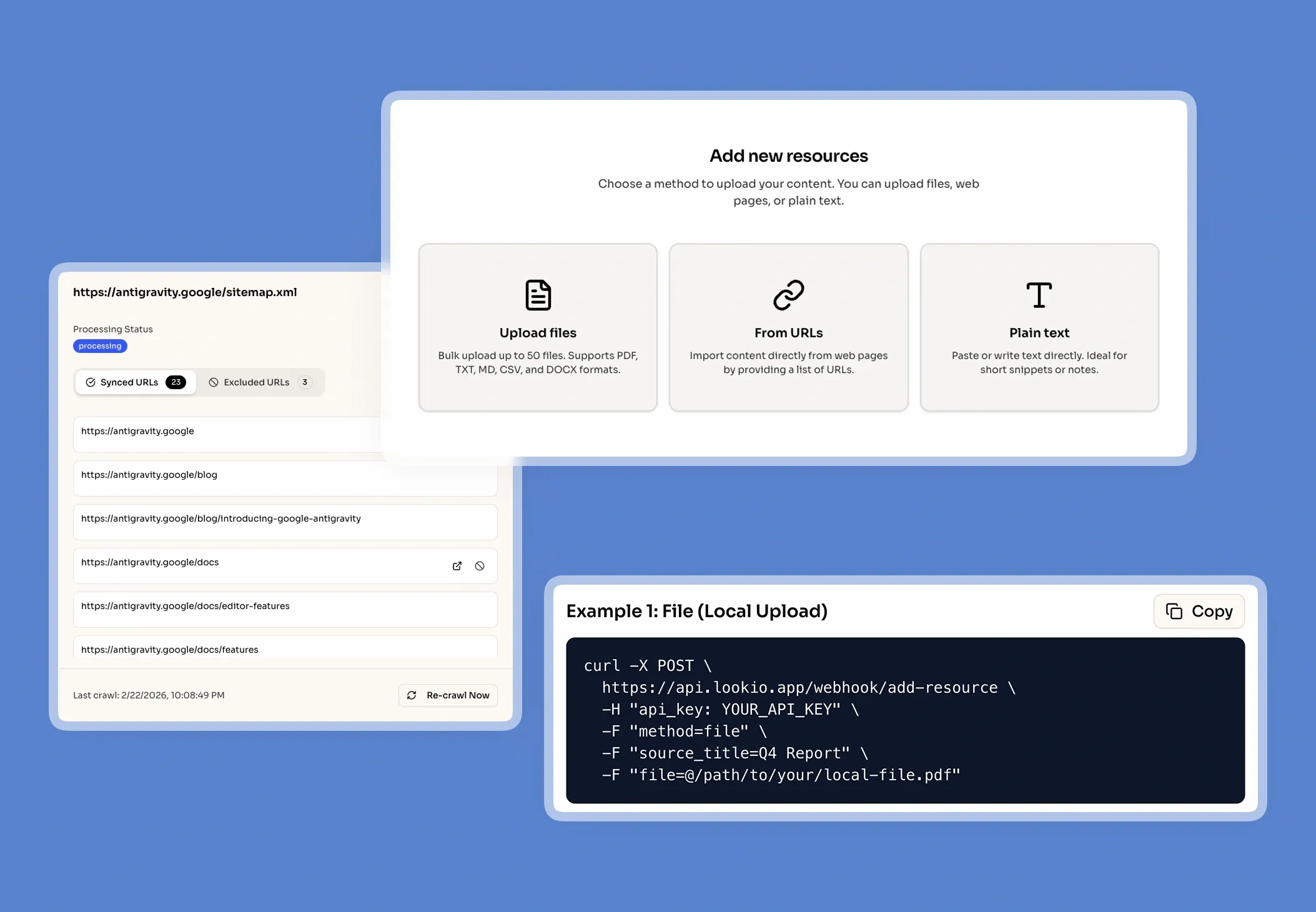
Securely upload your company's core documents (PDFs, URLs, CSVs, sitemaps) to prepare a knowledge base.

Upload my documents →
Upload your knowledge documents

2. Configure Your
Assistants

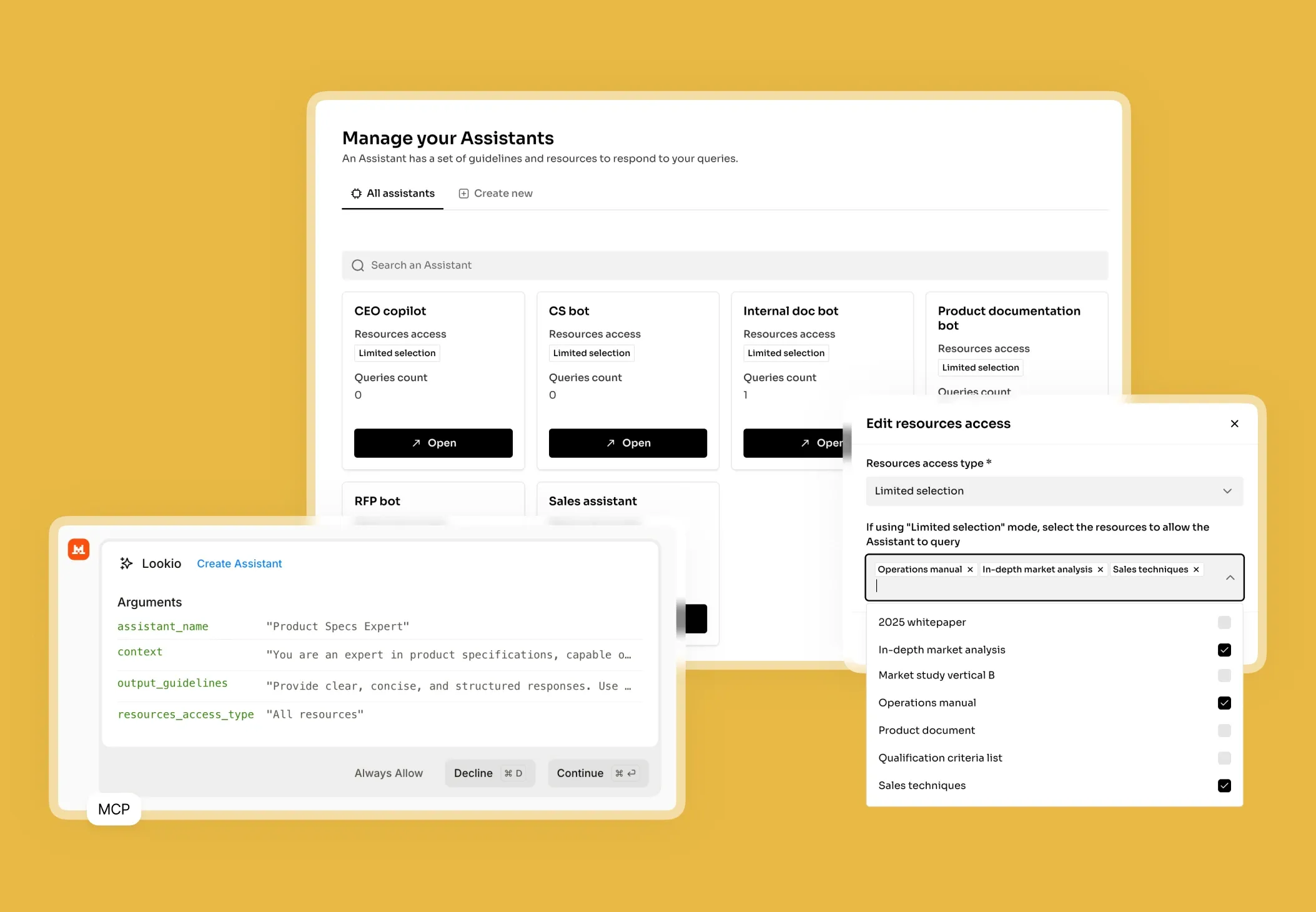
Create intelligent Assistants and configure their instructions, context, and access to documents.

Create an Assistant →
Configure Your Assistants

3. Get Answers &
Automate

Query your Assistants via the API, add them as widget to your website, or let your agents use them via MCP.

See the API documentation →
Get Answers & Automate

Use the query modes that fit your use case

Eco Mode

~14s response time

Best for smart, cost-effective answers when immediate speed isn't the priority

Flash Mode

~6s response time

Perfect for getting immediate answers in routine, high-velocity workflows

Europe Mode

~15s response time

Highly efficient mode leveraging European AI LLM providers, precisely Mistral

Deep Mode

~25s response time

Designed for complex research and content creation requiring in-depth analysis

Building your solution and making it production-ready

Step 1: Connect your regulatory data

Begin by gathering the documents that define your compliance framework. This typically includes AML/KYC policies, anti-bribery manuals, and local regulatory circulars. Lookio supports PDF, Docx, and CSV formats, but for fast-moving environments, use the Sitemap Syncing feature. If you track regulatory updates on a specific portal, Lookio will auto-detect page updates to keep your Assistant's knowledge fresh. Organize these into separate Assistants—for example, one for "Trade Compliance" and another for "Internal HR Policies"—to keep the search space focused and relevant.

Step 2: Configure your Assistant

When setting up your Assistant, provide a strict system prompt to ensure the highest safety levels. For compliance, a recommended prompt is: "You are a Senior Compliance Auditor. Answer queries using only the provided documentation. If a specific policy is not mentioned, state clearly that you do not have that information. Always cite the document title and page number.". This prevents the AI from bringing in outside assumptions.

Choose your query mode based on the task:

  • Flash (3 credits, ~8s): Best for internal employee Q&A bots where speed and support efficiency are key.
  • Deep (20 credits, ~25s): Recommended for formal risk assessments or drafting audit responses where maximum intelligence and precision are non-negotiable.
  • Europe (5 credits, ~15s): Ideal for GDPR-sensitive environments that prefer European AI providers like Mistral.

Step 3: Integrate and optimise

Deploy your Assistant where it is needed most. You can start by building an intelligent Q&A chatbot in n8n to route questions from internal teams. Monitor the Lookio dashboard to see which documents are being cited most frequently and refine your instructions based on common user queries.

Mistakes that kill retrieval quality

To ensure your compliance assistant remains a reliable tool, avoid these common pitfalls:

  • Vague Instructions: Avoid generic prompts like "be helpful." Instead, define the specific regulatory perspective the AI should take.
  • Document Overload: Don't put unrelated topics (e.g., Marketing guidelines and Sanction lists) into one Assistant. This confuses the retrieval logic and lowers accuracy.
  • Poor Document Formatting: Ensure your PDFs are text-searchable (not just images). While Lookio is robust, clean source data always leads to better answers.
  • Ignoring Source Attribution: Always require the AI to quote its sources. Without this, your compliance team cannot verify the output, defeating the purpose of an enterprise-grade RAG solution.

Frequently Asked Questions about Lookio

What is Lookio?

Lookio is an advanced AI platform that allows you to build intelligent assistants using your own company documents as a dedicated knowledge base. It uses a technology called Retrieval-Augmented Generation (RAG) to provide precise, sourced answers to complex questions by searching exclusively through the files you provide. This enables companies to create expert AI systems for tasks like customer support, content creation, and workflow automation without needing to build the technology from scratch.

What is the difference between NotebookLM and Lookio?

NotebookLM and Lookio both use sophisticated RAG technology to transform documents into intelligent, conversational knowledge bases. The primary and most critical difference between them is that NotebookLM lacks an API (Application Programming Interface). This lack of an API makes NotebookLM suitable for individuals or small teams but unsuitable for businesses that need to scale. Lookio, conversely, is an "API-first" platform. This means it provides the same intelligent document-understanding capabilities as NotebookLM but is specifically designed for business integration, allowing companies to automate workflows, integrate knowledge retrieval into existing tools like Slack, and build custom solutions.

Can I add an AI chat widget to my own website?

Yes! Lookio Widgets allow you to integrate one of your Assistants into a modern chat widget that appears on your website, documentation platform (like Mintlify), or internal tools. • Significant Cost Savings: Lookio's "pay-as-you-go" credit model starts at approximately €0.02 per query, compared to €0.20 to €0.50 for native AI assistants on standard documentation platforms. • Hybrid Knowledge Base: Unlike most documentation assistants that only use your docs, Lookio allows you to sync additional articles, proprietary documents, and dedicated Q&As to provide more comprehensive answers. • Fast Integration: In just a few clicks, you get a 6-line script to add to your website to enable the widget.

How does Lookio keep its knowledge up-to-date?

Beyond individual uploads, Lookio supports Sitemap Syncing. Simply provide your website's sitemap URL, and Lookio will automatically detect new pages and re-crawl existing ones when they are updated. This ensures your assistants always have access to the latest version of your content without manual work. You can also use Exclusion RegEx—with the help of our built-in AI RegEx Helper—to precisely control which pages are indexed.

Can I use Lookio with AI agents like Claude or ChatGPT?

Yes. Use the Lookio MCP Server to connect your workspace to agents like Claude Desktop or Antigravity. This allows you to run queries, manage resources, and build assistants directly within your agent's conversation using your workspace API key. For headless or autonomous agents, you can also leverage our robust REST API or the Lookio CLI.

How does Lookio's pricing work?

Our pricing is designed for flexibility, combining subscription plans with a pay-as-you-go credit system. 1. Subscription Plans (Free, Starter, Pro): Your plan determines your Knowledge Base Limit (total words stored). Paid plans also include a monthly bundle of credits at a discounted rate. 2. Credit Packs: Credits power your queries. You can purchase credit packs at any time to top up your balance. Credits bought in packs never expire. This hybrid model allows you to pay for storage capacity and active usage separately, ensuring you only pay for what you need.

Can I try Lookio for free?

Absolutely. Every new account starts on our Free plan, which includes 100 free credits to explore the platform's full capabilities without needing a credit card. You can build an assistant, upload documents, and test both the chat interface and the API.

100 welcome credits - no credit card required

Ready to unlock your company's knowledge?

Create a free account →