FREE
100 credits offered · No subscription needed

Build knowledge-based AI Assistants. Call them via API.

Stop expert interruptions and scale operational knowledge across your entire restaurant chain automatically.

Get started free
Lookio AI painterly background
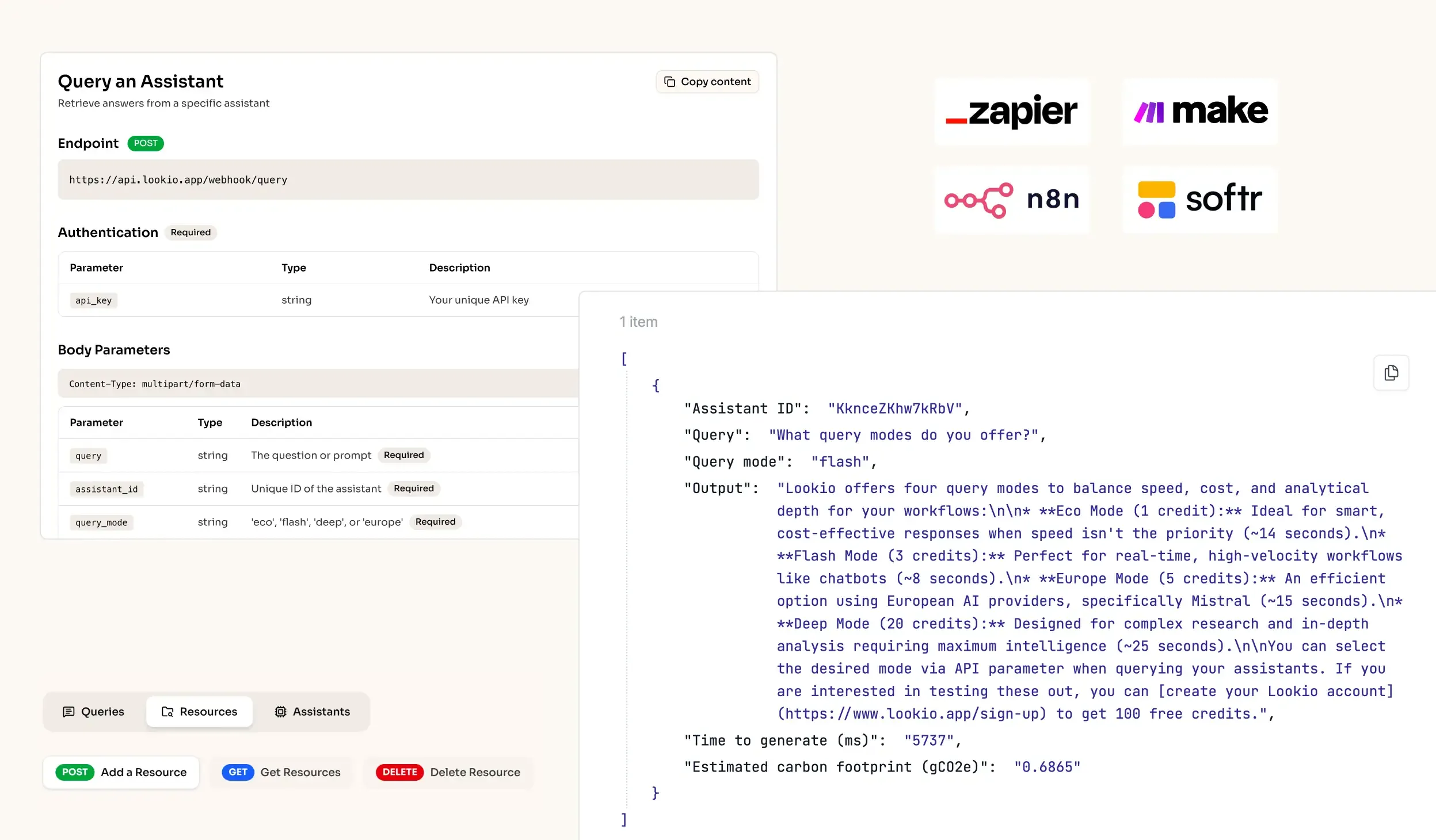
API Integration for RAG AI knowledge retrieval in workflows
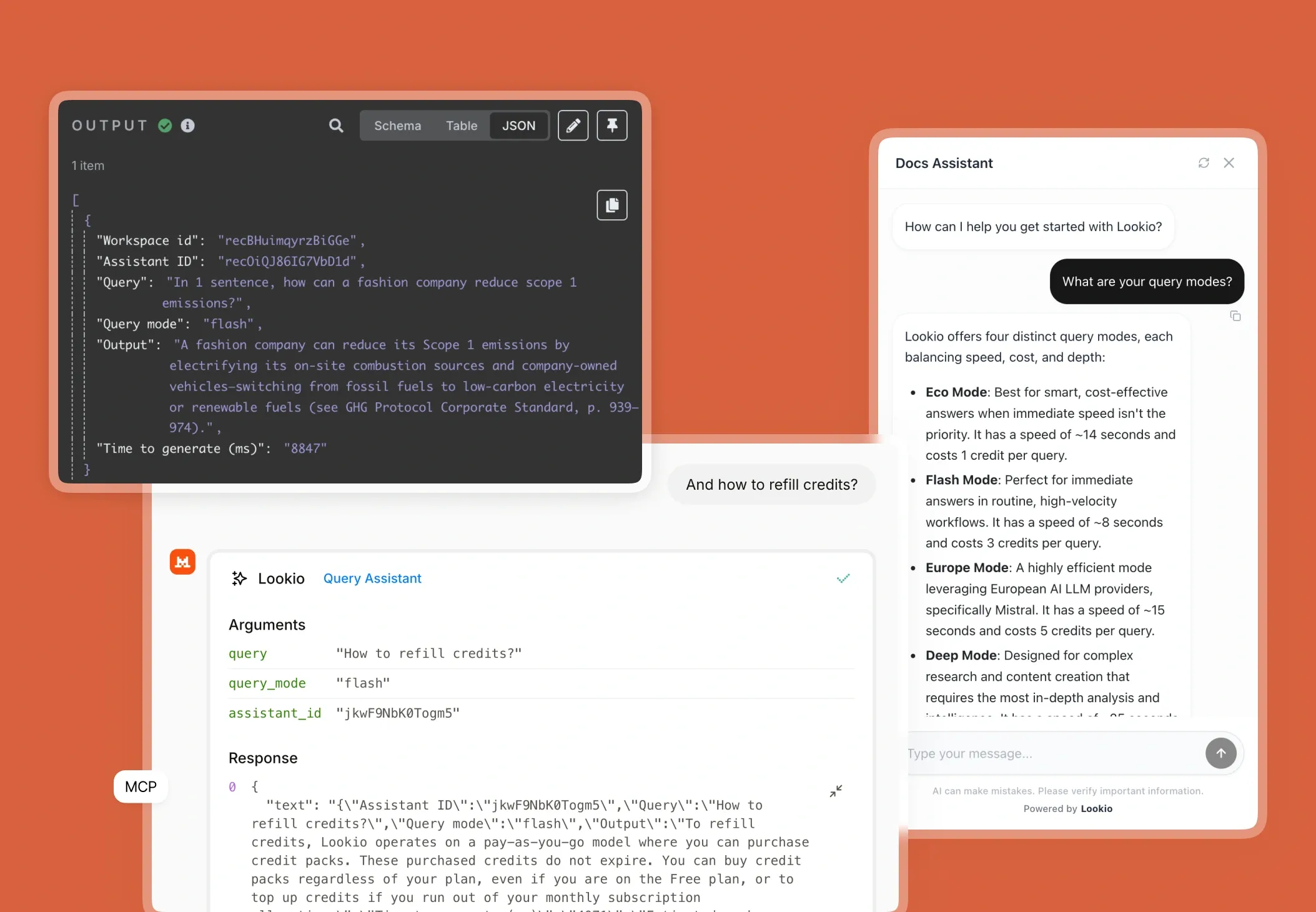
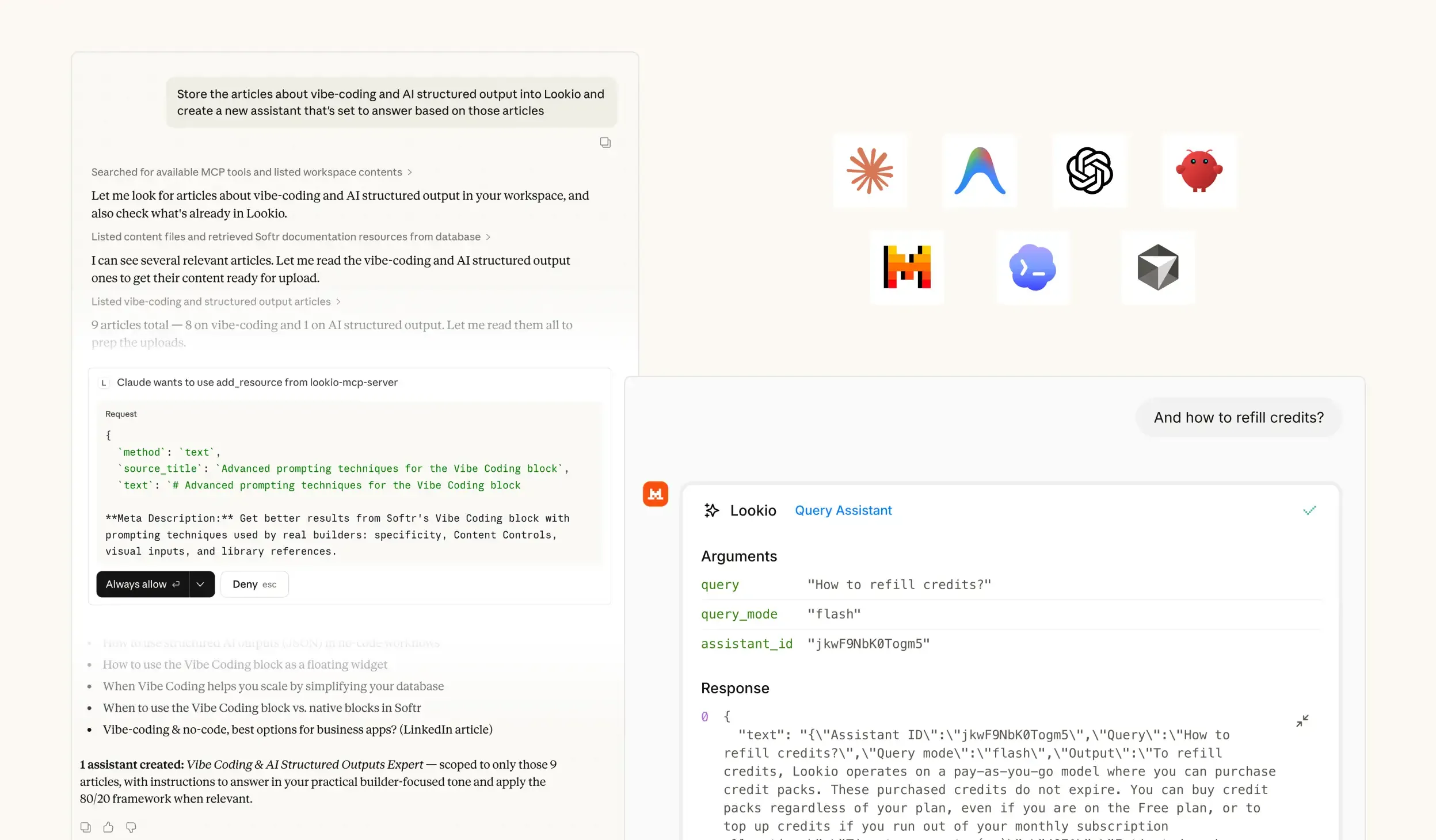
MCP Support for Agents - RAG platform
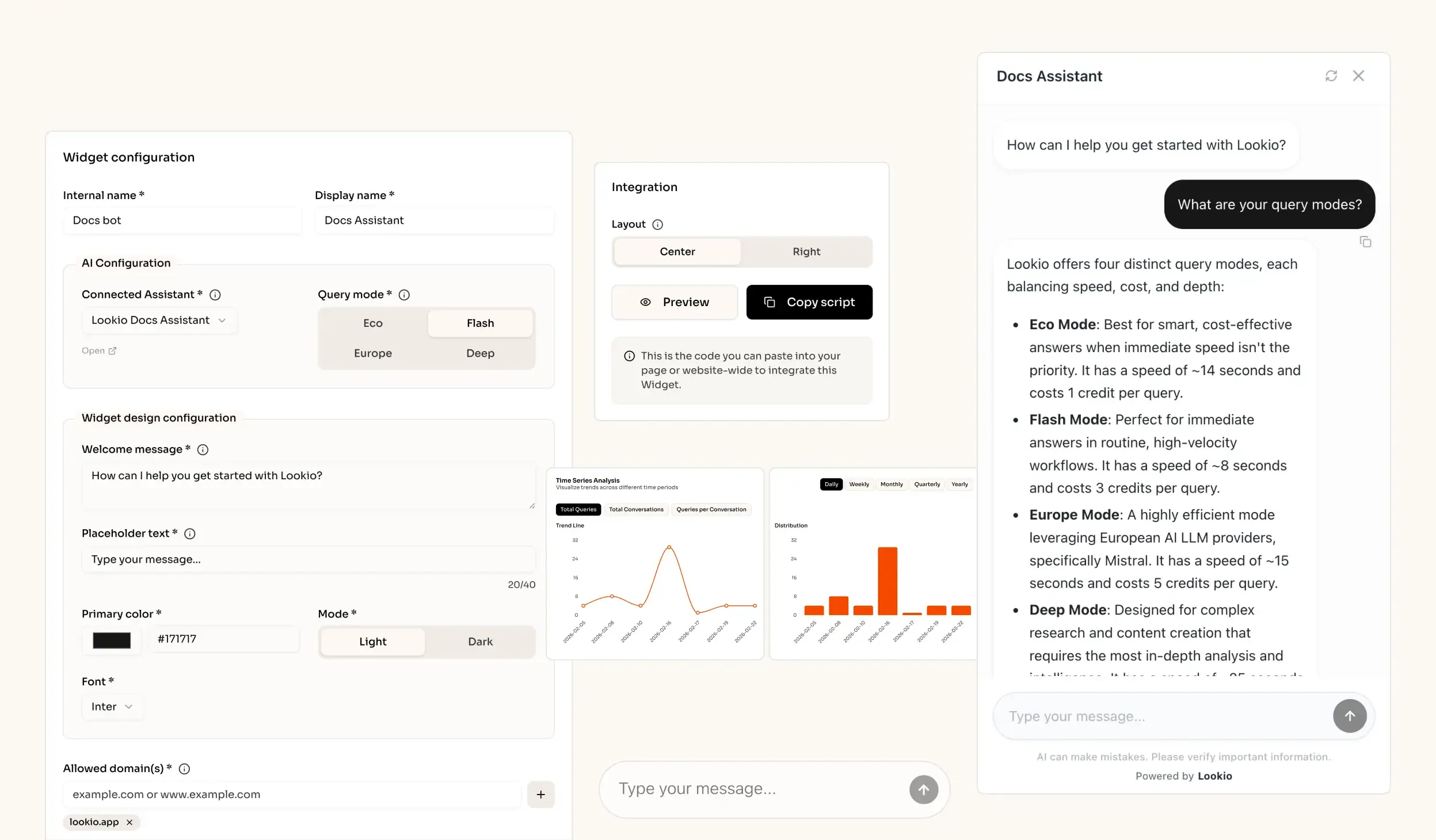
AI knowledge retrieval website widget - RAG solution

The challenge of managing knowledge in large restaurant chains

When a regional manager or a kitchen lead tries to verify a specific recipe standard or look up a regional compliance regulation, they hit a wall of fragmented documentation. In the fast-paced environment of a restaurant chain, information is often scattered across PDF staff handbooks, scattered Docx files on a shared drive, and static training modules. This fragmentation creates a massive operational bottleneck where employees either guess, leading to inconsistent quality, or interrupt busy experts for answers that should be easily accessible.

The daily cost of information silos

For restaurant chains, the cost isn't just time; it's brand consistency and SLA risk. Every time a franchise owner has to wait hours for a reply from corporate about a supply chain change or a cleaning protocol, efficiency drops. These interruptions prevent your most senior staff from focusing on high-level growth, forcing them to act as human search engines for repetitive queries. When information is locked away in company documentation, local teams eventually stop looking and start improvising.

Why the tools they've tried fall short

Most chains have tried several stop-gap solutions, only to find they don't scale:

  • Internal wikis and keyword search: These tools rely on exact matches. If a cook searches for "handling fryer oil" but the document is titled "Hot Liquid Safety Protocols," they find nothing. They require manual browsing that understaffed teams simply don't have time for.
  • Generic AI like ChatGPT: Without a bridge to your private data, generic LLMs will hallucinate. They might suggest ingredients you don't use or safety procedures that don't comply with local health codes, creating a major security and safety risk.
  • No-API tools (NotebookLM or Custom GPTs): While these are great for individual research, they are essentially black boxes. Google NotebookLM lacks an API, meaning you cannot embed that knowledge into your POS system, your internal Slack, or your manager training portal.

What's missing is a way to turn those scattered handbooks into a live, programmatic expert that lives wherever your team already works.
The best knowledge retrieval quality for Restaurant Chains out of the box

Excellent quality RAG

Our engine provides extremely accurate answers (scored 37/40 on the n8n Arena Eval) with no complex setup needed.

Ease of implementation

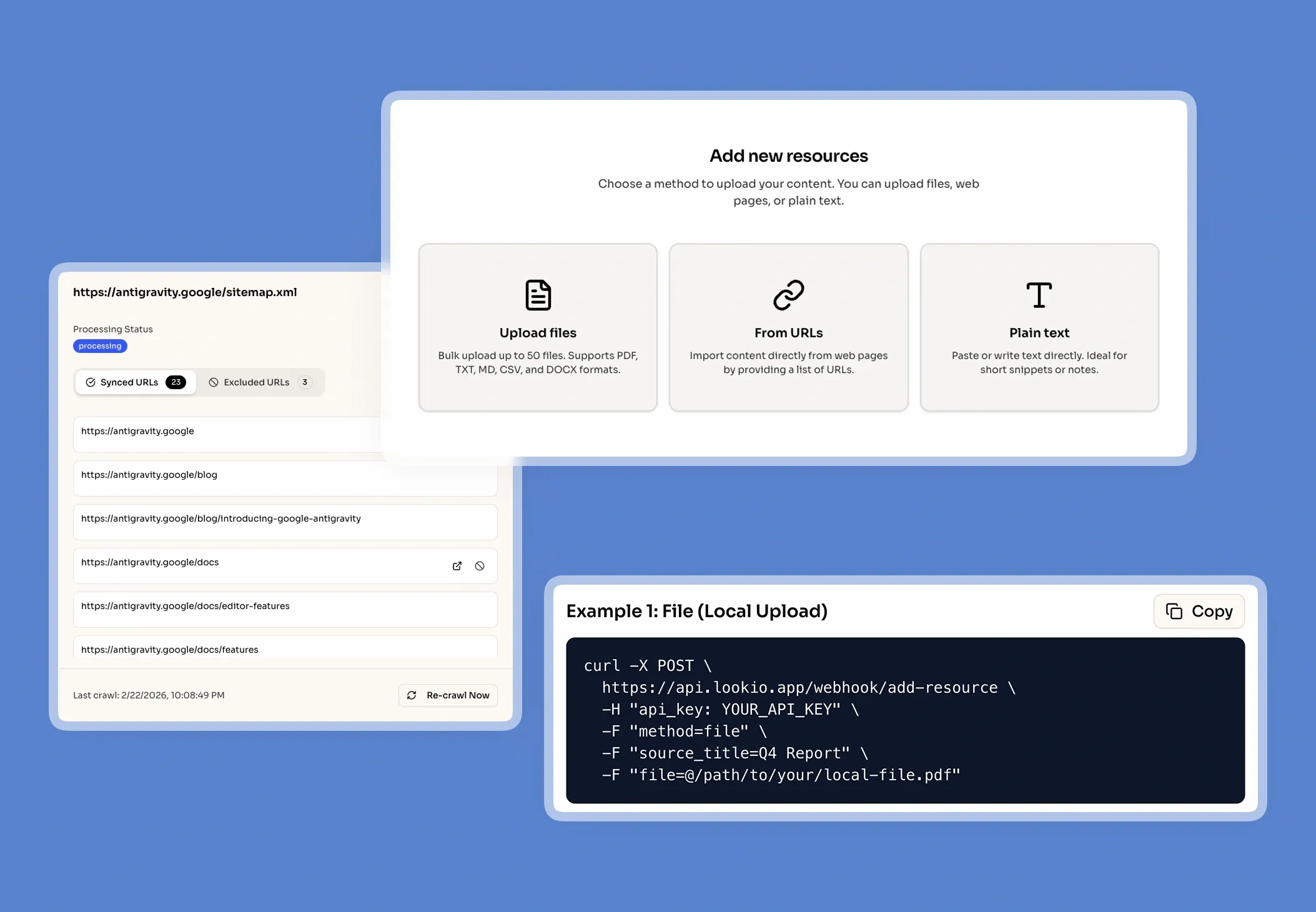
Drop your files into Lookio, create an Assistant, get your API key and start automating (compatible with n8n, Make, Zapier).

Get sourced answers

Lookio integrates a smart metadata system that ensures that the output of your queries are sourced.

Adapts to your data

When you upload PDFs into Lookio, our technology automatically cleans your data to make it retrieval-ready.

How knowledge retrieval powers restaurant chain workflows

To solve the expertise gap, Lookio uses Retrieval-Augmented Generation (RAG). Instead of hoping a generic AI knows your specific seasonal menu, Lookio grounds the AI in your actual files.

What smart knowledge retrieval actually does

Think of RAG as a senior area manager who has memorized every operational manual you've ever uploaded. When a question is asked, the system doesn't generate a guess from the public internet. It instantly scans your PDFs, CSVs, and sitemaps to pull only the specific paragraphs relevant to the query. It then uses the AI to summarize that exact information into a clear answer. This ensures that every response is sourced and accurate, rather than a hallucination.

A real scenario for restaurant managers

When a kitchen lead needs to know the correct storage temperature for a new limited-time offer (LTO) sauce, the system calls the Lookio API. Lookio searches the "Summer LTO Prep Guide," retrieves the specific storage window and temperature requirements, and returns the answer to the manager's tablet in seconds. This eliminates the need for them to leave the kitchen and hunt for a physical binder.

Connect it to how you already work

Lookio is designed with an API-first architecture, offering four ways to bring this intelligence to your chain:

  • Via API: Integrate Lookio directly into your inventory management software or automate queries via n8n to sync documentation across dozens of locations.
  • Via Embeddable Widget: Drop an AI chatbot widget onto your internal franchise portal for instant self-service support.
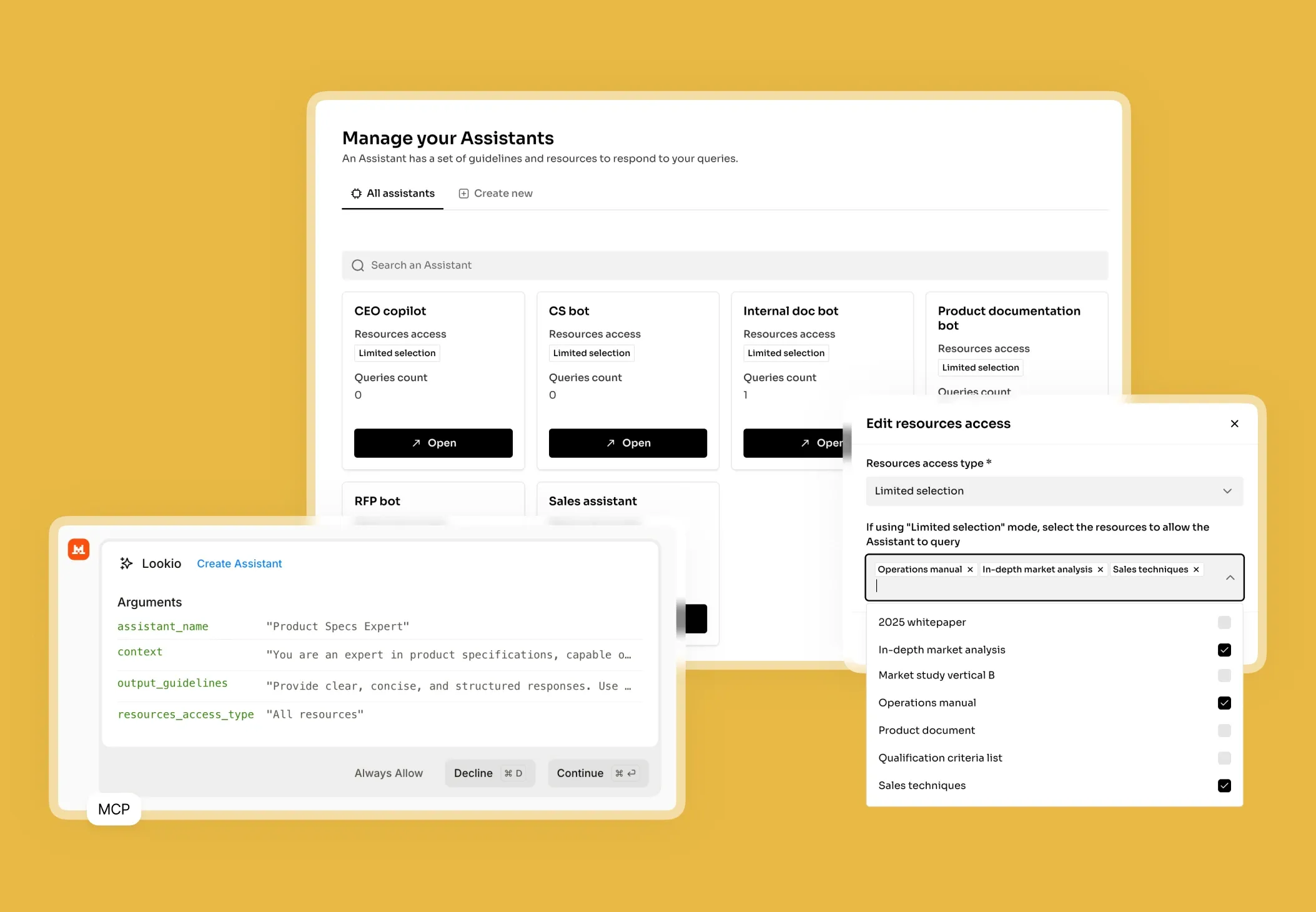
  • Via MCP Server: Connect your Lookio knowledge base to AI agents like Claude Desktop to let them manage complex scheduling or resource queries using your real data.
  • Via CLI: Developers can use the Lookio CLI with a native --json flag to build fast, automated audits of menu documentation from any terminal.

The Lookio advantage

Lookio wins because it bridges the gap between static documents and active automation. Unlike rigid documentation platforms, Lookio offers flexible query modes and a pay-as-you-go model that ensures you only pay for the intelligence you actually use. It transforms your documentation from a passive archive into a strategic asset.

Go from document to automated expertise in 3 simple steps

1. Upload your
knowledge documents

Securely upload your company's core documents (PDFs, URLs, CSVs, sitemaps) to prepare a knowledge base.

Upload my documents →
Upload your knowledge documents

2. Configure Your
Assistants

Create intelligent Assistants and configure their instructions, context, and access to documents.

Create an Assistant →
Configure Your Assistants

3. Get Answers &
Automate

Query your Assistants via the API, add them as widget to your website, or let your agents use them via MCP.

See the API documentation →
Get Answers & Automate

Use the query modes that fit your use case

Eco Mode

~14s response time

Best for smart, cost-effective answers when immediate speed isn't the priority

Flash Mode

~6s response time

Perfect for getting immediate answers in routine, high-velocity workflows

Europe Mode

~15s response time

Highly efficient mode leveraging European AI LLM providers, precisely Mistral

Deep Mode

~25s response time

Designed for complex research and content creation requiring in-depth analysis

Building your solution and making it production-ready

Implementing an AI assistant for your restaurant chain is a structured three-step process that focuses on data quality and integration.

Step 1: Connect clean data

Start by gathering your operational bibles. This includes HACCP plans, recipe builds, equipment manuals, and HR policies. Lookio supports PDF, Docx, and CSV. For chains with frequent menu updates on a website, use the Sitemap Syncing feature. Lookio will automatically detect when you add a new page or update a price list and re-sync the knowledge base without manual effort. Split your data into separate Assistants: one for "Front of House," one for "BOH Safety," and one for "Corporate Compliance."

Step 2: Configure your Assistant

In the Lookio dashboard, name your assistant (e.g., "Kitchen Compliance Pro") and provide a specific system prompt: "You are an expert kitchen trainer. Answer questions using only the uploaded manuals. If a recipe isn't found, instruct the user to contact the corporate chef.". Then, choose your query mode:

  • Flash (3 credits, ~6s): Perfect for real-time kitchen tablet lookups where speed is critical.
  • Deep (20 credits, ~25s): Use this for auditing complex compliance docs or research.
  • Eco (1 credit, ~14s): Ideal for non-urgent internal HR queries.
  • Europe (5 credits, ~15s): Necessary for strict GDPR-sensitive data handled through Mistral.

Step 3: Integrate and optimise

Deploy your assistant where the friction is highest. Many restaurant chains integrate Lookio with Make or n8n to connect documentation to Slack or POS systems. Use the Lookio dashboard to monitor credit usage by API key to understand which locations are utilizing the knowledge base most effectively.

Mistakes that kill retrieval quality

  • Uploading messy files: Don't upload photos of hand-written recipes. Ensure your PDFs are clean and machine-readable for the best vector search performance.
  • Generic instructions: Avoid prompts like "be helpful." Be specific: "Cite the section number from the safety manual in every response."
  • The Mega-Doc trap: Don't put everything into one 500-page file. Break it down into focused resources so Lookio can find the most relevant chunks faster.
  • Ignoring usage data: Check your pricing and query volume regularly. If you see high volume on simple questions, consider using a faster mode like Flash to save time and costs across 100+ locations.

Frequently Asked Questions about Lookio

What is Lookio?

Lookio is an advanced AI platform that allows you to build intelligent assistants using your own company documents as a dedicated knowledge base. It uses a technology called Retrieval-Augmented Generation (RAG) to provide precise, sourced answers to complex questions by searching exclusively through the files you provide. This enables companies to create expert AI systems for tasks like customer support, content creation, and workflow automation without needing to build the technology from scratch.

What is the difference between NotebookLM and Lookio?

NotebookLM and Lookio both use sophisticated RAG technology to transform documents into intelligent, conversational knowledge bases. The primary and most critical difference between them is that NotebookLM lacks an API (Application Programming Interface). This lack of an API makes NotebookLM suitable for individuals or small teams but unsuitable for businesses that need to scale. Lookio, conversely, is an "API-first" platform. This means it provides the same intelligent document-understanding capabilities as NotebookLM but is specifically designed for business integration, allowing companies to automate workflows, integrate knowledge retrieval into existing tools like Slack, and build custom solutions.

Can I add an AI chat widget to my own website?

Yes! Lookio Widgets allow you to integrate one of your Assistants into a modern chat widget that appears on your website, documentation platform (like Mintlify), or internal tools. • Significant Cost Savings: Lookio's "pay-as-you-go" credit model starts at approximately €0.02 per query, compared to €0.20 to €0.50 for native AI assistants on standard documentation platforms. • Hybrid Knowledge Base: Unlike most documentation assistants that only use your docs, Lookio allows you to sync additional articles, proprietary documents, and dedicated Q&As to provide more comprehensive answers. • Fast Integration: In just a few clicks, you get a 6-line script to add to your website to enable the widget.

How does Lookio keep its knowledge up-to-date?

Beyond individual uploads, Lookio supports Sitemap Syncing. Simply provide your website's sitemap URL, and Lookio will automatically detect new pages and re-crawl existing ones when they are updated. This ensures your assistants always have access to the latest version of your content without manual work. You can also use Exclusion RegEx—with the help of our built-in AI RegEx Helper—to precisely control which pages are indexed.

Can I use Lookio with AI agents like Claude or ChatGPT?

Yes. Use the Lookio MCP Server to connect your workspace to agents like Claude Desktop or Antigravity. This allows you to run queries, manage resources, and build assistants directly within your agent's conversation using your workspace API key. For headless or autonomous agents, you can also leverage our robust REST API or the Lookio CLI.

How does Lookio's pricing work?

Our pricing is designed for flexibility, combining subscription plans with a pay-as-you-go credit system. 1. Subscription Plans (Free, Starter, Pro): Your plan determines your Knowledge Base Limit (total words stored). Paid plans also include a monthly bundle of credits at a discounted rate. 2. Credit Packs: Credits power your queries. You can purchase credit packs at any time to top up your balance. Credits bought in packs never expire. This hybrid model allows you to pay for storage capacity and active usage separately, ensuring you only pay for what you need.

Can I try Lookio for free?

Absolutely. Every new account starts on our Free plan, which includes 100 free credits to explore the platform's full capabilities without needing a credit card. You can build an assistant, upload documents, and test both the chat interface and the API.

100 welcome credits - no credit card required

Ready to connect your company knowledge?

Create a free account →