
Most RAG tutorials show you how to make it work. Very few show you what it takes to make it work well.
A simple RAG pipeline can answer “what is our return policy?” from a single PDF. That is not the hard part. The hard part is when your knowledge base grows to 200 documents, your questions get more complex, and you realize you are building retrieval infrastructure instead of building your product.
This article walks through 10 n8n templates that collectively tell the story of RAG in automation: from a 10-minute beginner workflow to production-grade pipelines that teams actually deploy. We cover both native n8n architectures and a simpler pattern that collapses 30 nodes into one.
The goal is to help you understand which kind of RAG problem you actually have.
Building native RAG systems in n8n
These first four templates put you in direct contact with the mechanics of RAG. They are educational and genuinely useful. They also reveal exactly why production RAG is harder than it looks.
1. RAG starter template with simple vector stores
Created by the n8n team | View template
This is the right template for your first RAG experiment. Upload a PDF, ask a question, get an answer. It uses n8n’s built-in Simple Vector Store—an in-memory tool that requires zero infrastructure setup—along with a Form Trigger and OpenAI for both embeddings and generation.
Setup is zero-config. Hit Execute Workflow, upload your document, and start chatting.
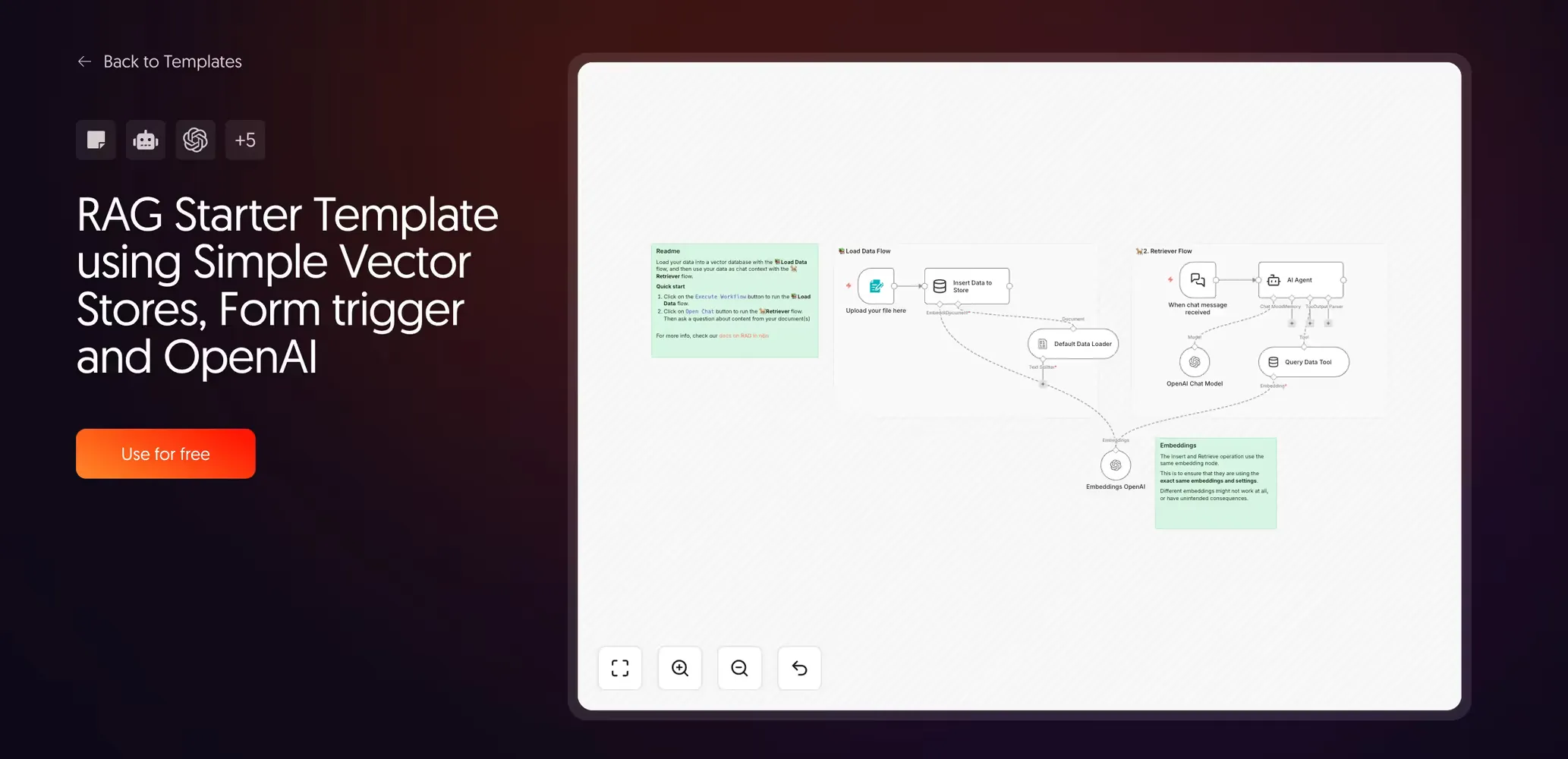
What it teaches you is more valuable than the workflow itself: you learn that RAG is not magic. It is a process with two distinct steps: the ingestion pipeline (split, embed, store) and the retrieval pipeline (search, retrieve, generate). Every advanced template you will ever build is an expansion of those same two flows.
NB: The Simple Vector Store stores data in memory only. Every time you restart the workflow, the data is gone. This is intentional for experimentation. Do not mistake it for a production data store.
2. Index legal documents for hybrid search with Qdrant and BM25
Created by Jenny | View template
This one introduces a concept that most RAG tutorials skip: hybrid search.
Standard RAG uses dense vector search, which finds documents by semantic similarity. This works well for natural language. It works less well when the exact terminology matters, like legal clauses, product codes, or regulatory identifiers.
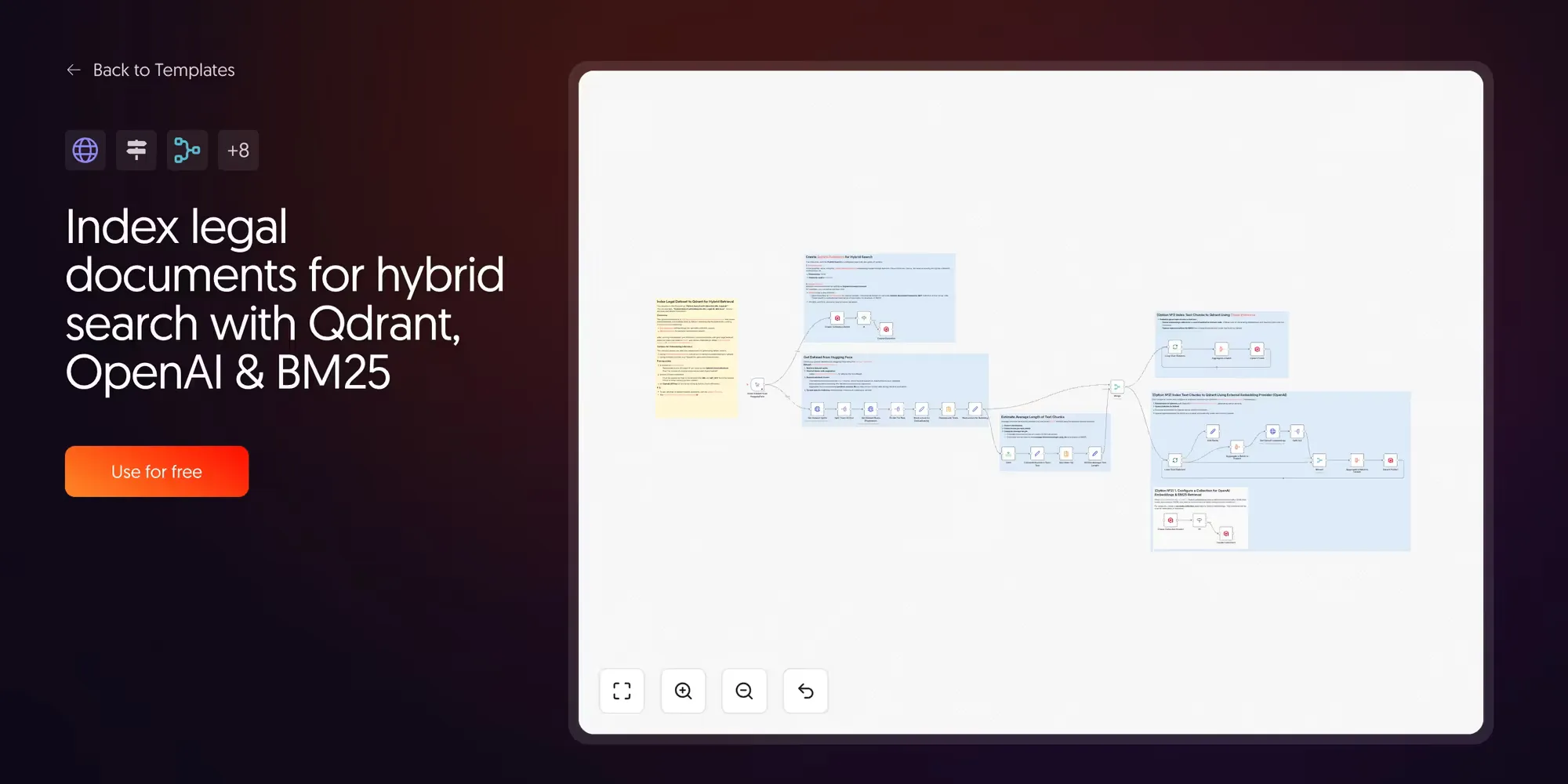
Hybrid search combines two retrieval types. Dense vectors find meaning; sparse vectors (BM25) find exact keywords. The results from both are blended to return documents that match both semantically and literally.
3. The “real deal” AI agent with Supabase
Created by Cole Medin | Watch the video | GitHub source
Cole Medin’s core argument is that too many n8n RAG tutorials show buffer memory and in-memory vector stores that duplicate your data.
This template solves that with Supabase as both the vector database and the conversational memory store. The result is a RAG agent that persists between sessions and is architecturally closer to what a production deployment actually needs.
What it teaches: the difference between a demo and a deployable system is usually storage. Persistent vector stores with upsert logic, rather than append-only in-memory stores, are non-negotiable for anything real.
4. Advanced multi-query RAG with Supabase and GPT
Created by Guillaume Duvernay | View template
This template is the complexity peak of native n8n RAG. A standard RAG agent sends one query to the vector store. This template sends several.
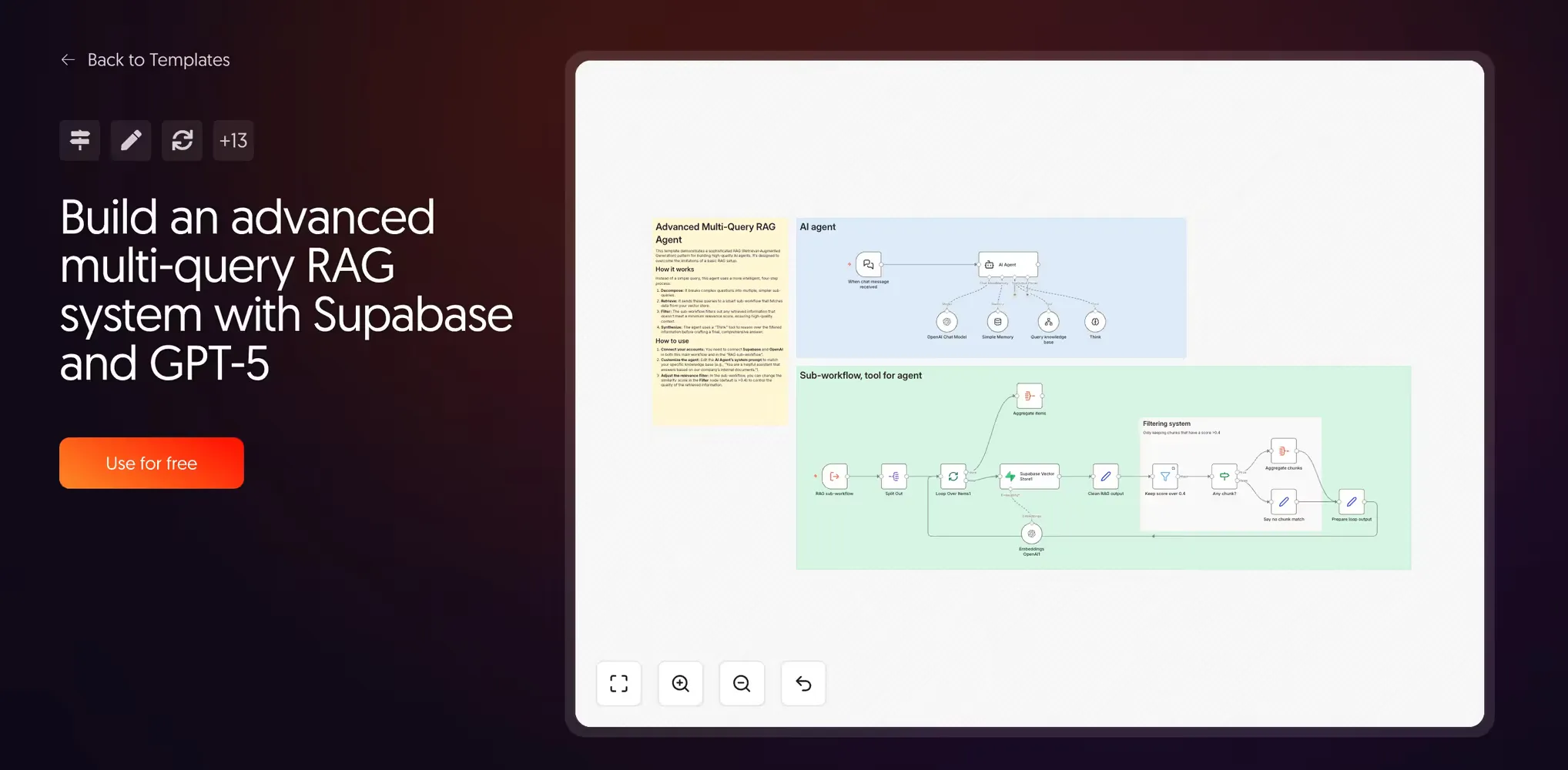
The architecture works in three stages: the agent decomposes a complex question into multiple sub-queries, each retrieves its own set of chunks, and a relevance filter discards any chunks that fall below a similarity threshold. Only high-quality results make it to the AI’s final context.
Before the final answer, there is a “Think” step—a reasoning scratchpad where the agent synthesizes evidence. This dramatically improves coherence for multi-faceted questions.
NB: At this level, you are managing multiple sub-workflows and a carefully tuned system prompt. This is professional engineering, but it is also a significant overhead to maintain.
Scaling RAG with n8n and the Lookio API
The templates above demonstrate what it takes to build reliable RAG. You need a persistent vector store, clean ingestion, relevance scoring, and ideally multi-query decomposition. By the time you hit template four, you are looking at a 30+ node workflow just to handle retrieval well.
That overhead is the cost of building RAG infrastructure from scratch. When RAG is your core product, that engineering is the point. When RAG is one tool in a larger automation, it is overhead.
Lookio is an API-first RAG platform built for this situation. Instead of maintaining a retrieval pipeline inside your workflow, you upload your documents to Lookio and query them with a single HTTP Request node. The chunking, embedding, scoring, and re-ranking happen inside the platform.
The result: the four-template DIY stack effectively becomes one node.
5. Intelligent Q&A agent with Lookio
Created by Guillaume Duvernay | View template
This is the foundational Lookio template. It connects a Chat Trigger to an AI agent with Lookio registered as a single tool.
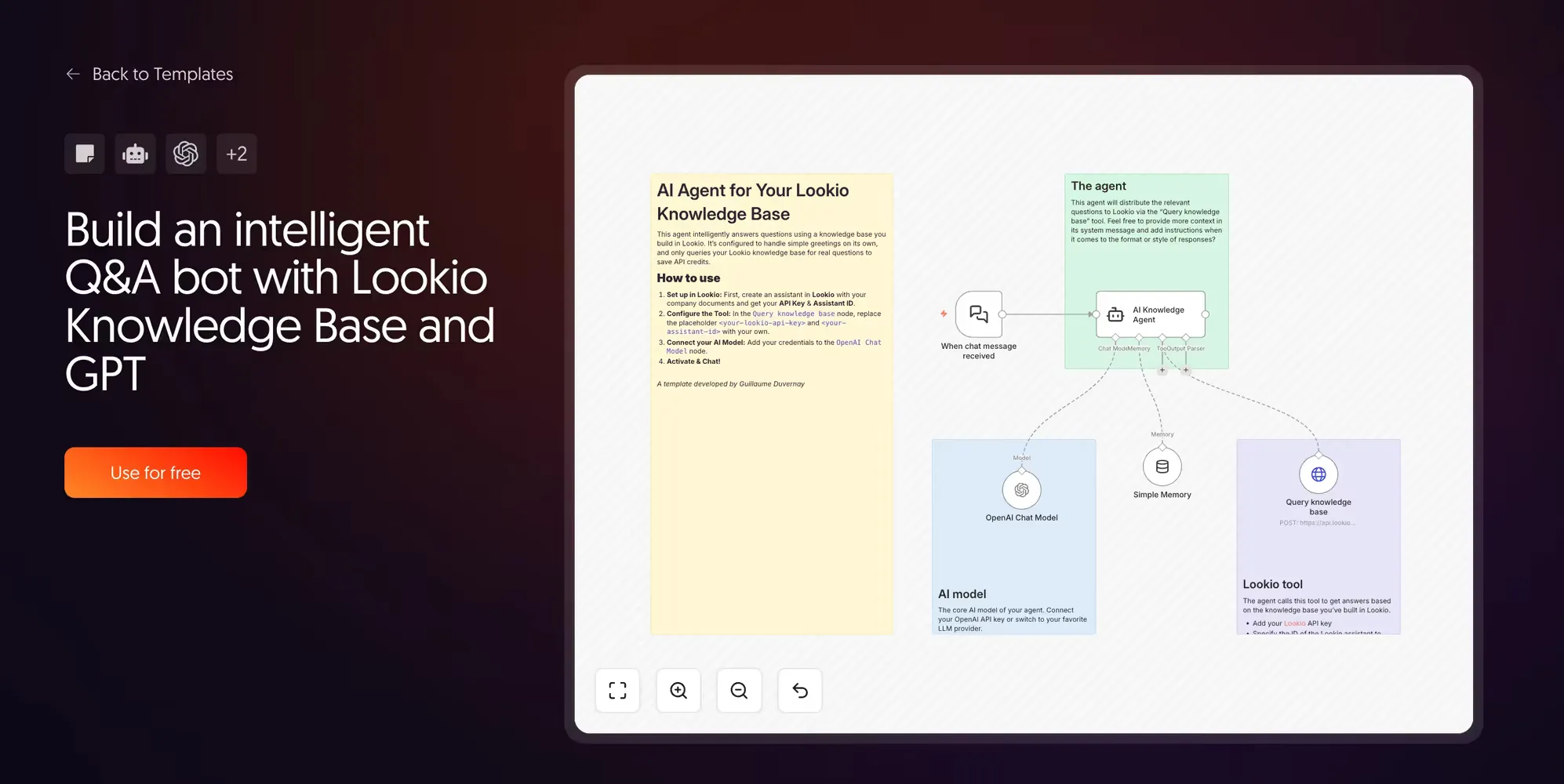
When a user sends a message, the agent first evaluates whether it needs to call the knowledge base. Greetings and small talk are handled directly by the LLM. Only genuine knowledge questions trigger the Lookio API call. This routing logic makes the workflow 10-15x cheaper than standard “always-on” RAG agents.
6. Run bulk RAG queries from CSV with Lookio
Created by Guillaume Duvernay | View template
The practical applications here for teams that deal with RFPs (Request for Proposal) are game-changing. Many teams spend hours answering these documents, or they miss deadlines because the volume is too high.
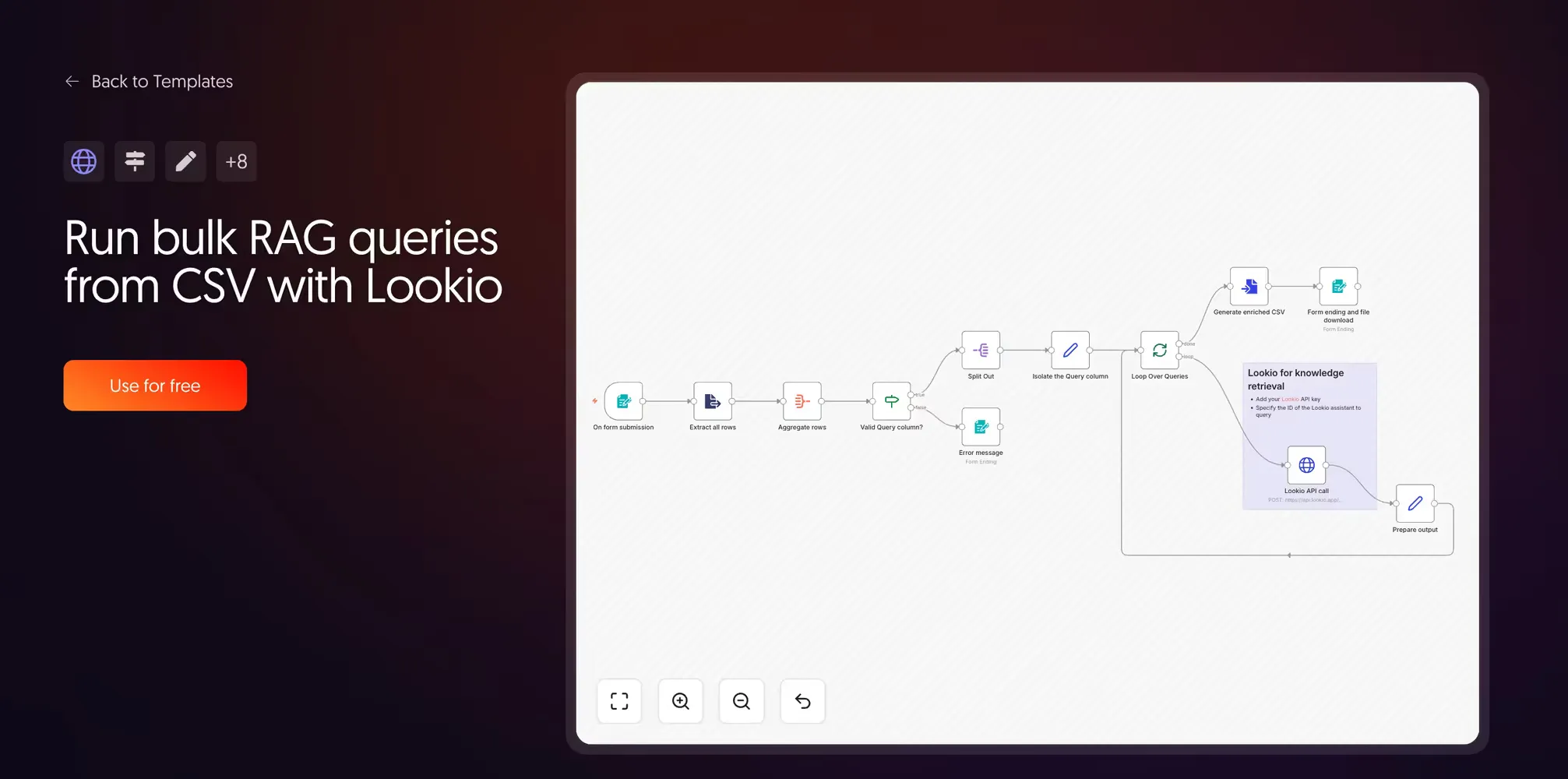
Upload a CSV with a Query column, and the workflow loops through every row, calls the Lookio API, and returns an enriched CSV with a new Response column. This is a massive time-saver for RFP generation, directory applications, or competitor research benchmarks.
7. Dual-source expert articles with Lookio and LinkUp
Created by Guillaume Duvernay | View template
This template runs two research streams in parallel. Lookio queries your internal knowledge, while LinkUp queries the live web.
We highly recommend LinkUp for AI-powered web search. We actually use some of their technology to index URL resources in Lookio—fetching the live content of a page so it can be ingested into your corpus.
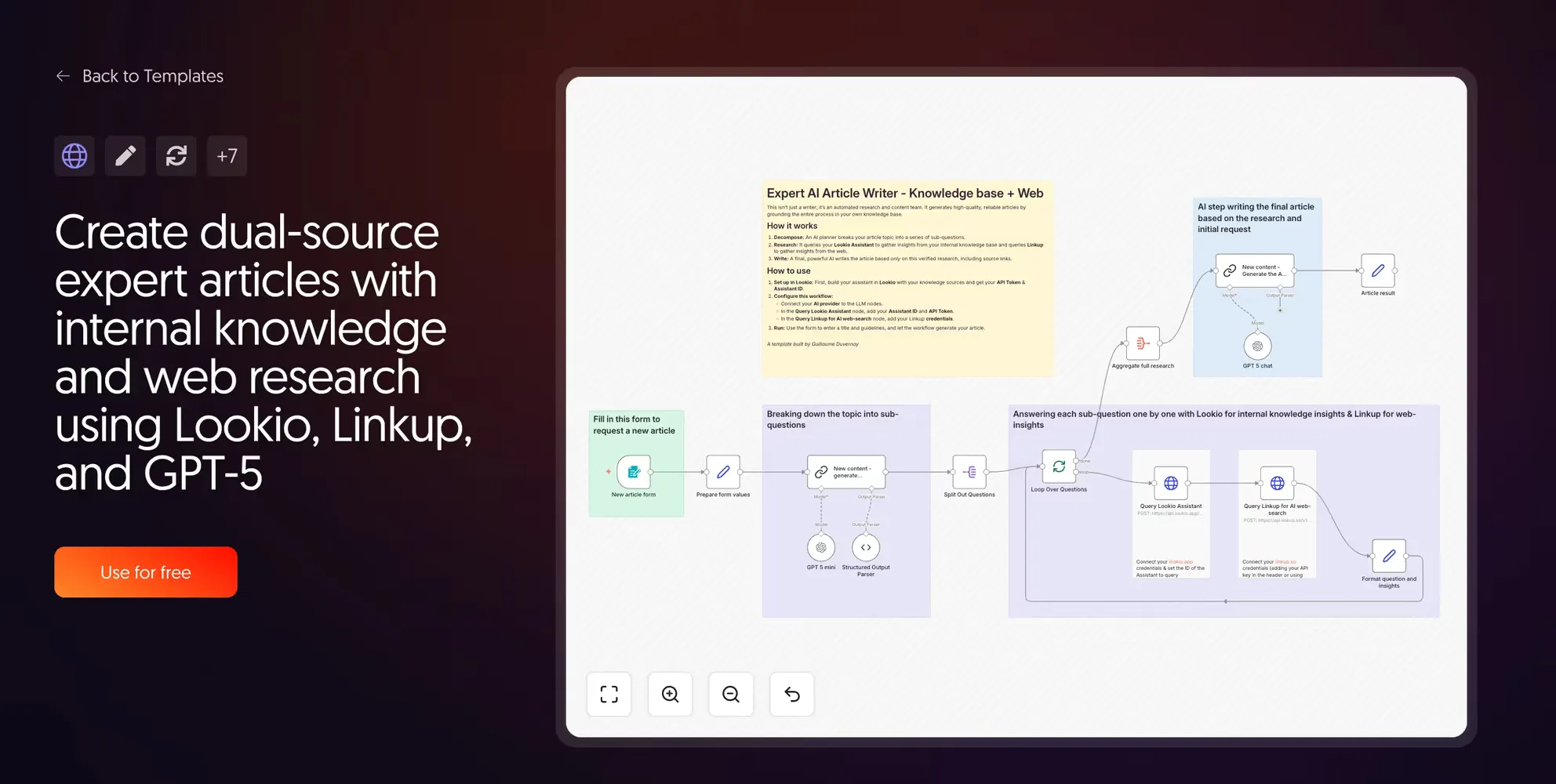
An evolution of this workflow could involve storing web search results in a database first for manual approval. This ensures only high-quality external links are referenced before they are permanently added to your Lookio assistants.
8. Voice and text Telegram agent with Lookio
Created by Guillaume Duvernay | View template
This is the basis for building mobile AI agents. It is incredibly useful for field sales reps or technicians who need answers while on-site but don’t have access to a laptop.
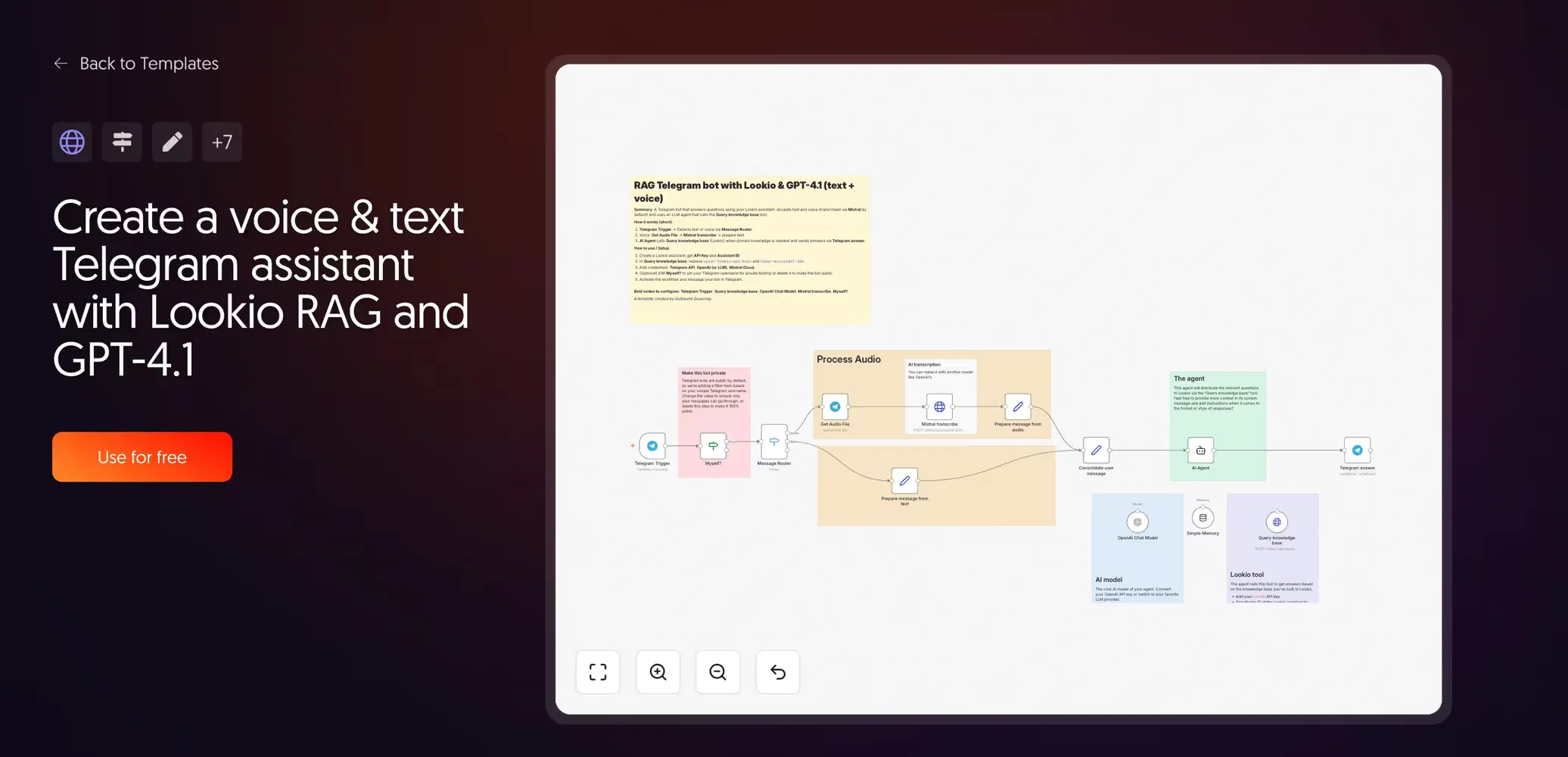
By leveraging a chat interface that already exists and is highly efficient on a smartphone, you can surface complex documentation through a simple voice query. The technician speaks, the machine transcribes, Lookio retrieves the answer, and the agent responds—all without the user ever opening a heavy technical manual.
9. Create a Lookio RAG assistant from a CSV text corpus
Created by Guillaume Duvernay | View template
This workflow focuses on automated provisioning. Instead of querying, it loops through a CSV to create a “Topic Bot” (like an HR Bot or Sales Policy Bot) via the Lookio API.
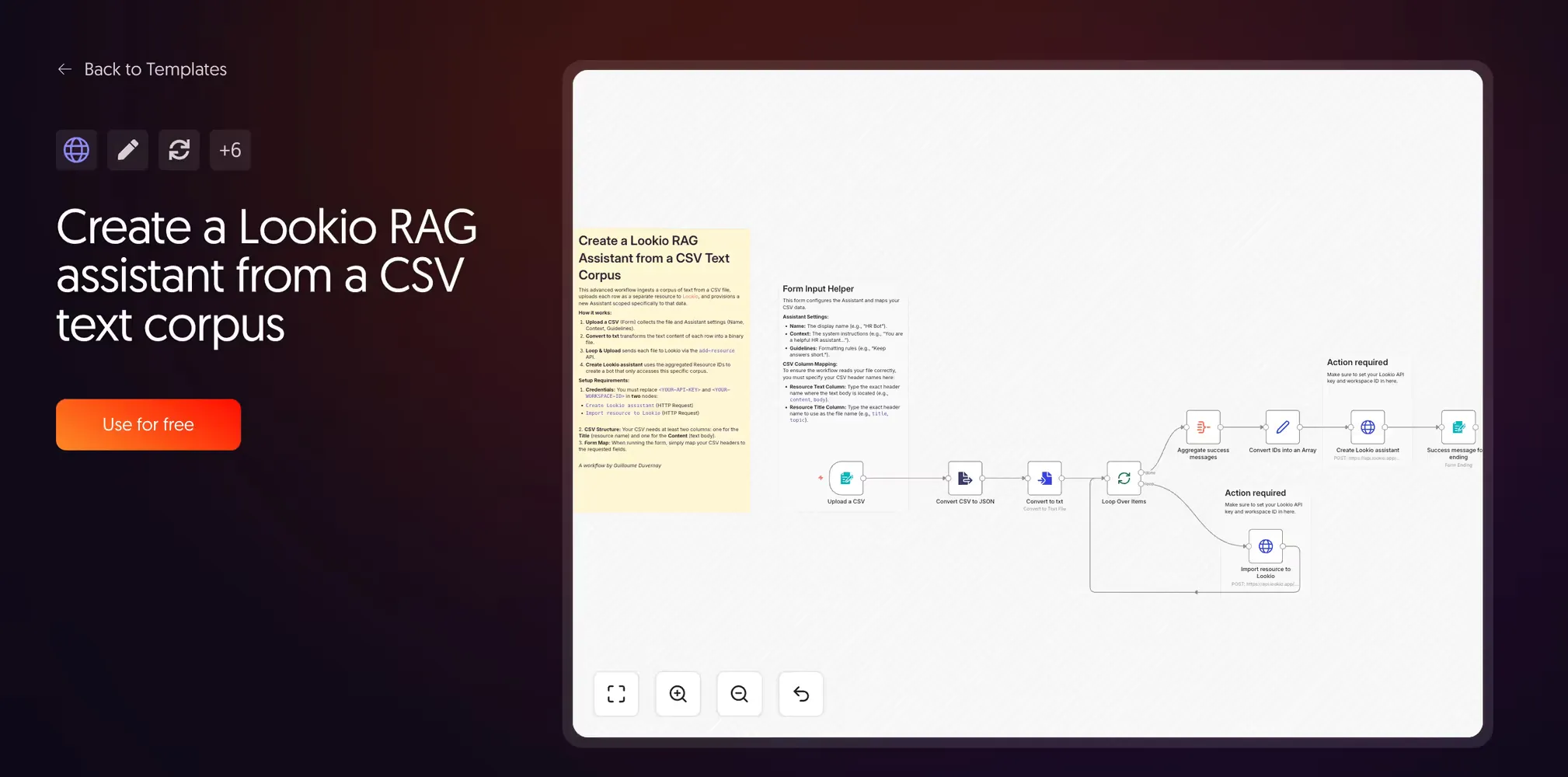
It is the reference implementation for how to programmatically create and configure Lookio assistants. For organizations managing many specialized knowledge silos, turning the setup into a simple CSV import is the only way to scale.
10. Cost-efficient Lookio RAG chatbot with routing
Created by Guillaume Duvernay | View template
The key to efficiency is realizing that you should not always use RAG. If a user just says “Hello,” query retrieval is a waste of resources.
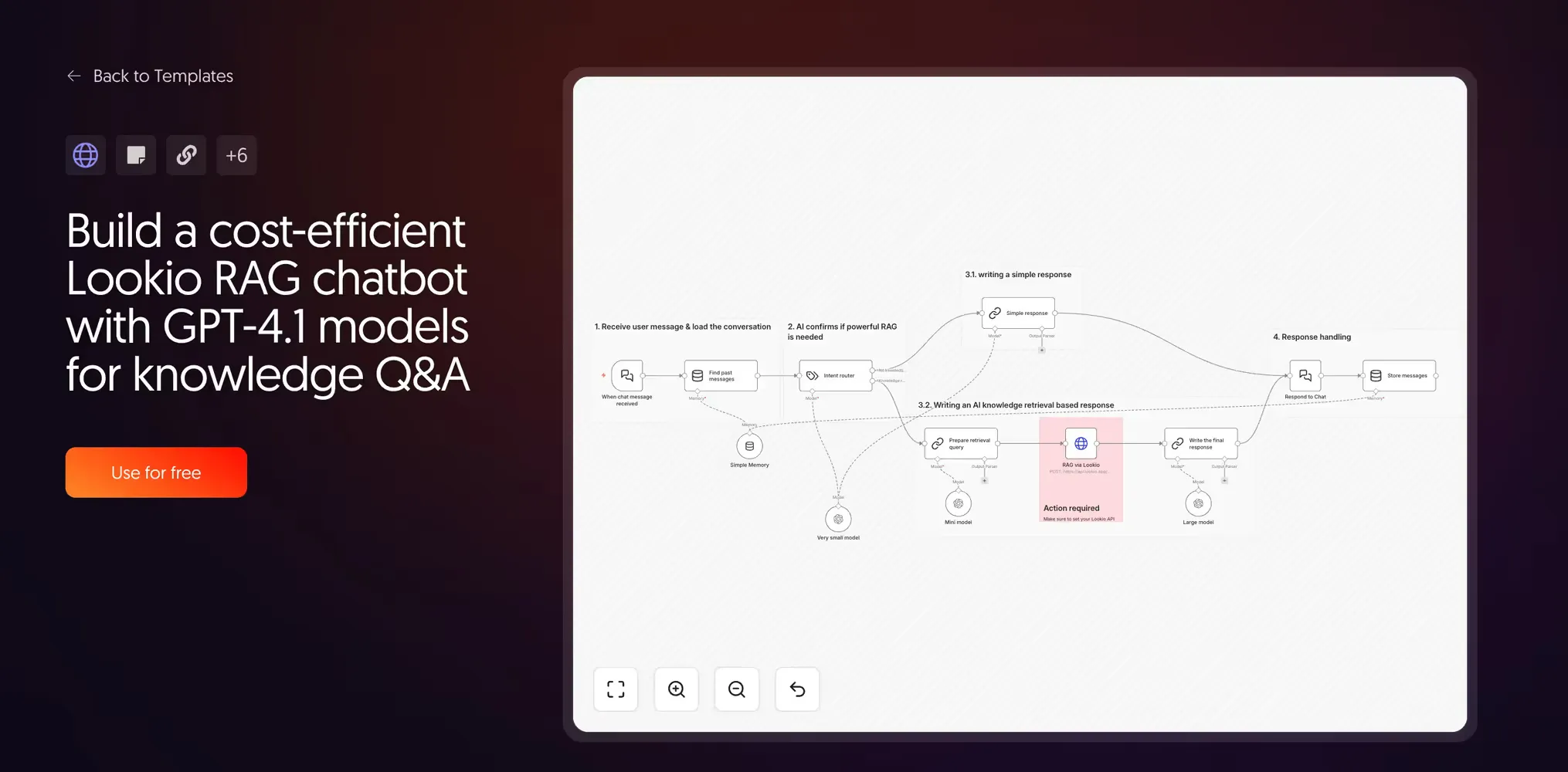
This workflow uses a small router model to detect intent. Greetings stay with a small model; knowledge queries trigger the full Lookio RAG path. By involving heavy-duty models only when deep knowledge is actually required, you can reduce API costs by up to 3x while making the system noticeably more responsive.
How to choose the best n8n RAG template for your project
The 10 templates above form a spectrum. Here is how to select your starting point:
- Just exploring? Start with template 1. Understand how PDFs become chunks.
- Precision matters? Use template 2 for its hybrid search logic.
- Building a production agent? Start directly with the Lookio templates (5-10). They handle the same use cases with far less maintenance overhead.
Lookio is very popular among n8n users for its simplicity, but it is also the platform of choice for users of agents like Claude. Because Lookio offers a Model Context Protocol (MCP) server, it can be used natively as a tool by any modern AI agent, providing immense flexibility in how you leverage your company knowledge.
Whether you are using an n8n HTTP node or an autonomous Claude agent, the underlying RAG logic remains the same. The goal is to get precise, sourced answers every time.
Start with 100 free credits on Lookio and deploy your first production-grade RAG workflow today.