FREE
100 credits offered · No subscription needed

AI Assistant for Communications Teams

Stop wasting time searching through archives - unlock your team's internal expertise with automated knowledge retrieval.

Get started free
Lookio AI painterly background
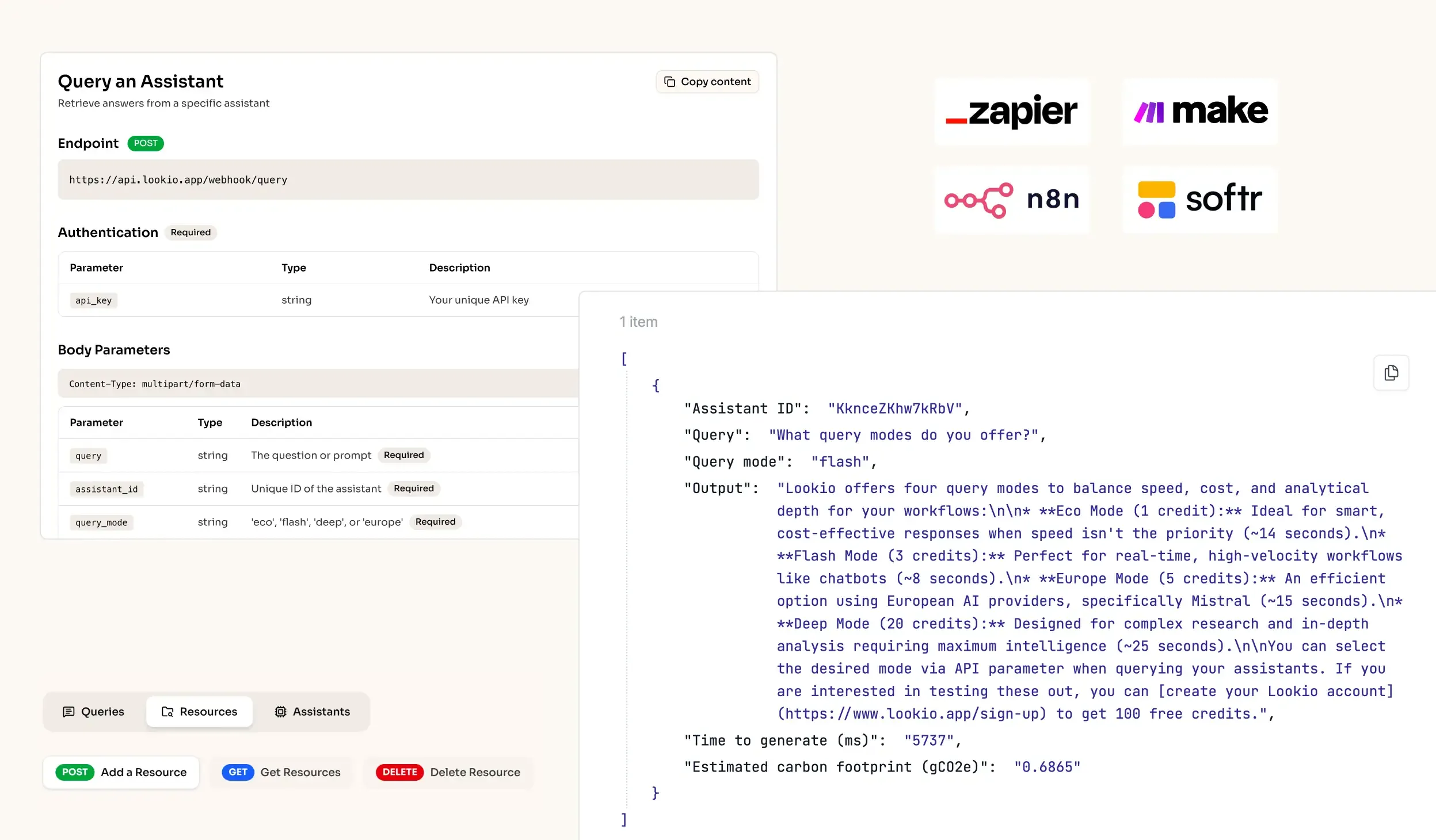
API Integration for RAG AI knowledge retrieval in workflows
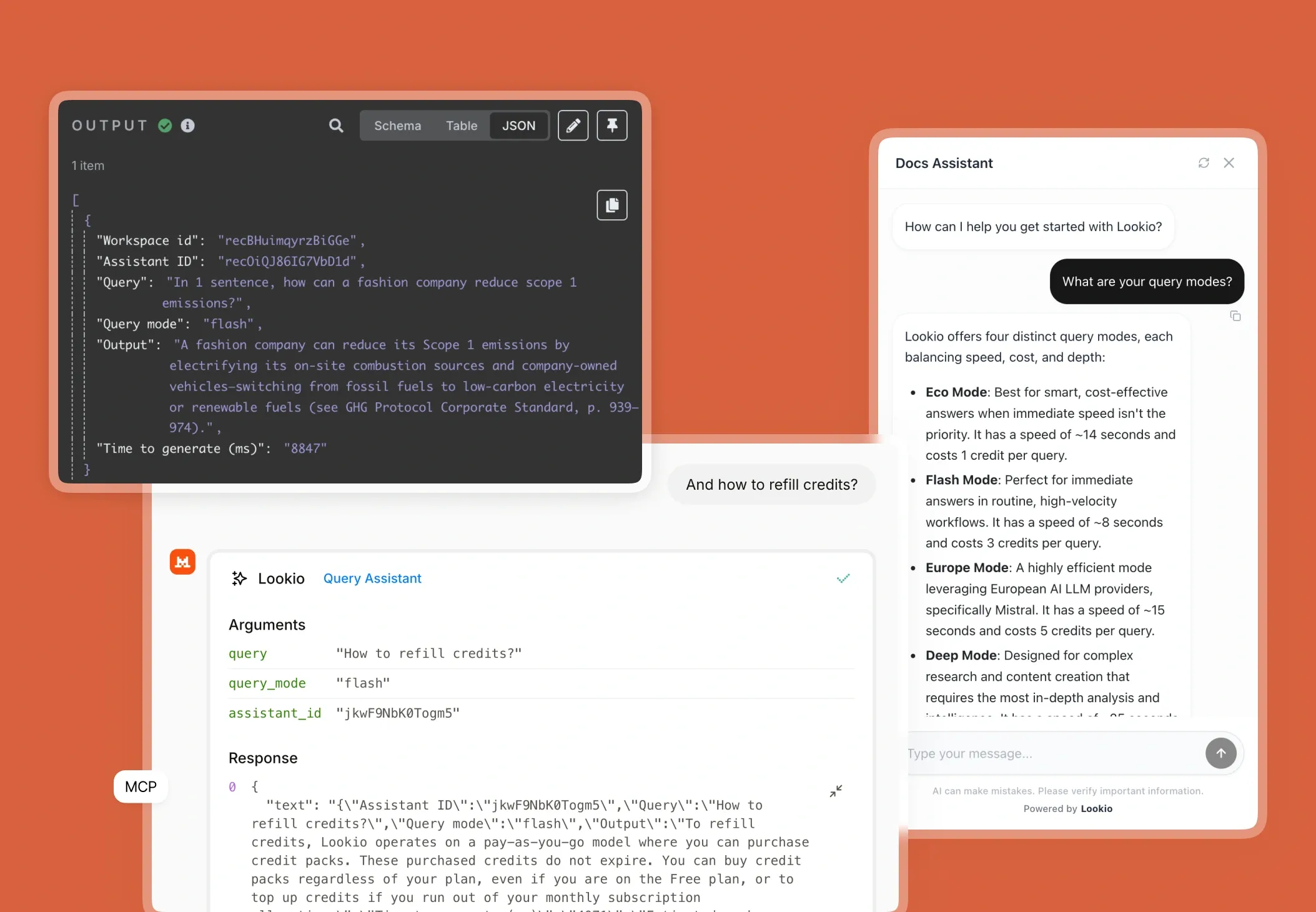
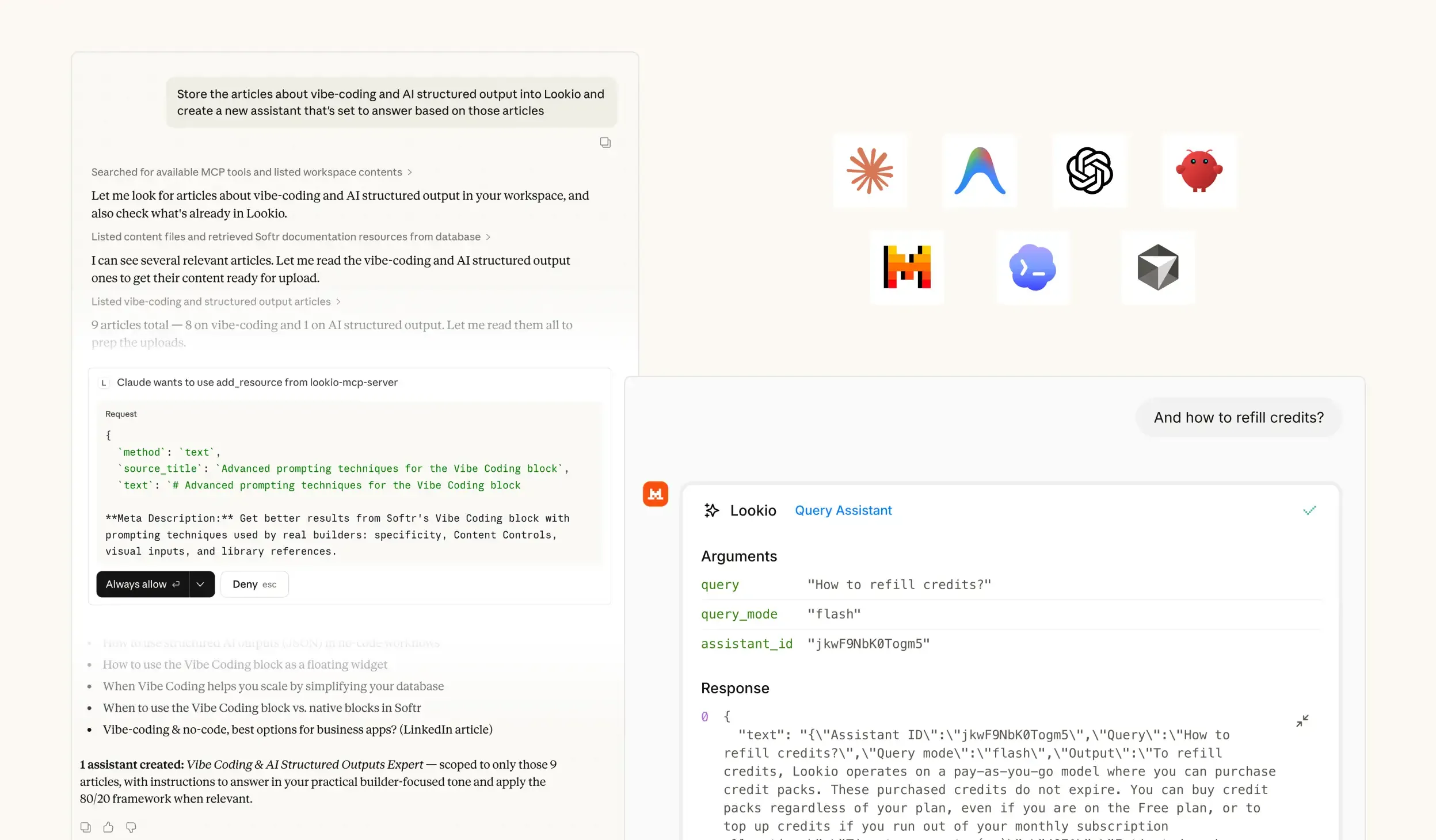
MCP Support for Agents - RAG platform
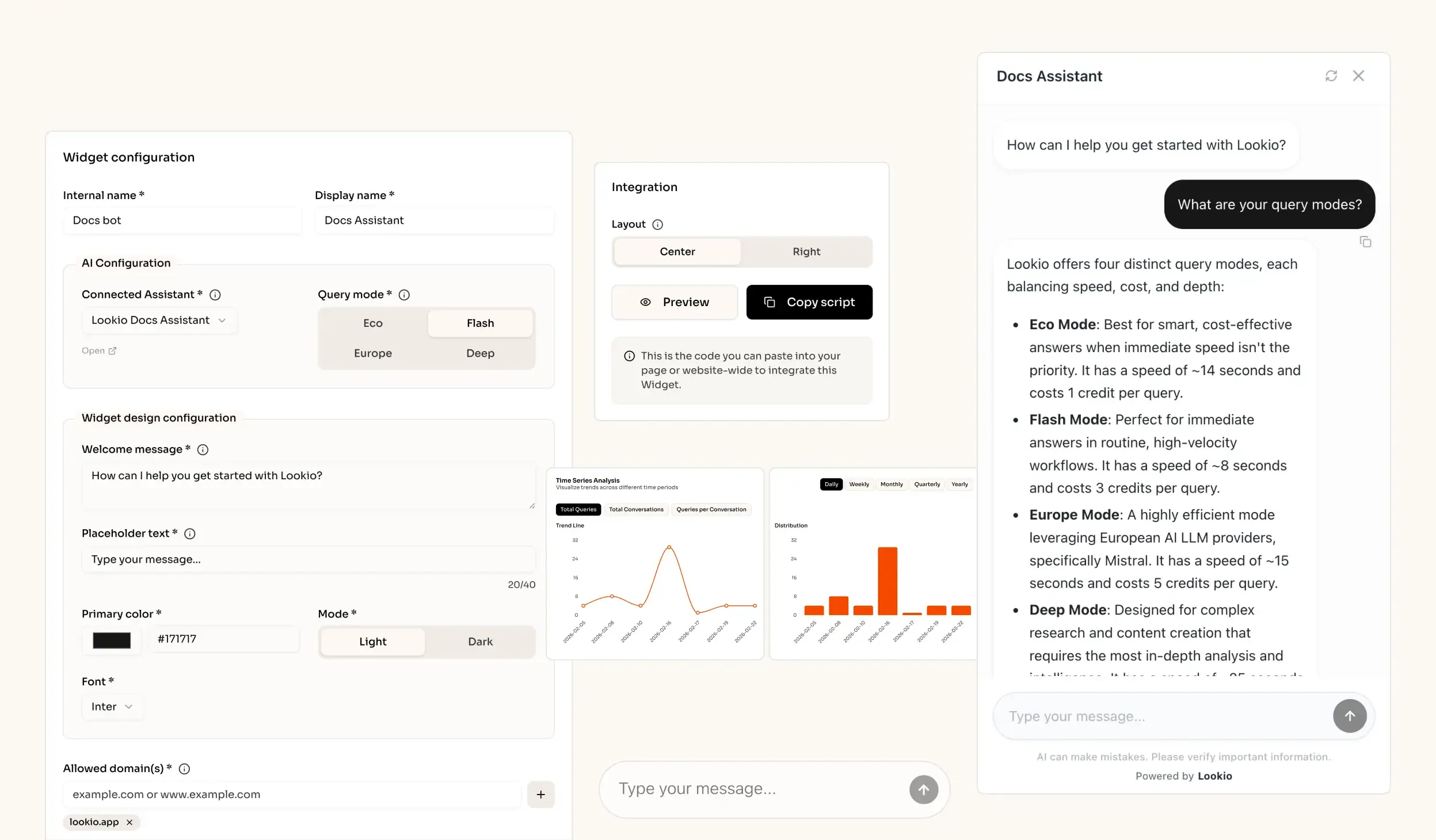
AI knowledge retrieval website widget - RAG solution

The challenge of scaling communication with locked knowledge

When a communications director or PR manager tries to draft urgent messaging or respond to a press inquiry, they hit a wall: the company’s true expertise is buried in thousands of PDFs, old strategy decks, and Slack threads. You know the answer exists, but finding the exact source takes longer than writing the copy itself. This lag doesn't just slow you down; it creates a fragmented brand voice and forces you to constantly interrupt subject matter experts for basic facts.

The daily cost of internal information gaps

In high-stakes communications, a 2-hour delay in verifying a fact is the difference between leading the narrative and being defensive. When teams can't surface proprietary insights instantly, they default to safe, generic content that disappears in the noise. This "knowledge tax" results in expert fatigue, where your technical leads are constantly answering the same three questions because the documentation is too difficult for the marketing team to navigate manually. It prevents you from achieving both volume and quality in your content strategy.

Why the tools they've tried fall short

Most communications teams reach for stop-gap solutions that inevitably fail as the document library grows:

  • Internal wikis and keyword search: These systems only work if you know the exact file name or phrase. They can't understand the intent of your question, leading to irrelevant results when you're under pressure.
  • Generic AI (ChatGPT): Using out-of-the-box models is dangerous for PR. These models hallucinate details when they don't know the specifics of your company's proprietary history or product roadmap, creating a massive liability for public-facing statements.
  • No-API tools like NotebookLM: While great for organizing one person's notes, tools like NotebookLM lack a business API. You can't connect your knowledge to your social media scheduler, your agency portal, or your internal comms bot. It remains a silo, much like the PDFs it was meant to replace.

What's missing is a programmatic bridge between your vast data archives and your daily creative output.
The best knowledge retrieval quality for Communications Teams out of the box

Excellent quality RAG

Our engine provides extremely accurate answers (scored 37/40 on the n8n Arena Eval) with no complex setup needed.

Ease of implementation

Drop your files into Lookio, create an Assistant, get your API key and start automating (compatible with n8n, Make, Zapier).

Get sourced answers

Lookio integrates a smart metadata system that ensures that the output of your queries are sourced.

Adapts to your data

When you upload PDFs into Lookio, our technology automatically cleans your data to make it retrieval-ready.

How knowledge retrieval powers communication workflows

What smart knowledge retrieval actually does

Lookio uses a technology called Retrieval-Augmented Generation (RAG) to turn your static folders into a dynamic brain. Think of it like a senior communications officer who has a photographic memory of every whitepaper, press release, and brand guideline ever produced. When you ask a question, Lookio doesn't guess - it electronically scans your documents, finds the most relevant paragraphs, and feeds only those specific snippets to the AI. This ensures the output is grounded in truth and includes proper citations, making it much more reliable than generic custom GPTs.

A real scenario for comms teams

Imagine a scenario where your team needs to create a series of LinkedIn posts based on a 50-page annual sustainability report. Instead of a writer reading the whole document, your n8n workflow calls the Lookio API. The system identifies the specific achievements mentioned in the report, retrieves the verified statistics, and returns a structured draft to your dashboard in seconds. This allows you to produce authoritative SEO content that actually features your unique company insights.

Connect it to how you already work

Lookio is built for integration, ensuring your team has access to the "company brain" wherever they are producing work:

  • Via API: Automate facts-checking or brief generation directly within tools like n8n, Make, or custom internal dashboards.
  • Via Embeddable Widget: Drop a quiet, sourced chat interface into your internal portal or brand-resource site so any employee can ask, "What is our official stance on X?"
  • Via MCP Server: Connect your document library to AI agents like Claude. Your agent can then natively use Lookio as a tool to verify facts before it suggests a tweet or a press release headline.
  • Via CLI: Developers can run bulk queries using the lookio-cli with a --json flag to prepare large sets of data for PR reporting or sentiment analysis.

The Lookio advantage

Lookio wins for communications because it focuses on vector search precision and source-cited truth. Unlike tools that force you into a single interface, Lookio is API-first, allowing you to move from individual research to automated, enterprise-wide knowledge distribution without compromising on security or accuracy.

Go from document to automated expertise in 3 simple steps

1. Upload your
knowledge documents

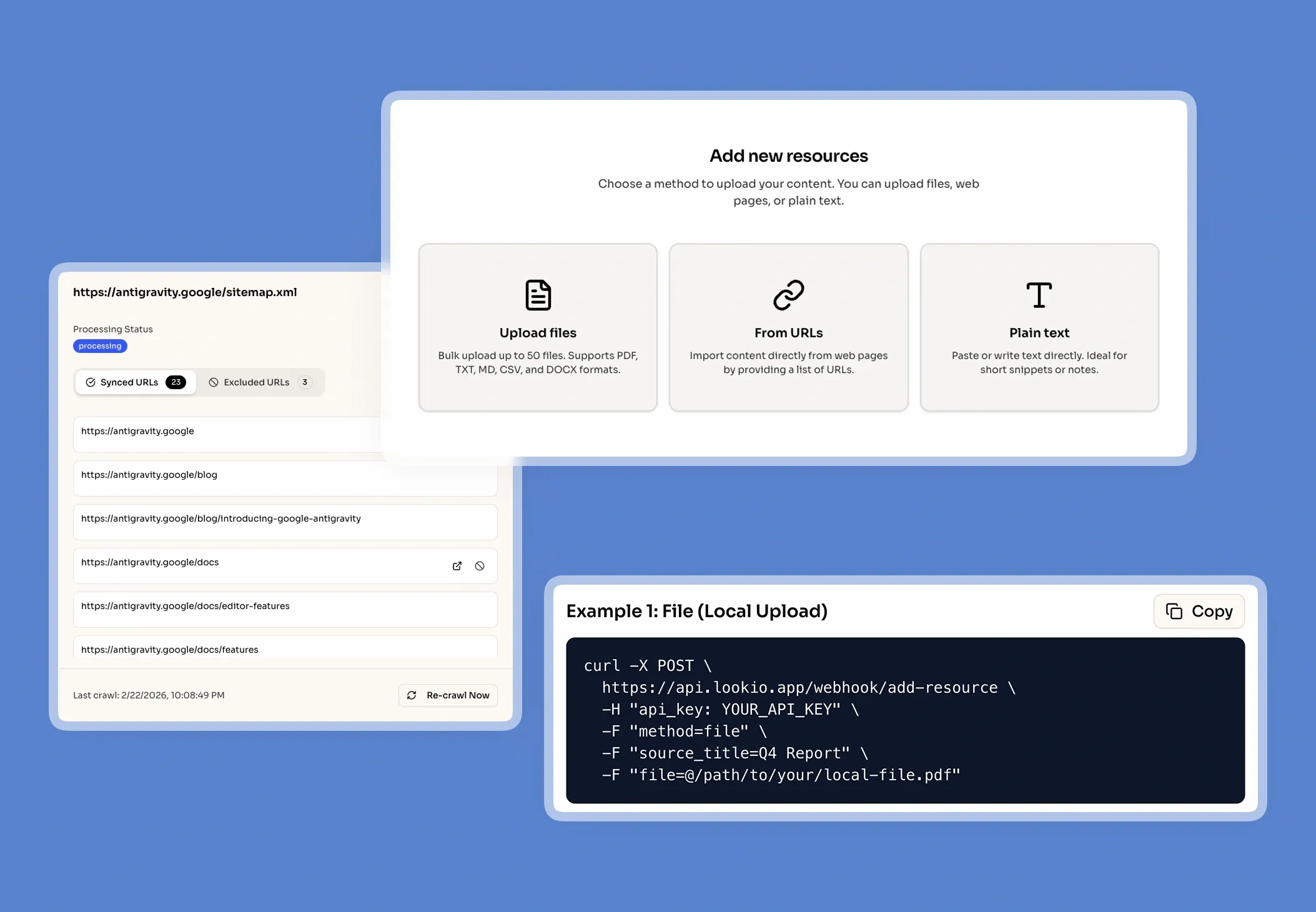
Securely upload your company's core documents (PDFs, URLs, CSVs, sitemaps) to prepare a knowledge base.

Upload my documents →
Upload your knowledge documents

2. Configure Your
Assistants

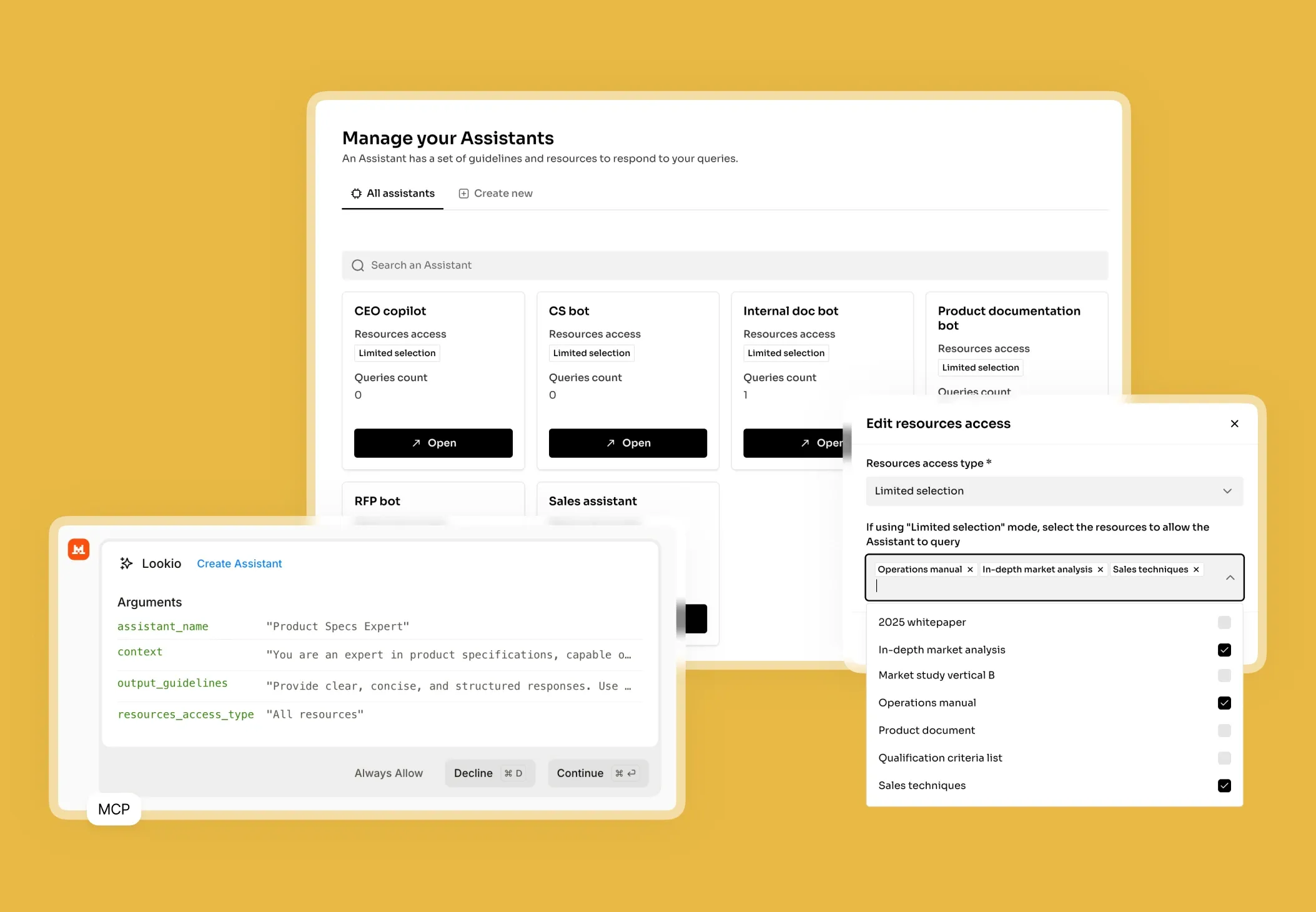
Create intelligent Assistants and configure their instructions, context, and access to documents.

Create an Assistant →
Configure Your Assistants

3. Get Answers &
Automate

Query your Assistants via the API, add them as widget to your website, or let your agents use them via MCP.

See the API documentation →
Get Answers & Automate

Use the query modes that fit your use case

Eco Mode

~14s response time

Best for smart, cost-effective answers when immediate speed isn't the priority

Flash Mode

~6s response time

Perfect for getting immediate answers in routine, high-velocity workflows

Europe Mode

~15s response time

Highly efficient mode leveraging European AI LLM providers, precisely Mistral

Deep Mode

~25s response time

Designed for complex research and content creation requiring in-depth analysis

Building your solution and making it production-ready

Step 1: Connect your brand's data

Gather the documents that define your voice: past press releases, internal brand guidelines, product specifications, and executive biographies. Lookio handles PDF, Docx, and even Sitemap Syncing. If you have a public-facing blog or newsroom, just provide the URL and Lookio will automatically detect new articles to keep your Assistant's knowledge base fresh. Organize these into separate Assistants - perhaps one for "Technical PR" and another for "Internal HR Comms" - to keep the search space clean.

Step 2: Configure your Assistant

In the Lookio dashboard, you will define the personality of your AI. For a comms use case, your system prompt should be precise: "You are an expert PR assistant. Answer using only the provided institutional documents. Always include the document title and a direct quote where possible. If the answer is not in the knowledge base, state clearly that no official record was found."

Select your query mode based on the task:

  • Flash (3 credits, ~8s): Best for quick internal questions in Slack.
  • Deep (20 credits, ~25s): Use this for creating complex, SEO-optimized articles where high-quality reasoning is essential.
  • Europe (5 credits, ~15s): Ideal for GDPR-compliant environments using European models like Mistral.

Step 3: Integrate and optimize

Once your Assistant is configured, you can add an AI chatbot widget to your website for public Q&A or connect it to an n8n workflow for automated content production. Monitor your dashboard to see which documents are being cited most frequently. If you notice the AI struggling with a specific product area, that is your signal to upload more documentation to that Assistant.

Mistakes that kill retrieval quality

  • Vague Prompts: Avoid instructions like "be creative." PR assistants need to be fact-first, not creative. Instruct the AI specifically to stay within the bounds of the provided resources.
  • Document Overload: Don't put your 2012 financial reports in the same Assistant as your 2024 Product Launch. Narrow the search space to maximize the relevancy of the retrieval.
  • Dirty Data: Before uploading, ensure your PDFs aren't just scanned images. While Lookio has robust ingestion, high-quality, text-based documents will always yield the most accurate citations.
  • Ignoring Sources: The power of RAG is the source citation. Always prompt your AI to tell you where it found the info so your PR team can verify it before publishing.

Frequently Asked Questions about Lookio

What is Lookio?

Lookio is an advanced AI platform that allows you to build intelligent assistants using your own company documents as a dedicated knowledge base. It uses a technology called Retrieval-Augmented Generation (RAG) to provide precise, sourced answers to complex questions by searching exclusively through the files you provide. This enables companies to create expert AI systems for tasks like customer support, content creation, and workflow automation without needing to build the technology from scratch.

What is the difference between NotebookLM and Lookio?

NotebookLM and Lookio both use sophisticated RAG technology to transform documents into intelligent, conversational knowledge bases. The primary and most critical difference between them is that NotebookLM lacks an API (Application Programming Interface). This lack of an API makes NotebookLM suitable for individuals or small teams but unsuitable for businesses that need to scale. Lookio, conversely, is an "API-first" platform. This means it provides the same intelligent document-understanding capabilities as NotebookLM but is specifically designed for business integration, allowing companies to automate workflows, integrate knowledge retrieval into existing tools like Slack, and build custom solutions.

Can I add an AI chat widget to my own website?

Yes! Lookio Widgets allow you to integrate one of your Assistants into a modern chat widget that appears on your website, documentation platform (like Mintlify), or internal tools. • Significant Cost Savings: Lookio's "pay-as-you-go" credit model starts at approximately €0.02 per query, compared to €0.20 to €0.50 for native AI assistants on standard documentation platforms. • Hybrid Knowledge Base: Unlike most documentation assistants that only use your docs, Lookio allows you to sync additional articles, proprietary documents, and dedicated Q&As to provide more comprehensive answers. • Fast Integration: In just a few clicks, you get a 6-line script to add to your website to enable the widget.

How does Lookio keep its knowledge up-to-date?

Beyond individual uploads, Lookio supports Sitemap Syncing. Simply provide your website's sitemap URL, and Lookio will automatically detect new pages and re-crawl existing ones when they are updated. This ensures your assistants always have access to the latest version of your content without manual work. You can also use Exclusion RegEx—with the help of our built-in AI RegEx Helper—to precisely control which pages are indexed.

Can I use Lookio with AI agents like Claude or ChatGPT?

Yes. Use the Lookio MCP Server to connect your workspace to agents like Claude Desktop or Antigravity. This allows you to run queries, manage resources, and build assistants directly within your agent's conversation using your workspace API key. For headless or autonomous agents, you can also leverage our robust REST API or the Lookio CLI.

How does Lookio's pricing work?

Our pricing is designed for flexibility, combining subscription plans with a pay-as-you-go credit system. 1. Subscription Plans (Free, Starter, Pro): Your plan determines your Knowledge Base Limit (total words stored). Paid plans also include a monthly bundle of credits at a discounted rate. 2. Credit Packs: Credits power your queries. You can purchase credit packs at any time to top up your balance. Credits bought in packs never expire. This hybrid model allows you to pay for storage capacity and active usage separately, ensuring you only pay for what you need.

Can I try Lookio for free?

Absolutely. Every new account starts on our Free plan, which includes 100 free credits to explore the platform's full capabilities without needing a credit card. You can build an assistant, upload documents, and test both the chat interface and the API.

100 welcome credits - no credit card required

Ready to unlock your company's knowledge?

Create a free account →