
Stop making your field sales teams look up 200-page PDFs on their phones.
It’s a familiar scene: Your sales rep or technician is on-site with a client. The client asks a specific technical question: “What is the maximum operating temperature for this unit?” or “Does this comply with the new ISO standard?”
The rep pulls out their phone, tries to download a massive PDF catalog, pinches and zooms on a tiny screen, and scrolls… and scrolls. The awkward silence grows. The client loses confidence.
Access to information is speed. In 2026, forcing your field teams to rely on static PDFs or calling HQ for answers is a competitive disadvantage.
The solution isn’t to retrain your team to memorize specs. It’s to give them an AI assistant that instantly knows every spec of every product you sell.
Here is how to use Lookio to put your entire technical library in your team’s pocket.
The problem: Technical data is hard to access “on the edge”
Your company has incredible documentation. You have spec sheets, safety data sheets (SDS), installation manuals, and compliance certificates.
But this data is usually:
- Locked in PDFs: Hard to search, impossible to query.
- Scattered: Spread across Sharepoint, Google Drive, or disparate internal wikis.
- Mobile-unfriendly: designed for A4 paper, not iPhone screens.
When a field rep can’t find an answer instantly, two things happen: they either guess (risking liability and errors), or they delay the answer (risking the deal).
The solution: A mobile AI assistant for tech specs
Imagine this workflow instead:
- Client asks: “What’s the max load for the X-200 model?”
- Rep opens their Lookio assistant on their phone.
- Rep types (or speaks): “Max load X-200”
- Lookio answers instantly: “The X-200 maximum load is 2500kg. Note: For loads over 2000kg, the reinforced mounting bracket (Part #B-99) is required.”
- Lookio provides a link to the exact page in the PDF for verification.
This isn’t sci-fi. It’s RAG (Retrieval-Augmented Generation), and you can build it today without writing a line of code.
How to build your “Field Specs Bot” with Lookio
We built Lookio to handle exactly this kind of complexity. You don’t need to manage vector databases or build a custom app. You just need your documents.
1. Centralize your specs
Gather your most critical technical documents.
- Product Catalogs (PDF)
- Installation Manuals
- Safety Data Sheets
- Competitor Comparison Battlecards
2. Upload to Lookio
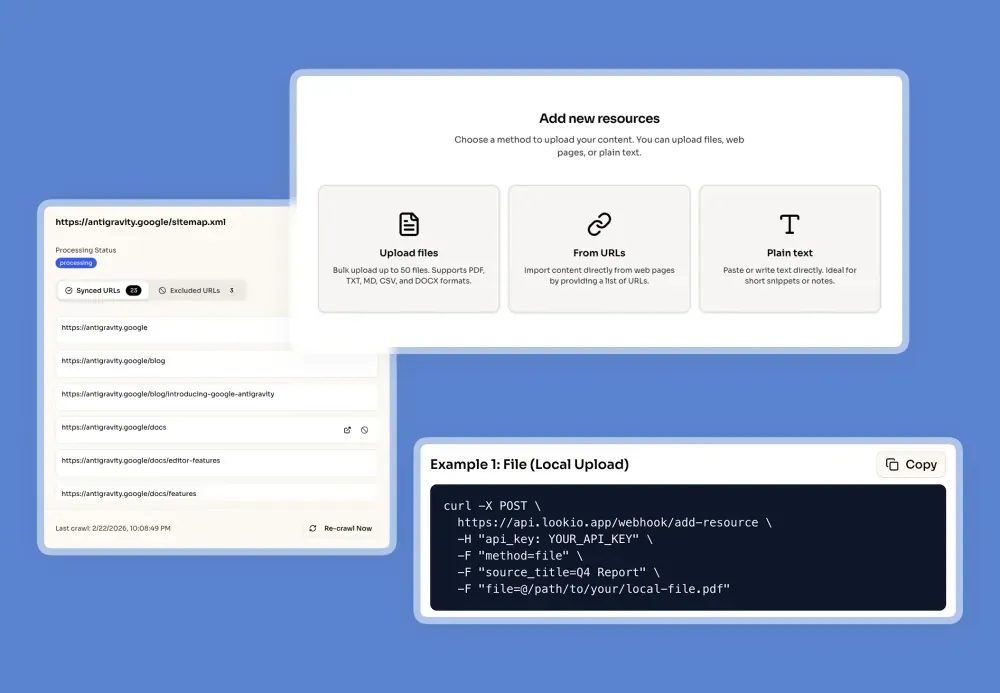
Create a free account at lookio.app. Go to the Resources tab and upload your files.
Here you can customize two key elements:
- Resource Name: Use clear titles like
Series_X_Technical_Manual_2025. Lookio will use this to cite sources, helping your team instantly identify where the info comes from. - Resource URL: Add a link to the original file (e.g., the Google Drive or Sharepoint link). This allows the Assistant to hyperlink the citation, so your reps can click and open the full document immediately if they need to check a schema or diagram.
3. Create your Assistant
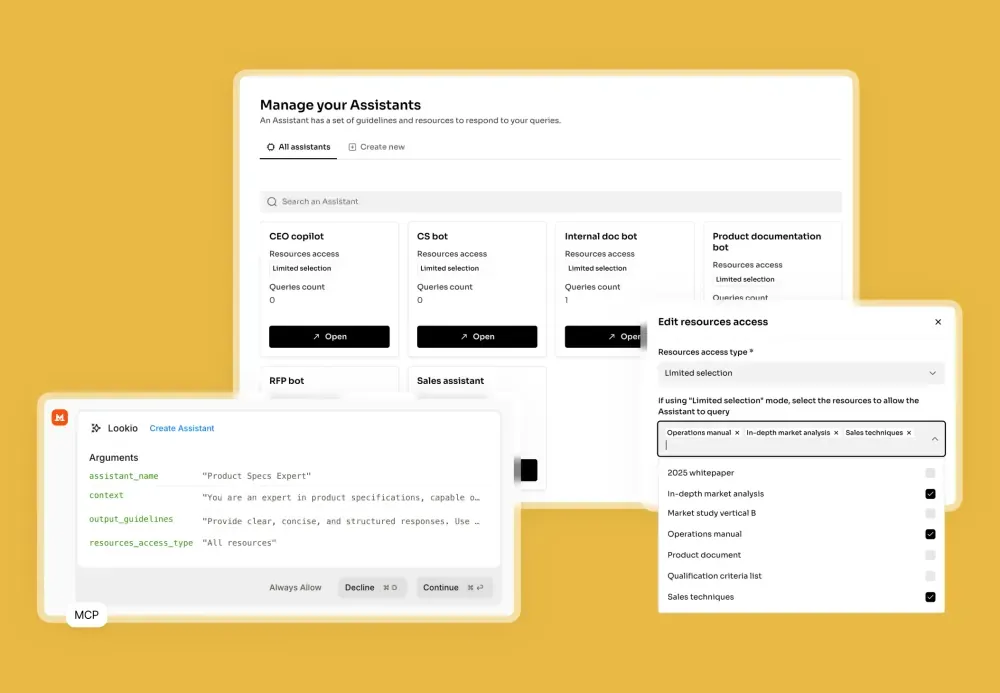
Go to Assistants and create a new one. Let’s call it “Field Tech Bot.”
Give it specific instructions to be helpful for mobile users. Context:
“You are a helpful technical assistant for field sales representatives. Your goal is to provide specific, accurate technical specifications based only on the uploaded documents.”
Output Guidelines:
“Be concise. Field agents are on mobile, so avoid long paragraphs. Use bullet points. Always cite the specific document and page number where you found the info. If the user asks for a specific value (e.g., weight, dimensions), give the value immediately.”
4. Deploy to your team
Now, how does your team use it?
Option A: Direct Link (Easiest) Lookio provides a chat interface for every assistant. Simply share the link with your team. They can bookmark it on their phone’s home screen.
Option B: The “SMS/WhatsApp” Bot (Advanced) If you want to be fancy, you can use n8n + Twilio to let your team text the bot.
- Trigger: Webhook from Twilio (Employee sends SMS).
- Action: n8n sends the text to Lookio’s API (using “Flash” mode for speed).
- Response: n8n sends the Lookio answer back via SMS.
Your team doesn’t even need internet data; they can just text for specs.
Why this improves sales performance
This isn’t just about convenience; it’s about authority.
When a sales rep answers a technical question instantly and accurately, they project competence. They move the conversation forward. They resolve objections on the spot.
Don’t let PDFs kill your deals.
Sign up for Lookio today. You get 100 free credits—enough to map your entire product catalog and let your field team try it out on their next site visit.